
2023 Releases
This page contains all 35 release notes from 2023, ordered from newest to oldest.
Release 2023-12-20
New Feature
| Release Version | Feature | Description |
|---|---|---|
Enhancement
| Release Version | Feature | Description |
|---|---|---|
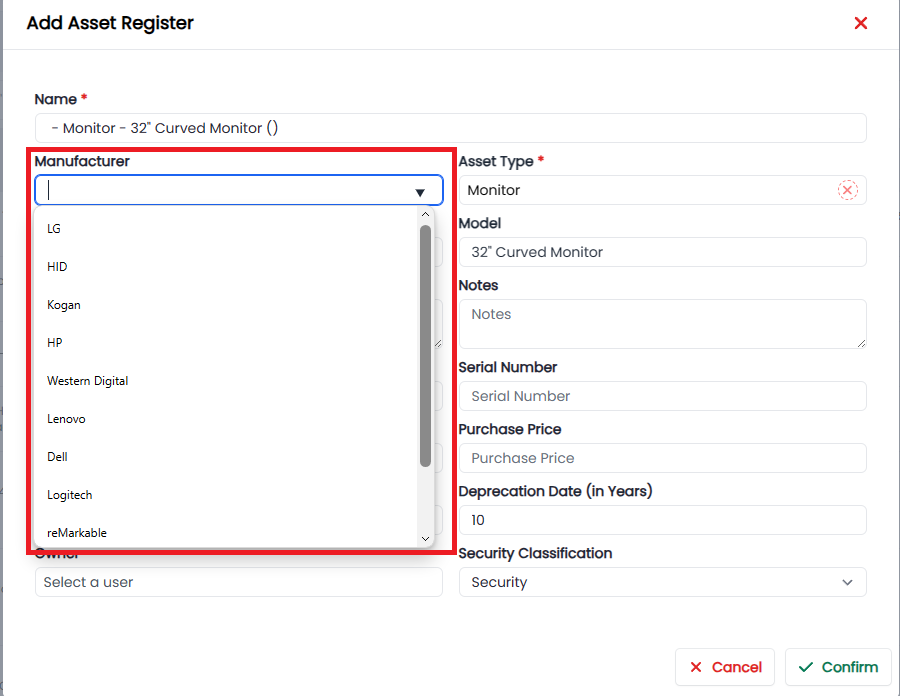
| 2.0.10 | Asset Register | |
| Create Asset colour and manufacturer dynamic dropdown fields. |
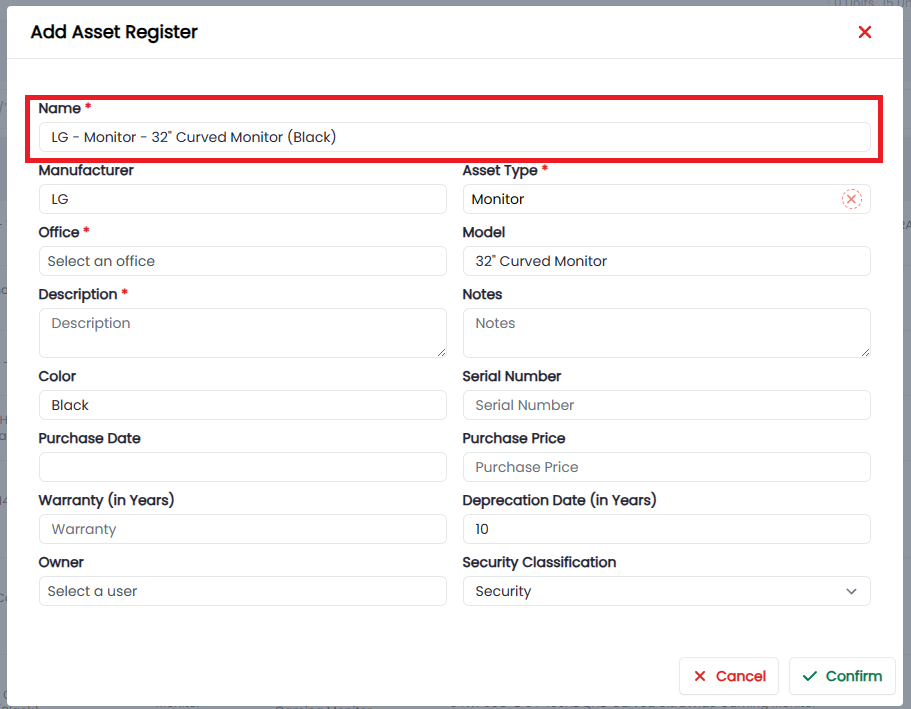
 | | 2.0.10 | Asset Register |
Create dynamic name field to pull in the Manufacturer - Asset Type - Asset Model (Colour).
 | | 2.0.10 | Trust Accounts | Update the trust Summary UI. | | 2.0.10 | Contacts |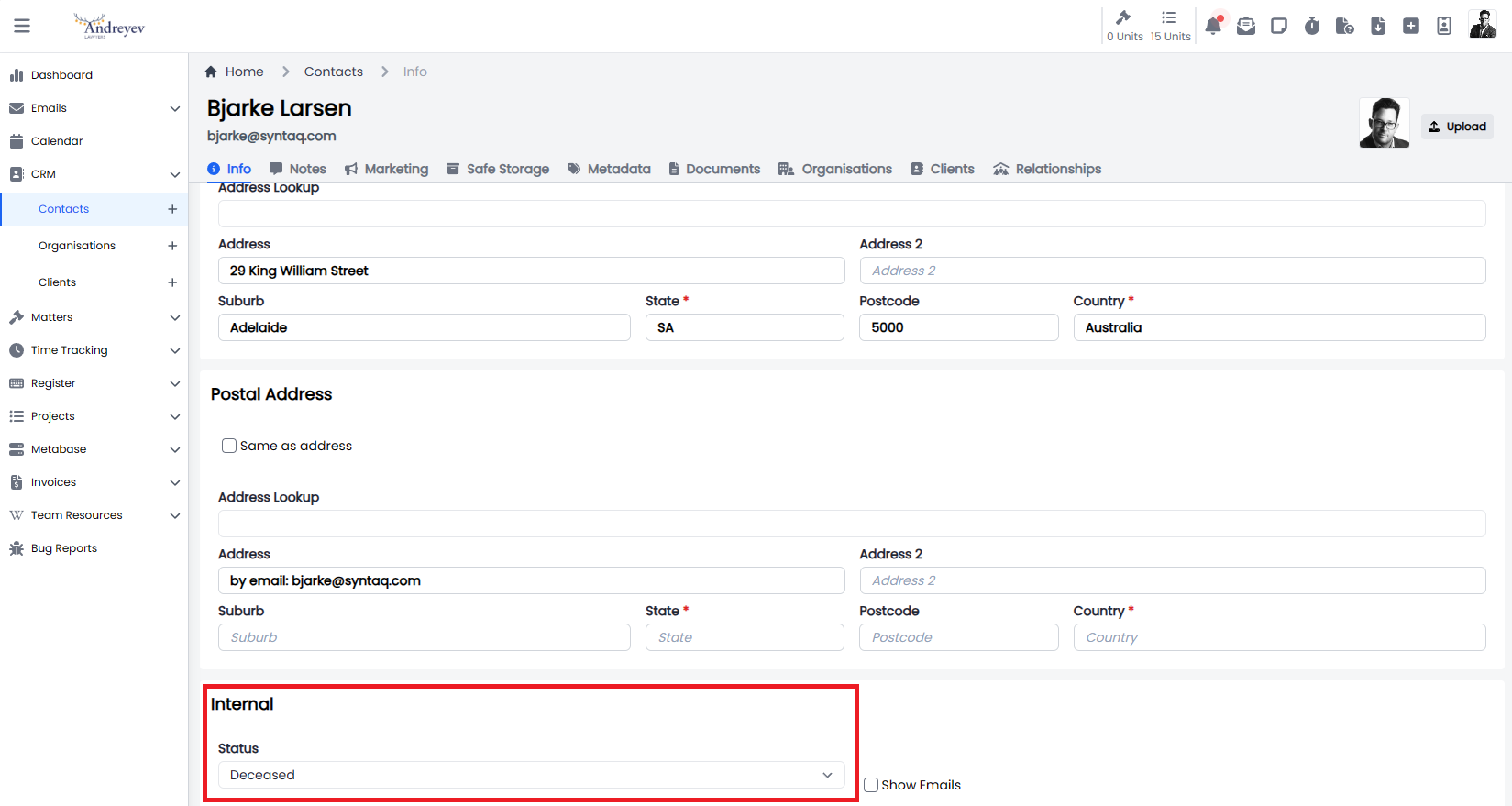
New status of “Deceased”, dropdown and List
 |
|
Bugs
| Release Version | Feature | Description |
|---|---|---|
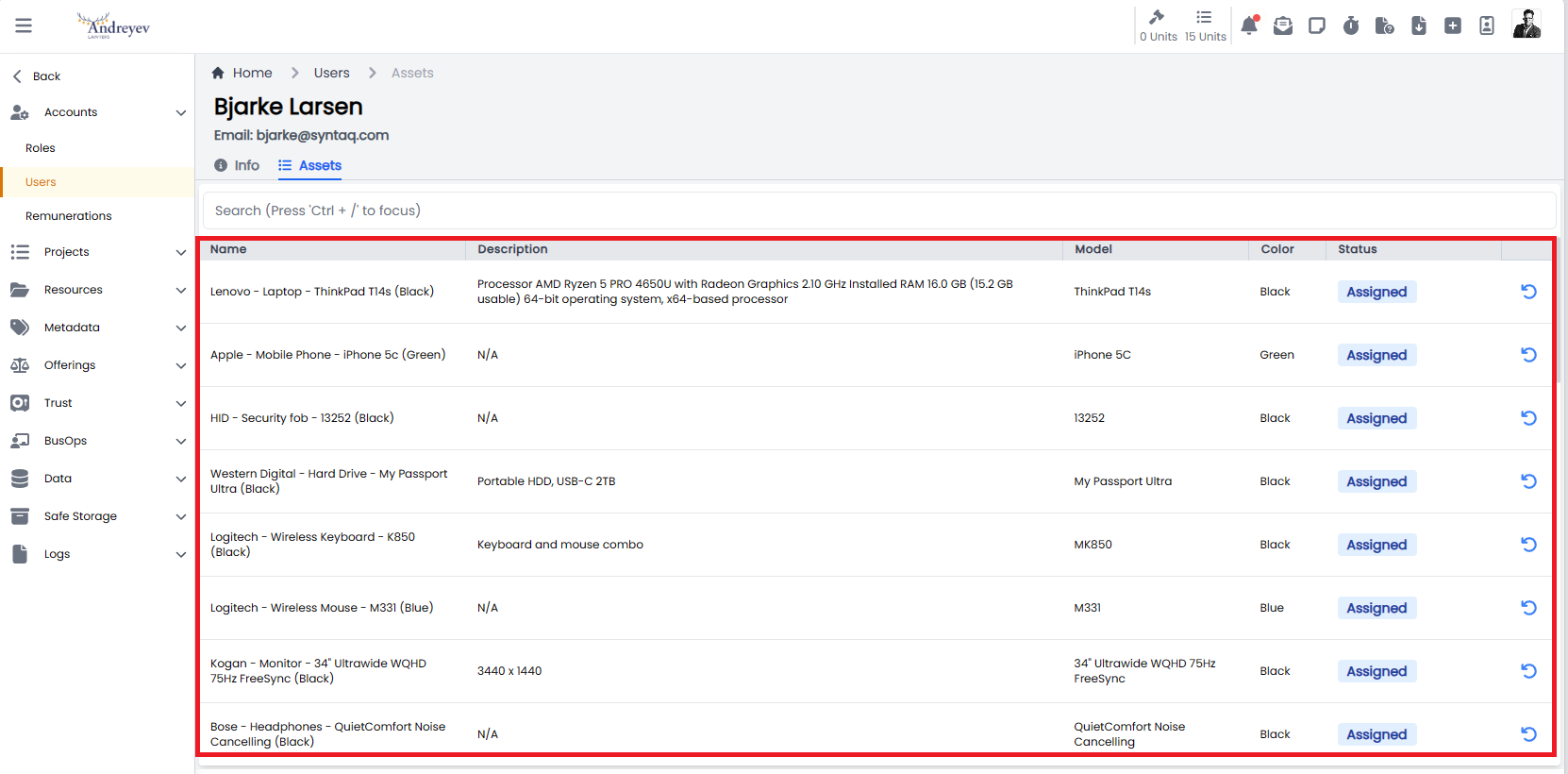
| 2.0.10 | Asset register | |
| Resolve issue with Admin user not being able to see assets assigned to a user in the user view. |
 |
|
Documentation
| Title | Description |
|---|---|
Release 2023-12-19
New Feature
| Release Version | Feature | Description |
|---|---|---|
| 2.0.9 | Asset Register | |
| Developed the new Asset register and associated workflows to support the management of business assets. |
Asset Register Type
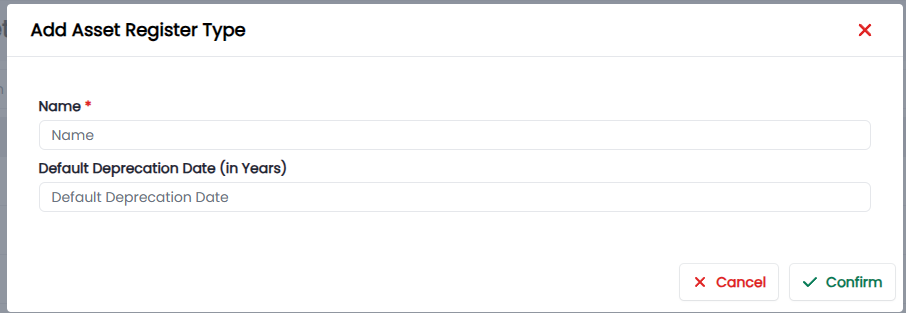
Introduced a Data type, called Asset Register Type. This will record all the different type of assets we own as well as the depreciation period so that we can manage the life of an asset effectively.
Create
List

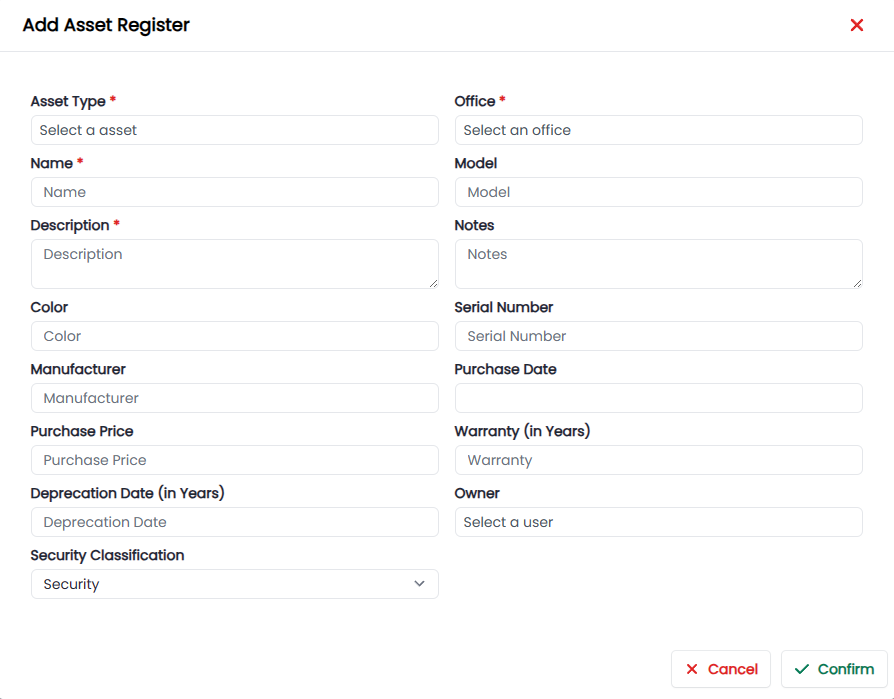
Asset Register
Create a new Asset
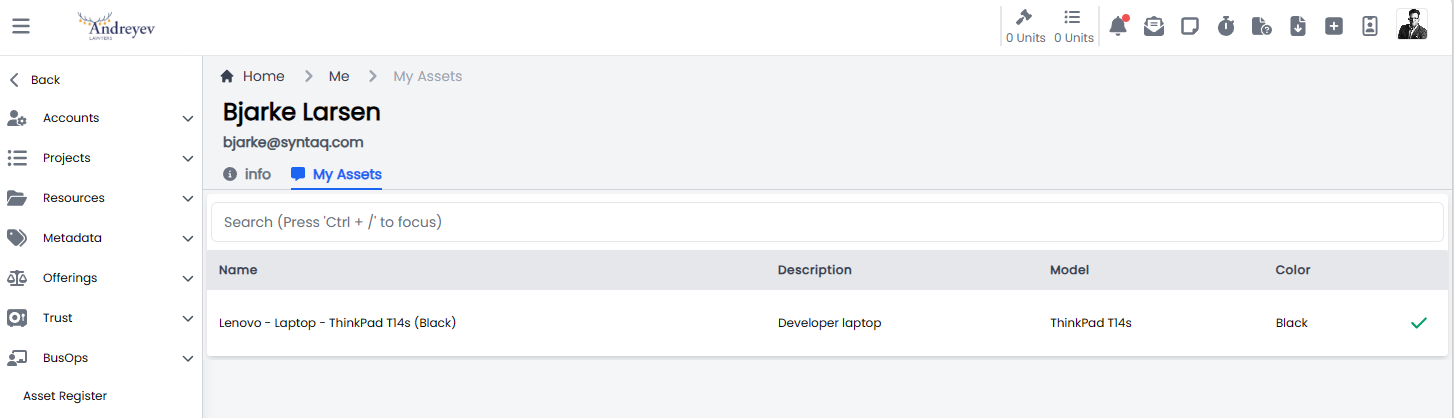
User Profile, Asset Management
As a user I can view all the assets that have been assigned to me.
When an asset is initially assigned a user will be required to accept the terms of use
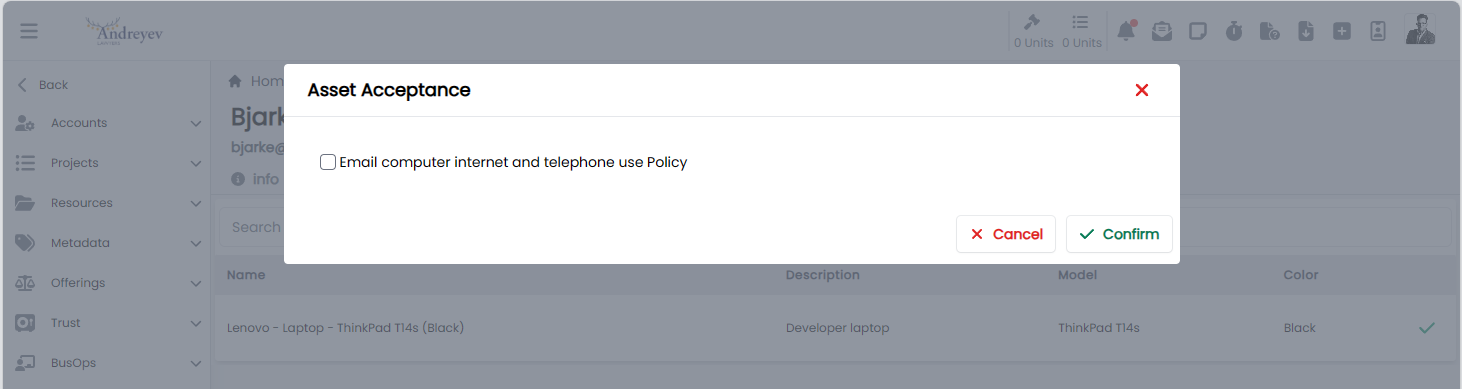
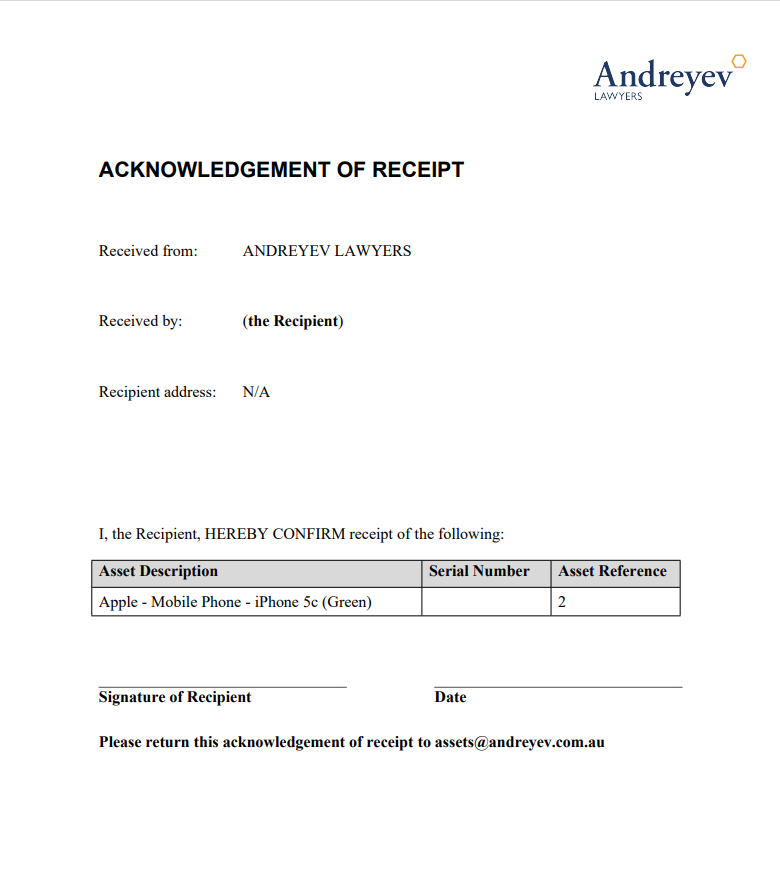
On accepting the terms, an email will be generated with the Acknowledgement of Receipt
A user can return an asset by clicking on the return icon.
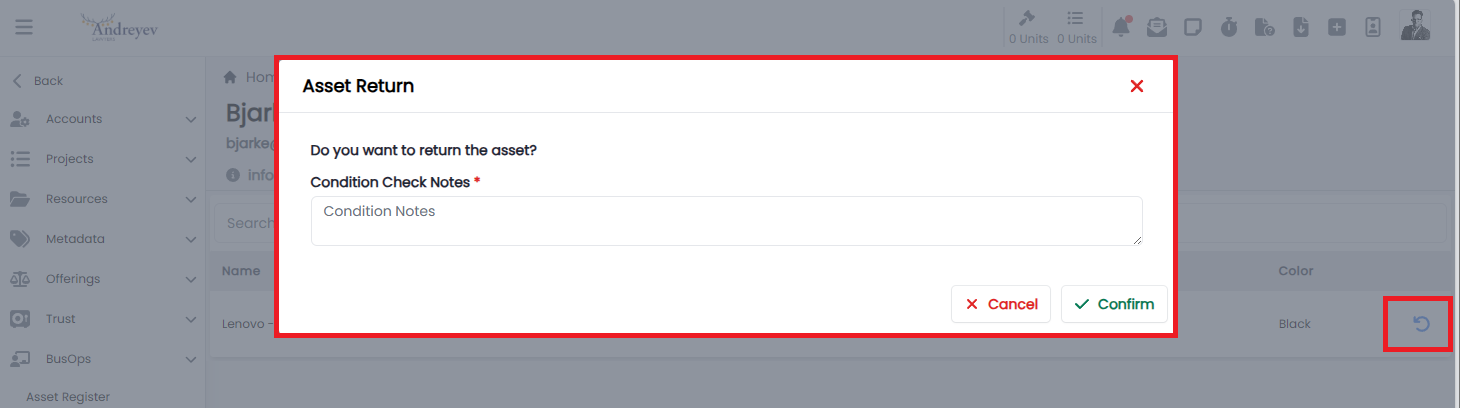
Returning an asset will result in the asset status being updated to Return Pending Approval.
Asset Status' Summary
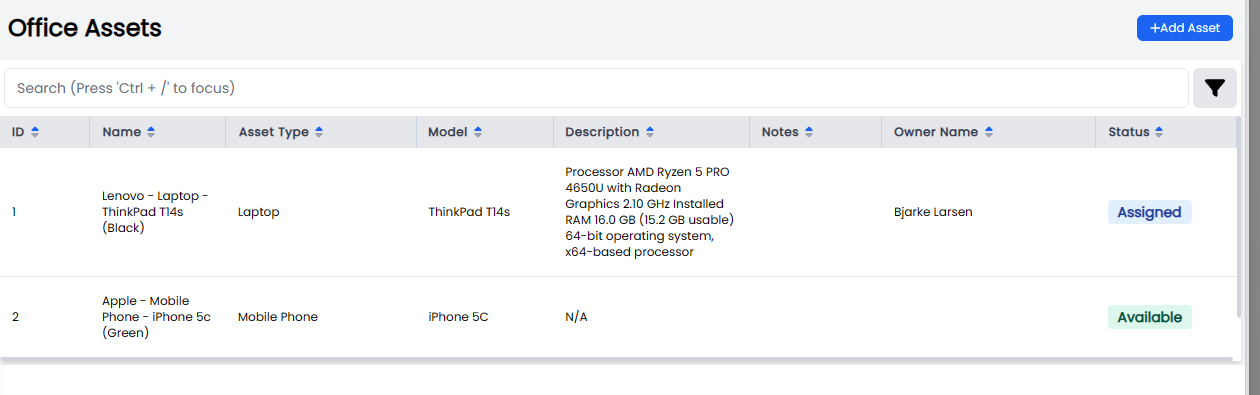
Assets in the register will have one of the following status' throughout the life of the asset.
- Available = 1: This asset is available for use by team members.
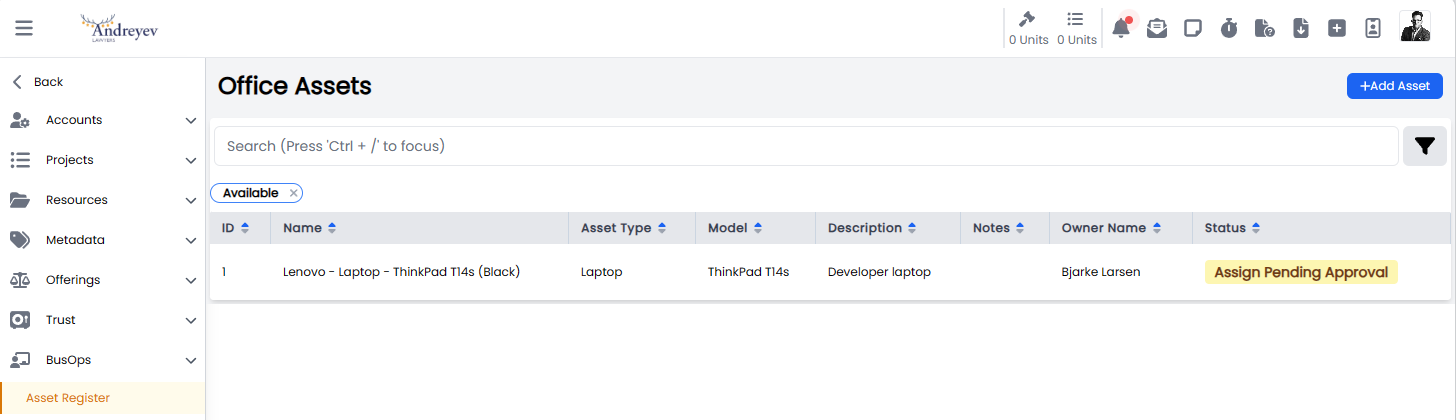
- AssignPendingApproval = 2: This asset has been assigned to a user, however the user hasn't accepted the terms of use yet.
- Assigned = 3: The user has accepted the terms of use, and the asset has now been assigned to the user.
- ReturnPendingApproval = 4: The user is requesting an asset be returned to the asset pool, however the asset manager has not yet accepted the asset has been returned. Once the asset has been accepted by the asset manager the asset status will revert to Available.
- DisposePendingApproval = 5: A user has requested an asset is disposed, however the asset manage has noty yet approved of the assets disposal.
- Disposed = 6: The asset manager has approved the disposal of the asset and the status of the asset is updated to Disposed. Disposed assets can no longer be assigned to a user.
Asset managers can also manage lost, stolen or the disposal of old assets through the Asset disposal process.
Asset Disposal
User Profile
An asset manager can view and manage assets on behalf of a user through the User Profile View.
|
Enhancement
| Release Version | Feature | Description |
|---|---|---|
| 2.0.9 | Domain | Established a new domain to host the application https://portal.andreyev.com.au |
| 2.0.9 | Login | Implement MS login call back URL to supporting new domain. |
| 2.0.9 | User Profile | Updated the User Profile UI to support Asset Register. |
Bugs
| Release Version | Feature | Description |
|---|---|---|
Documentation
| Title | Description |
|---|---|
Release 2023-12-11
New Feature
| Release Version | Feature | Description |
|---|---|---|
Enhancement
| Release Version | Feature | Description |
|---|---|---|
| 2.0.6 | Invoice | |
| Created a Collection Report, which will list which automations will run later in the day. The collection report will be generated at 12:00, before the Invoice Automations run at 16:00. |
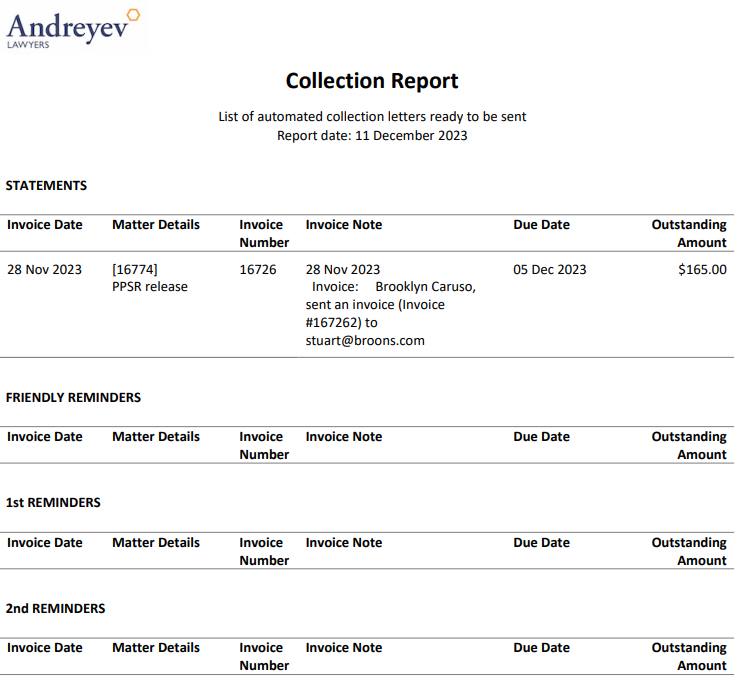 | | 2.0.6 | Invoice | Enhanced the invoice automations to include additional business logic, to not run on the weekend. |
Bugs
| Release Version | Feature | Description |
|---|---|---|
| 2.0.6 | Trust | Resolve issue with the generation of trust notifications. |
| 2.0.6 | Invoice | Resolve issue with invoice automations which didn't include a condition to check for funds in Trust. |
| 2.0.5 | Invoice | Resolve issue of ‘nulls’ causing automation to fail. |
| 2.0.4 | Trust | Resolve issue with Trust Statement PDF downloads. |
Documentation
| Title | Description |
|---|---|
Release 2023-12-06
New Feature
| Release Version | Feature | Description |
|---|---|---|
| 2.0.1 | Invoices | |
| Implemented Invoice Automations to be triggered automatically at the appropriate times via hangfire. |
The process:
- Statement + 7 days from sent date,
- Send Friendly Reminder +14 days from sent date,
- Send First Reminder +21 days from sent date,
- Send Second Reminder + 28 days from sent date.
Time
- Send notifications after 12:00 Adelaide Time.
Do not send conditions:
- Invoice is marked as Do Not Collect.
- Invoice is Paid.
- We hold Money in Trust.
|
Enhancement
| Release Version | Feature | Description |
|---|---|---|
| 2.0.2 | Invoices | |
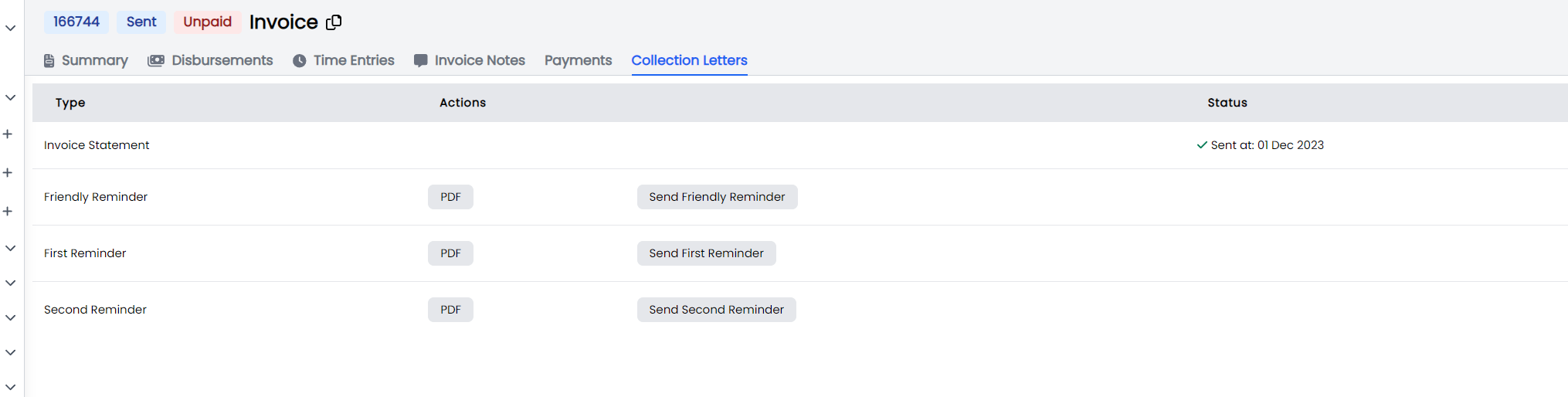
| Update and display the status of automated send notification emails under collection letters. |
 |
|
Bugs
| Release Version | Feature | Description |
|---|---|---|
Documentation
| Title | Description |
|---|---|
Release 2023-11-30
New Feature
| Release Version | Feature | Description |
|---|---|---|
| 1.9.16 | Outstanding Invoices | |
| Implemented business logic to flag Clients with outstanding invoices at various days. |
We have applied the following logic.
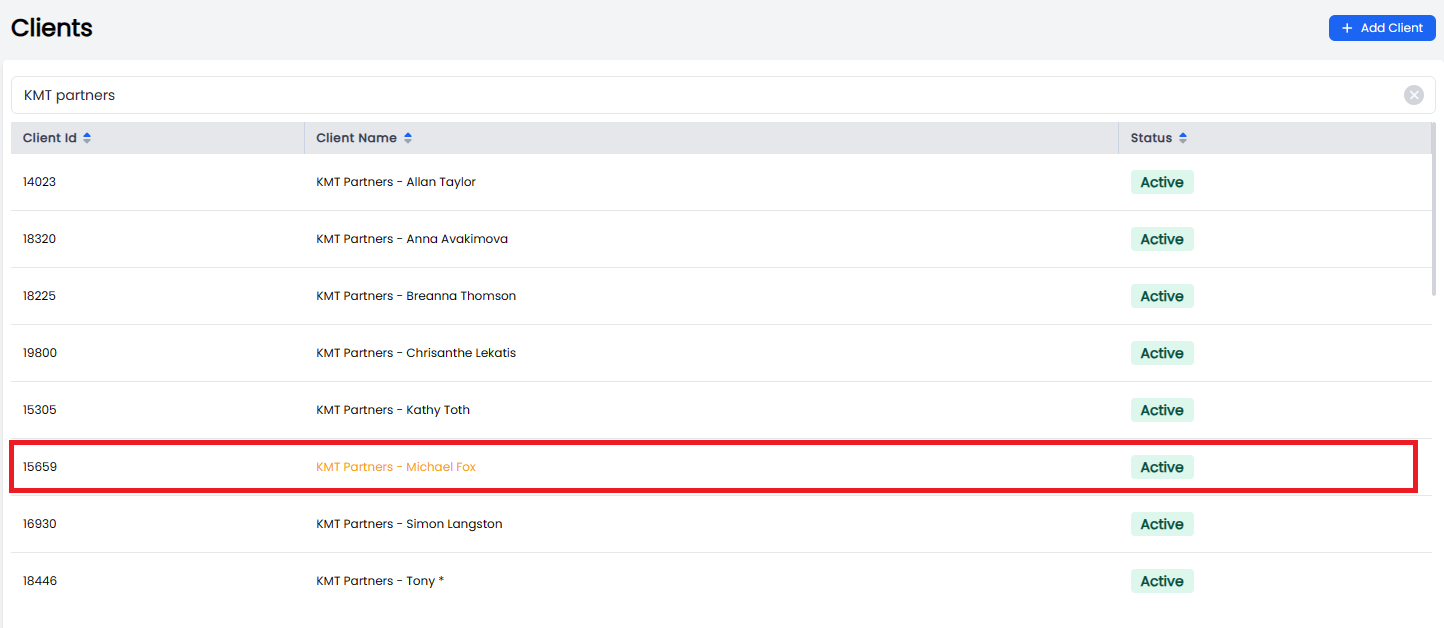
- Clients with an invoice that have an invoice outstanding for 21 but less than 28 days will be highlighted Orange
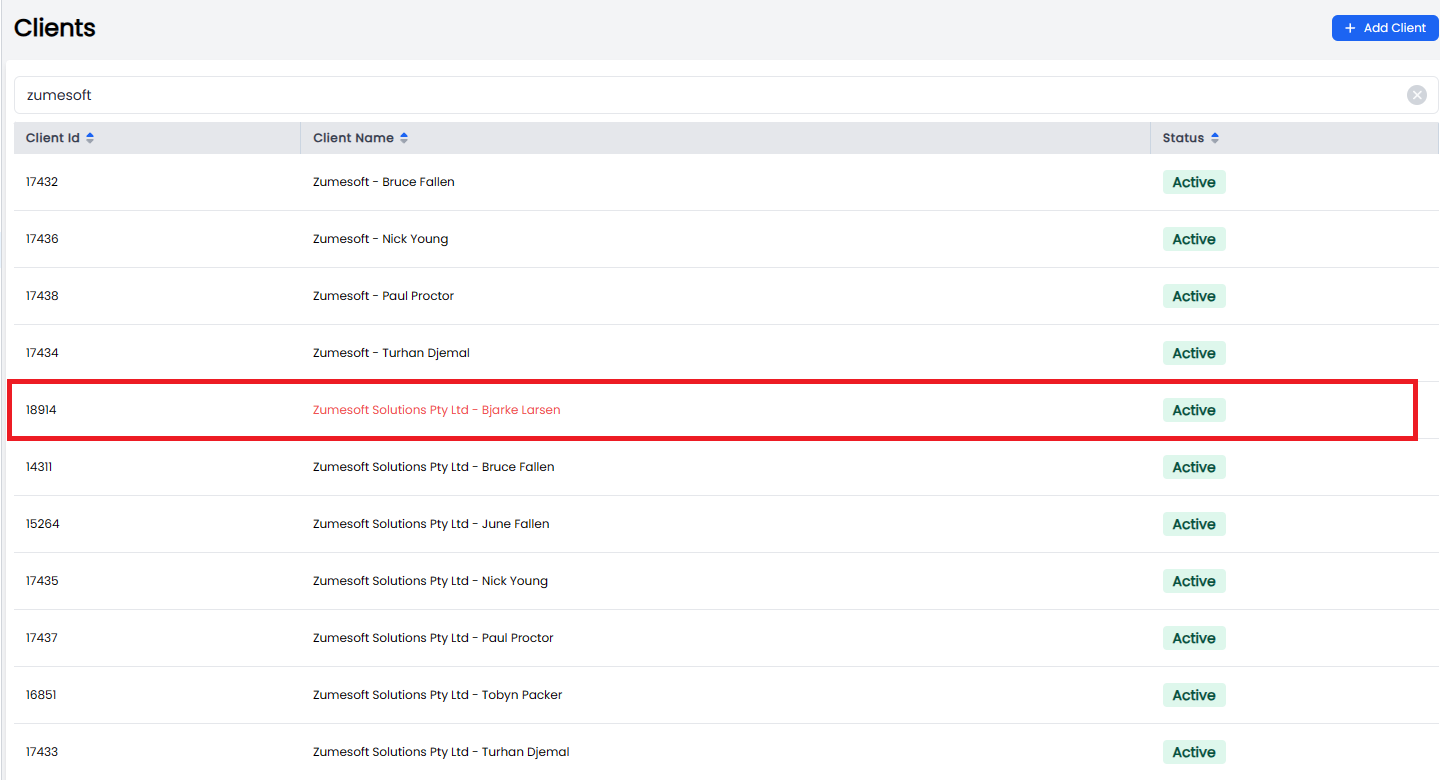
- Clients with an invoice that have an invoice outstanding for 28 or more will be highlighted Red
- Clients with no outstanding invoices or invoices outstanding for less than 21 days will be highlighted Black.
These highlights have been applied in the following Views:
Client List - 21 days
Client list - 28 days
Client View

Create a Matter, client selector.
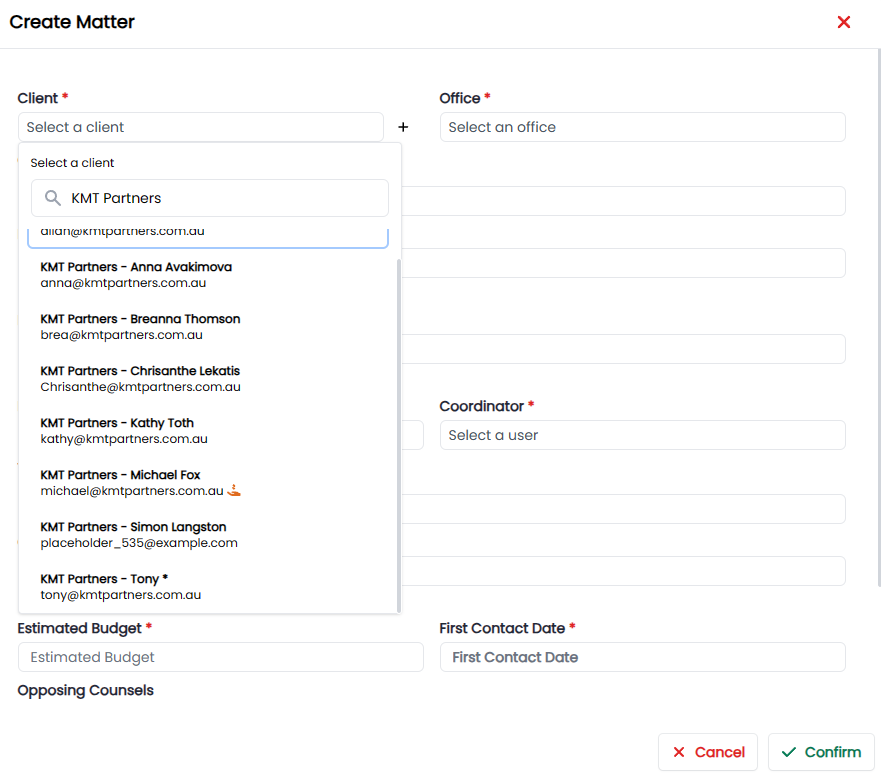
NOTE: this hand will be replaced with the orange and red text instead.
| | | |
|
Enhancement
| Release Version | Feature | Description |
|---|---|---|
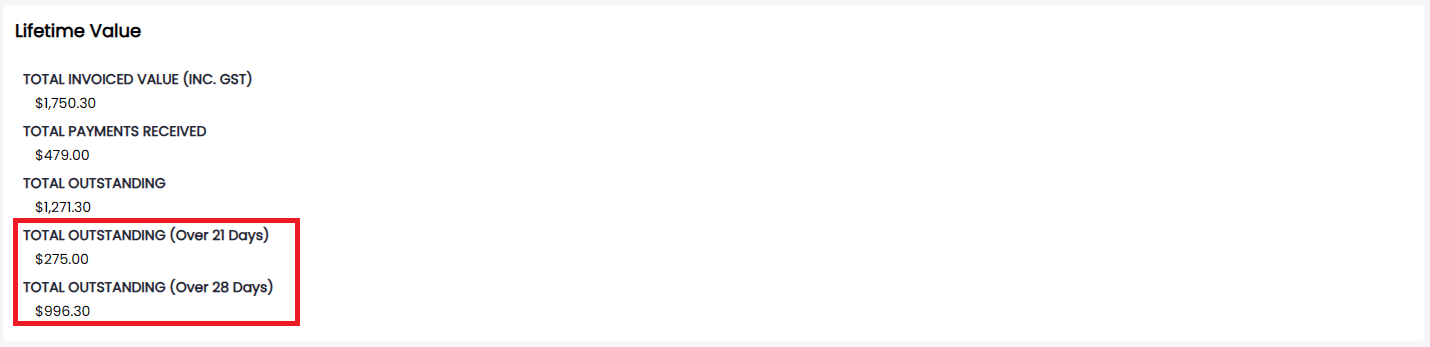
| 1.9.16 | Clients | |
| Update the Lifetime value card to display details of outstanding invoices. |
 | | 1.9.14 | Contacts | Implemented CSV Batch import, passed failed report. | | 1.9.14 | Contacts | Implemented CSV import notification. | | 1.9.13 | Trust |
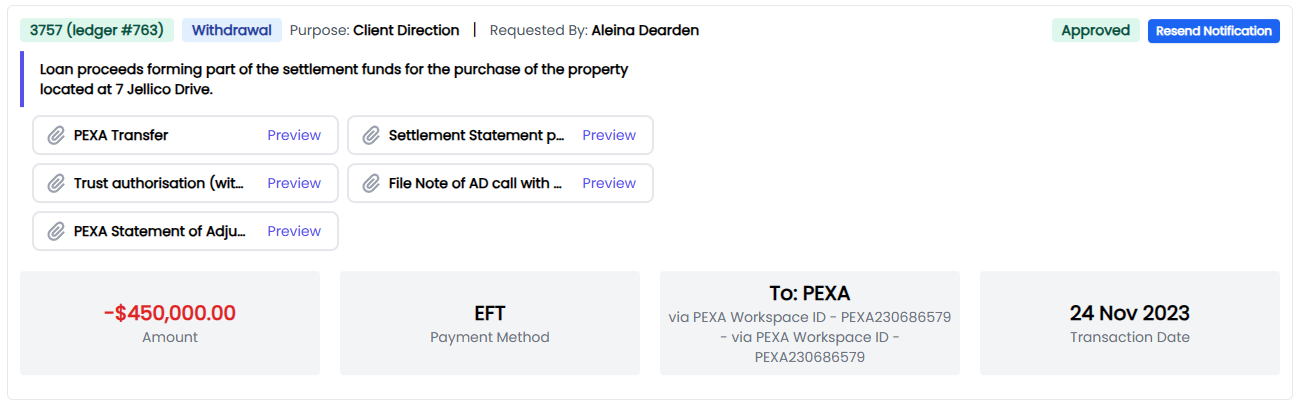
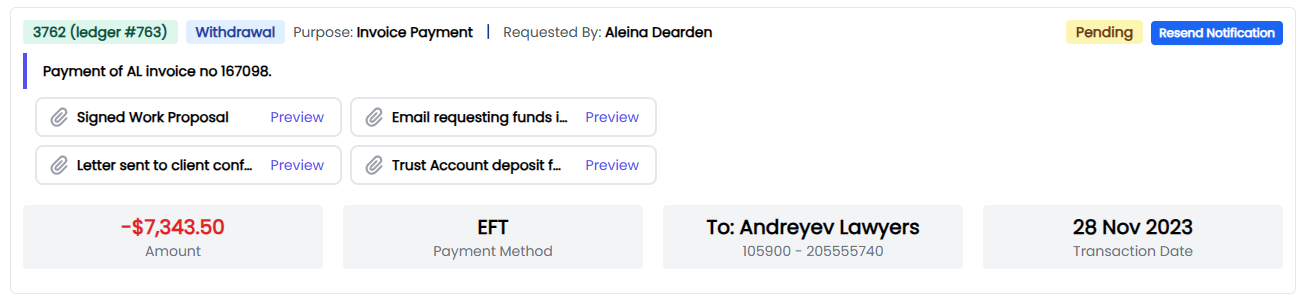
Allow users with Trust Manager role the ability to resend a trust notification when it has not been rejected.
Resend - Status = Approved
Resend - Status = Pending
No Resend - Status = Rejected
 |
|
Bugs
| Release Version | Feature | Description |
|---|---|---|
| 1.9.15 | Quick Time Entries | Resolved an issue with quick time entry not picking date. |
| 1.9.14 | Trust | Resolve issue with Trust resend permissions. |
| 1.9.12 | Trust | Resolve issue on Trust missing client Address. |
| 1.9.11 | Trust | Resolve Trust Notification send issue. |
| 1.9.11 | Projects | Maintain project and routine context when navigating through the menu. |
Documentation
| Title | Description |
|---|---|
Release 2023-11-23
New Feature
| Release Version | Feature | Description |
|---|---|---|
| 1.9.10 | Automations | Created a new database table - Automations log to record all automated/ repeating jobs status. |
Enhancement
| Release Version | Feature | Description |
|---|---|---|
| 1.9.10 | Trust | |
| Update Trust workflows to deal with the following scenarios: |
Workflow 1
Automatically send statements at the end of the financial year to Matter Client, where the Matter has a Trust balance >0.
The send condition will be 5 working days AFTER from the 1st of July. Repeating every year.
Workflow 2
Send a Trust Statement to trust@ when a Matters Trust Balance =0.
Workflow 3
Include a Trust Statement in the email attachments when making a Trust Withdrawal request.
| | 1.9.10 | Contacts | Implemented additional validation checks on the contact import to account for the new Salutation and Gener types. | | 1.9.10 | Projects |
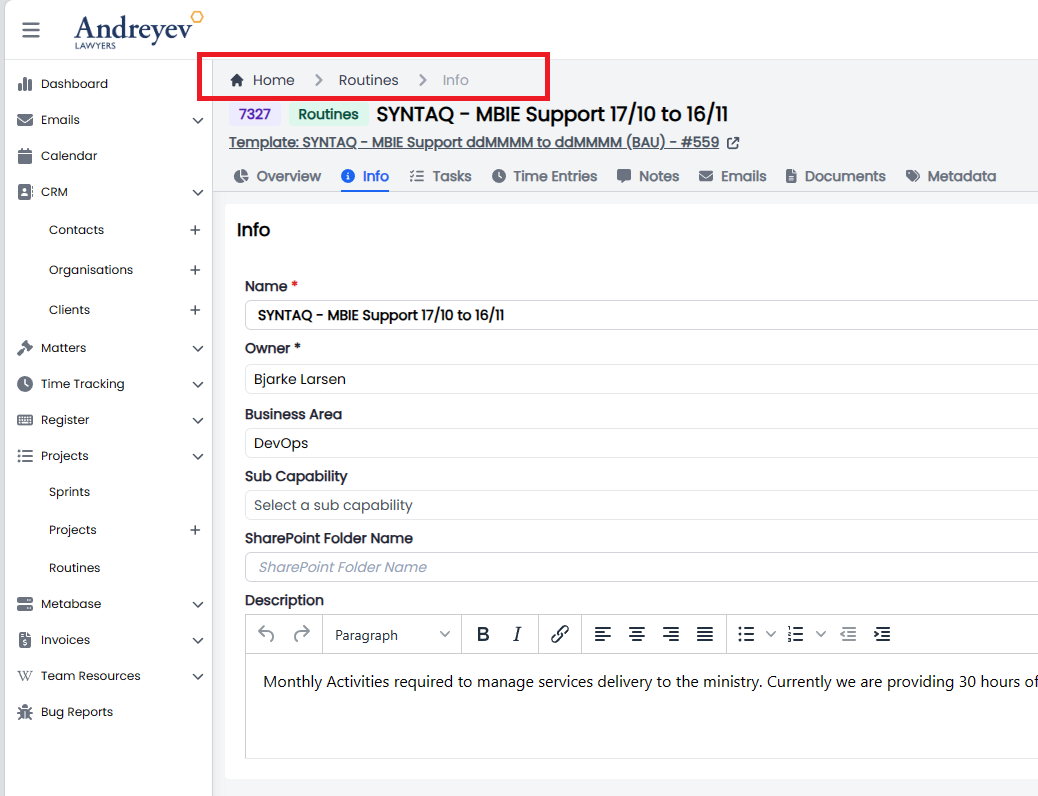
Update the Project Routines to ensure breadcrumbs remain clickable.
 | | 1.9.10 | Projects |
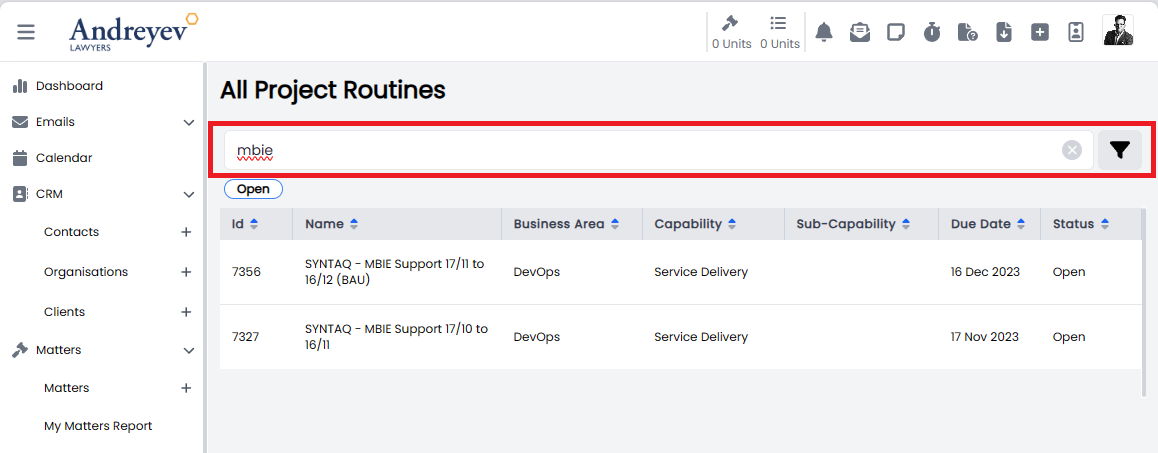
Update the Projects Routines Search to ensure previous search is maintained.
 | | 1.9.10 | Cron Job | Updated the Cron Job to sync emails to Portal from sync out-of-order parallelism to sequential execution. | | 1.9.10 | Documents |
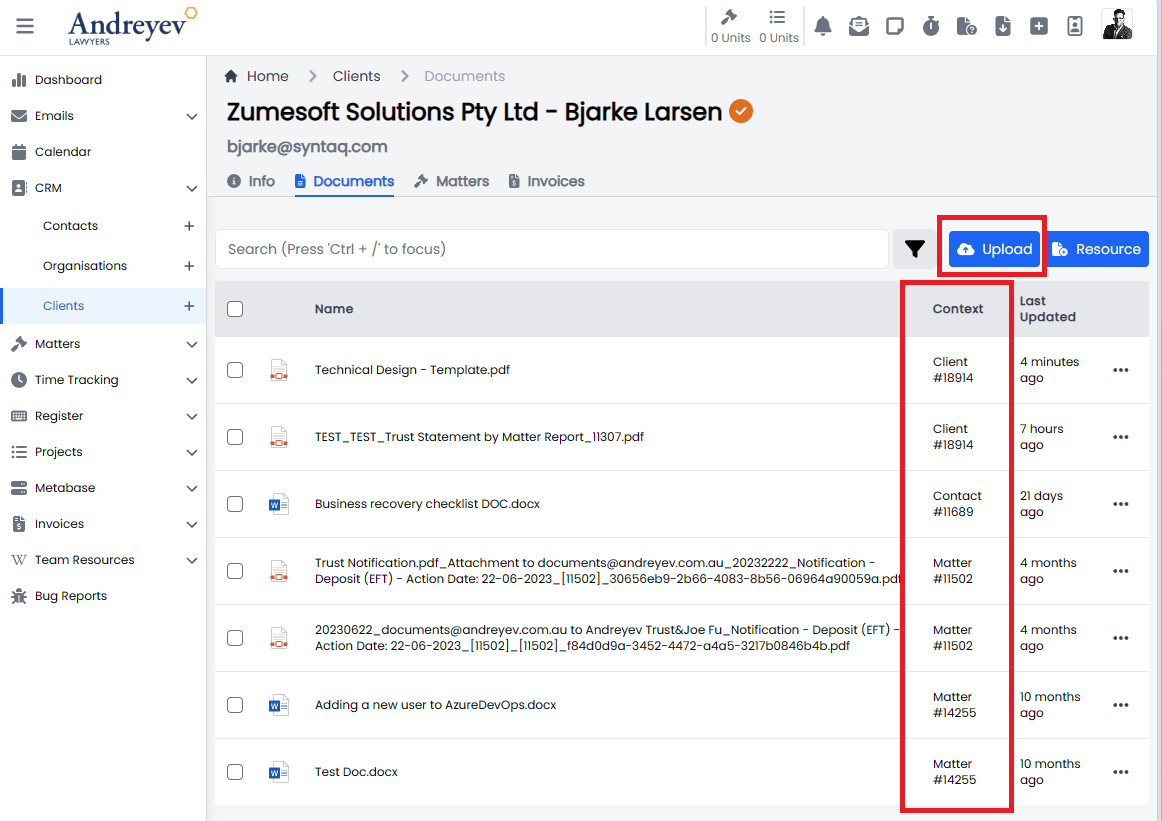
Updated the Clients > Documents to allow users to upload Documents to a Client as well as display Documents uploaded to a contact, organisation or Matter.
 | | 1.9.10 | Emails | Set the value of Show Email for Contacts and Organisations to True by default. |
Bugs
| Release Version | Feature | Description |
|---|---|---|
| 1.9.10 | Notifications | |
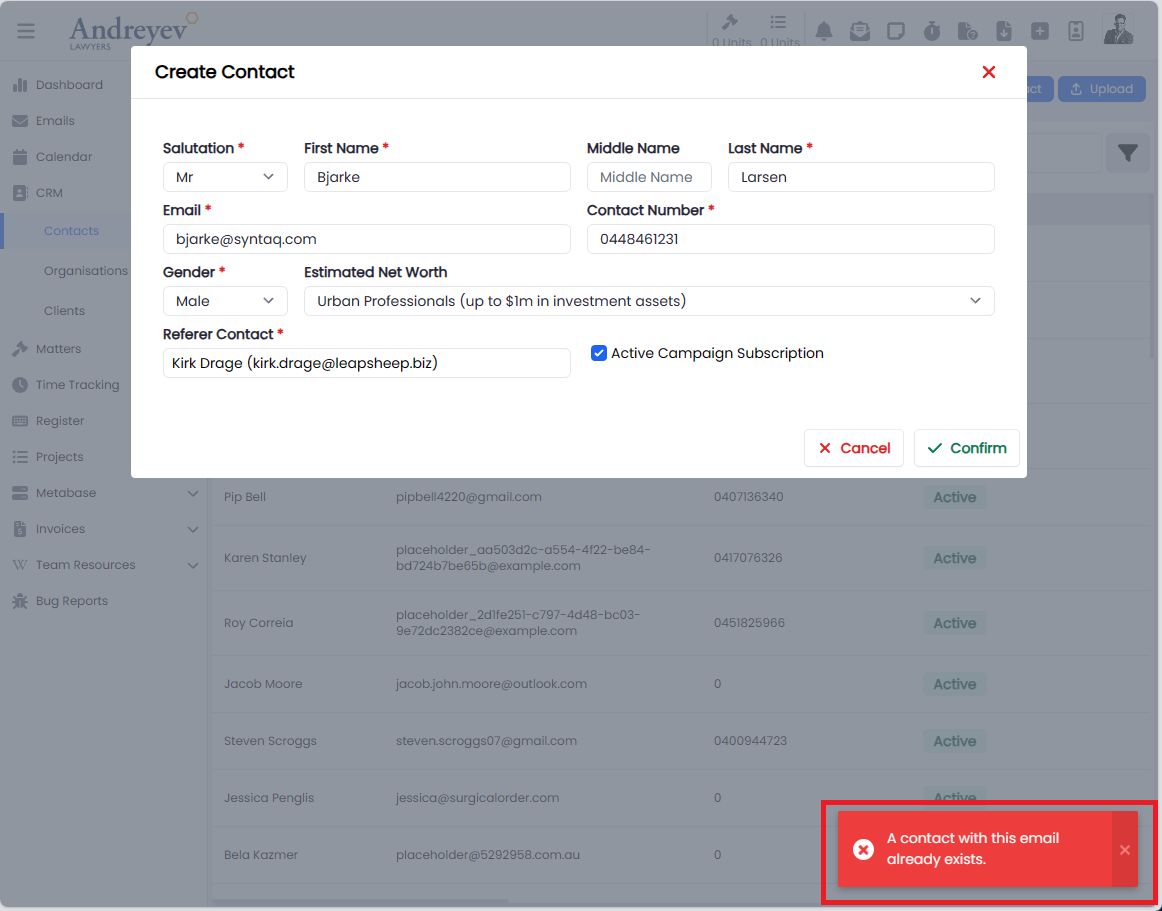
| Updated the notification message for Create New Contacts to display the correct message if the Contact can't be created. |
 | | 1.9.10 | Invoices | Resolved the issue of generating an updated Invoice and displaying - No data message. | | 1.9.10 | Time Entries | Resolve issue with rate uplift/downlift preventing a user from clicking on Billable time entry. |
Documentation
| Title | Description |
|---|---|
Release 2023-11-17
New Feature
| Release Version | Feature | Description |
|---|---|---|
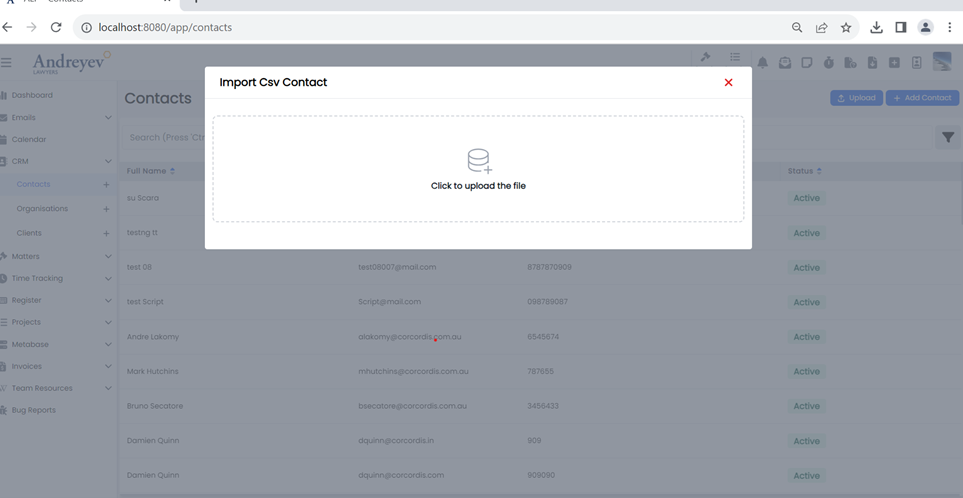
| 1.9.9 | Contacts | |
| Allow users to bulk import contacts. |
 | | | | |
Enhancement
| Release Version | Feature | Description |
|---|---|---|
| 1.9.9 | Contacts | Add Mx as an option to Salutation and Neutral as the gender option when selecting Mx. |
| 1.9.9 | Trust | Update the formatting of the Trust reconciliation reports and include Transfers in the journals. |
Bugs
| Release Version | Feature | Description |
|---|---|---|
| 1.9.9 | Projects | Resolve an issue with project task cards being hidden in kanban view when selecting a timer. |
Documentation
| Title | Description |
|---|---|
Release 2023-11-16
New Feature
| Release Version | Feature | Description |
|---|---|---|
| 1.9.8 | Trust | |
| Implement Controlled money account. |
The Process.
Create a Controlled Money Account.
In order for Trust Money to be allocated to a Controlled Money account the Trust admin needs to create a Trust money account.
Admin >Trust >Trust Accounts
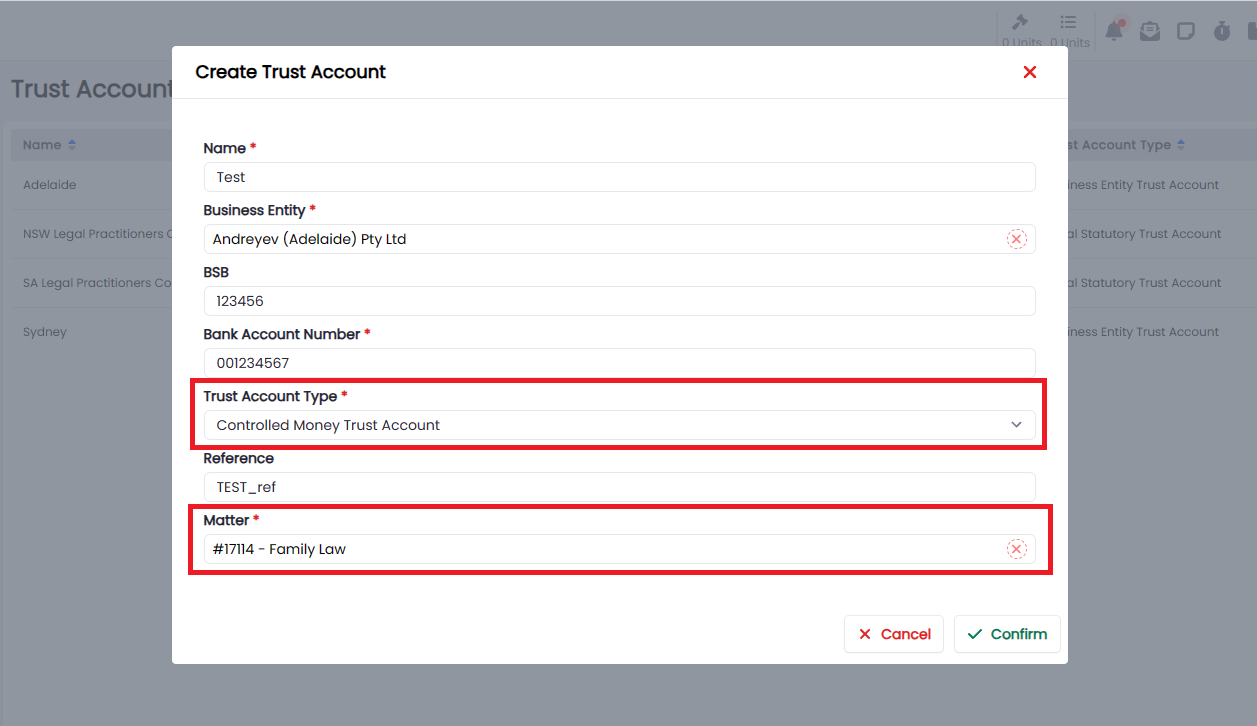
Select Controlled money from the Trust Account Type and be sure to select the correct matter that this ledger will be assigned to.
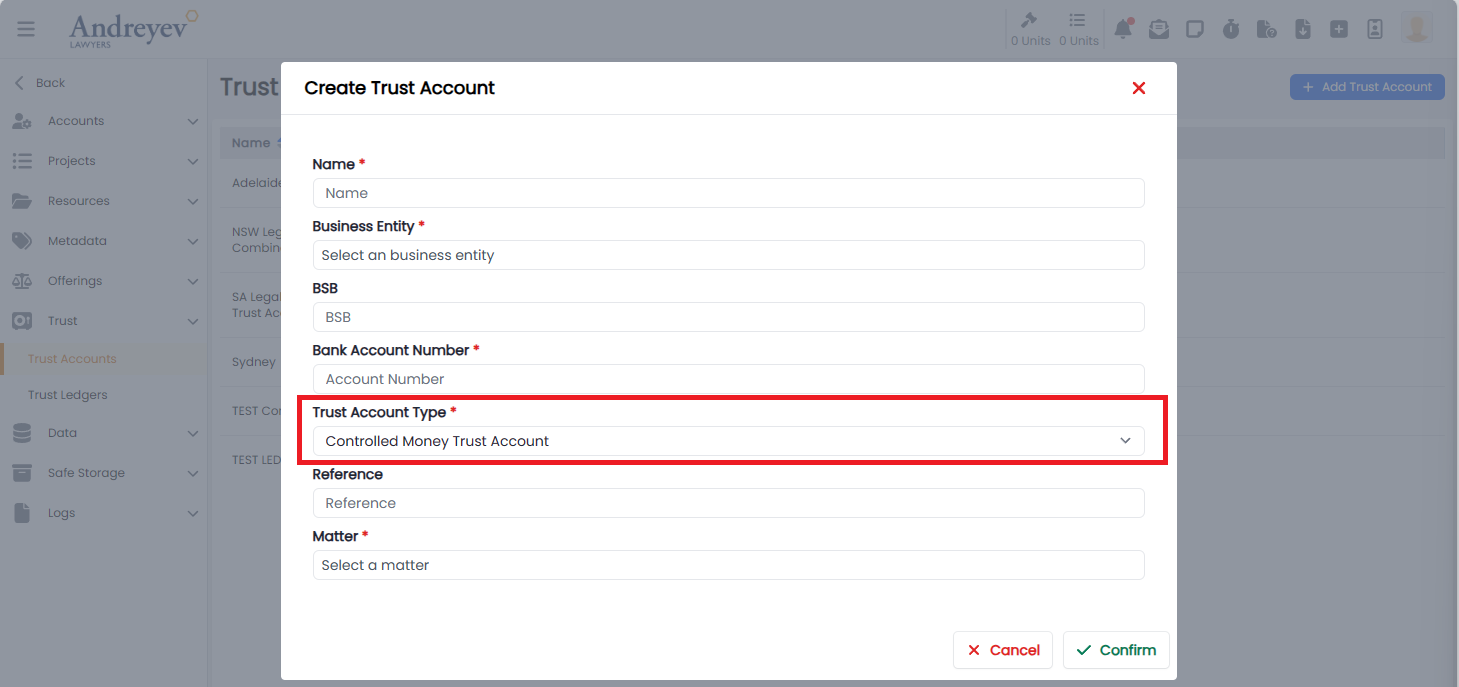
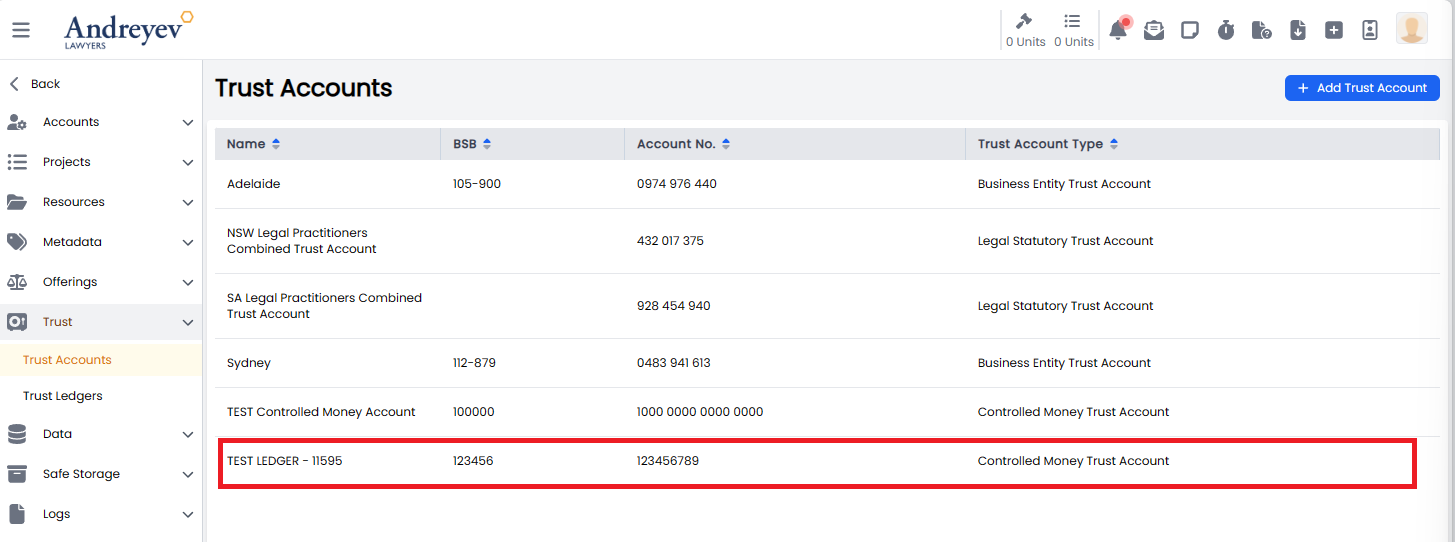
Once the account has been created this will be visible in the Trust Accounts List and identified as a Controlled Money Trust Account, as well as the Matter.
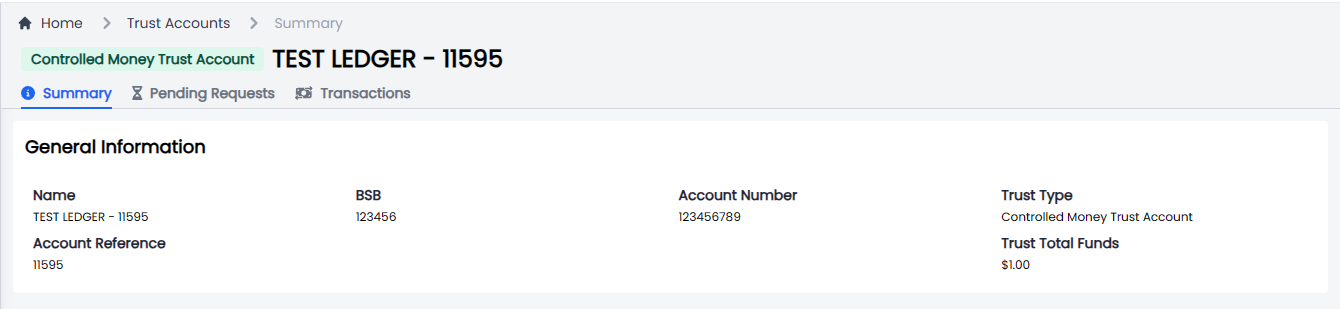
Ledger Overview
The lawyers can now select the Controlled Money Trust Account from the list. Don't worry if a Trust Deposit Request has already been submitted this can be rejected and a new request through the controlled money account can be made.
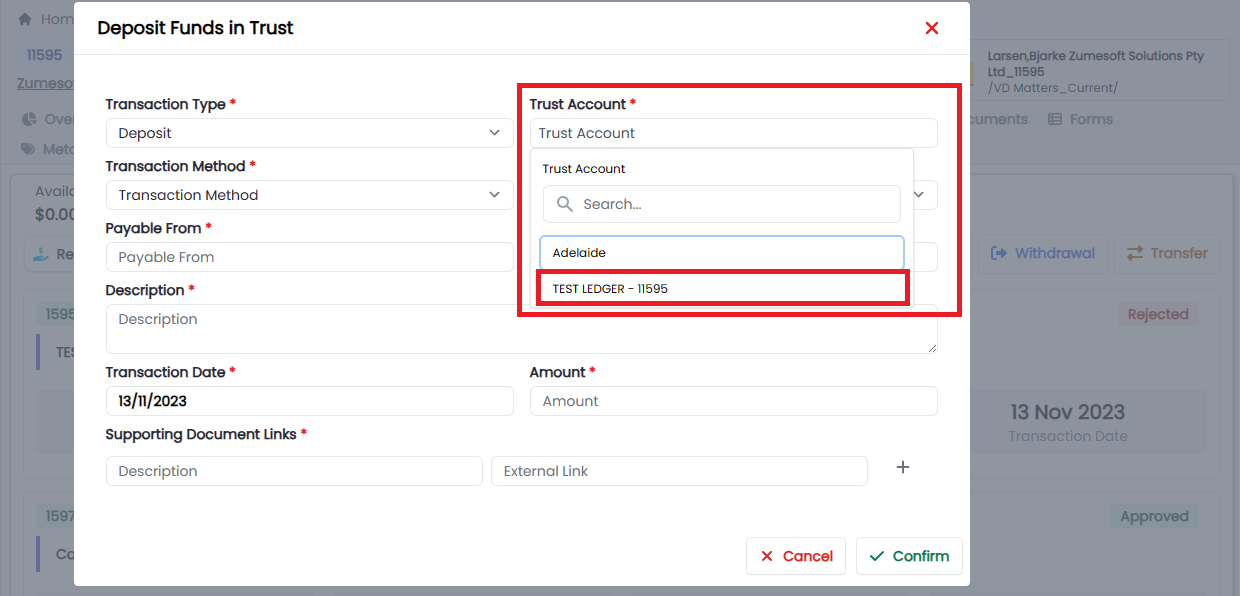
Deposit Request
An approved deposit request will generate the following entries in the Matter Trust:
- Deposit into Andreyev Trust Account,

- Withdrawal from Andreyev Trust Account,

- Deposit into the Controlled Money Account.

Once the funds have been deposited, they will be recorded under the Other Available Funds.
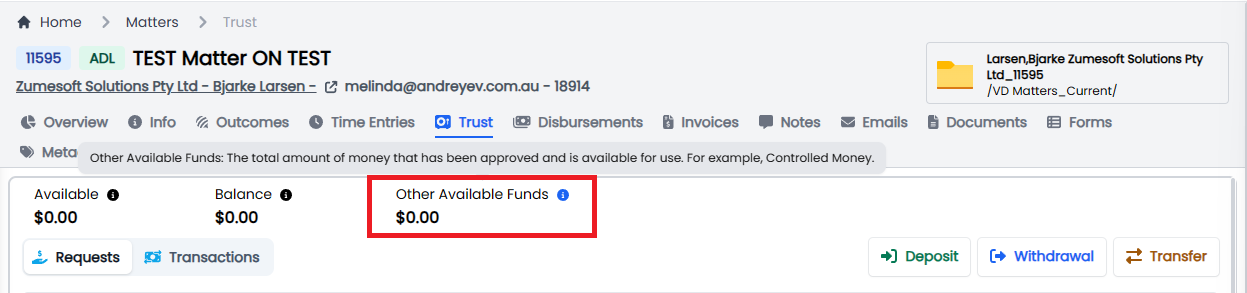
Withdrawal Request
An approved withdrawal request will generate the following entries in the Matter Trust:
- Withdrawal from the Controlled Money Account,

- Deposit into the Andreyev Trust Account,

- Withdrawal from Andreyev Trust Account into the Client Bank Account.

Interest earnings
Over the term of the deposit interest earnings can be accumulated, these can be added directly to the controlled money trust account balance through the Admin >Trust >Trust Account.
Clicking on the Interest button will allow the admin to create a Interest deposit in the Controlled Money Account
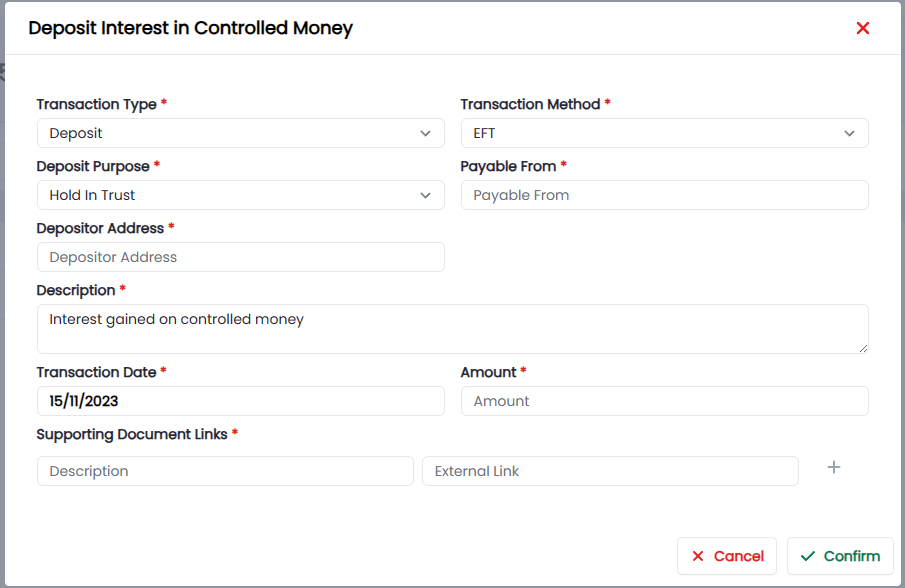
Interest will be recorded in the ledger.

Admin Request approvals.
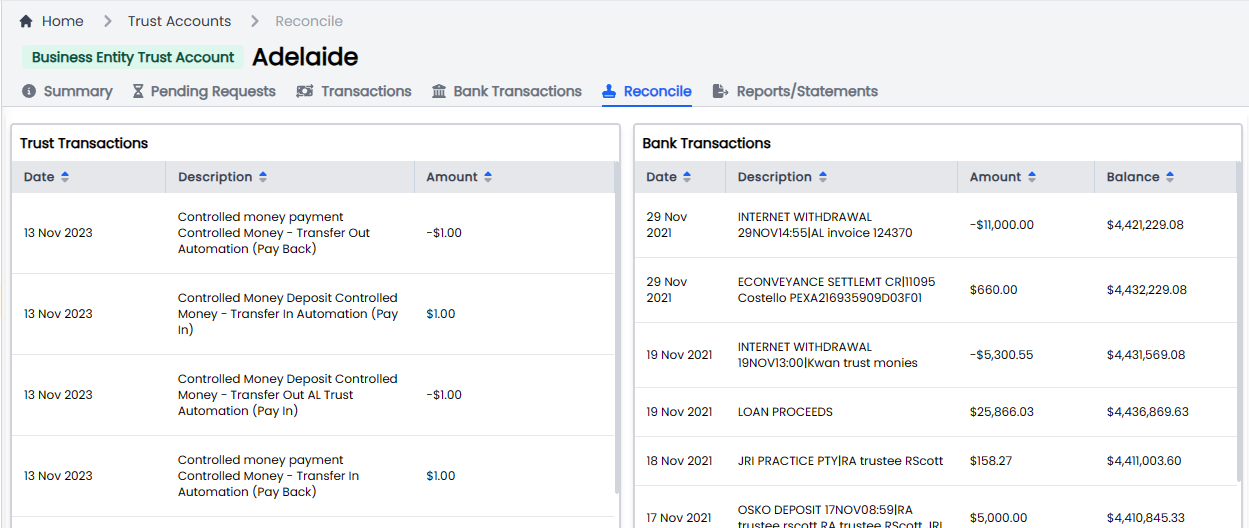
Admins will review, approve and reject requests from the nominated Controlled Money account, while the bank and transactions account reconciliations are managed from the Andreyev Trust account as usual.
Trust Ledgers
Controlled Money Ledger
This ledger will only record the following entries.
- Deposit
- Withdrawal
- Interest Deposit
In our example of a single deposit and withdrawal request we will record 2 transactions.
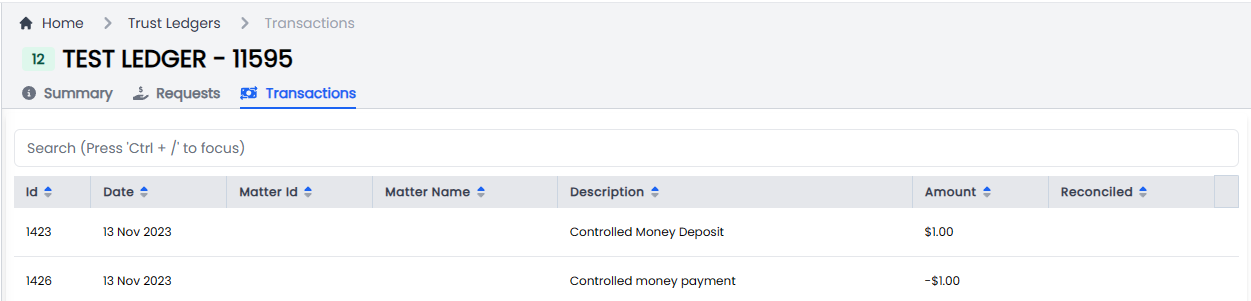
Andreyev Trust Ledger
This ledger will only record the following entries.
- Deposit
- Withdrawal
In our example of a single deposit and withdrawal request we will record 4 transactions.
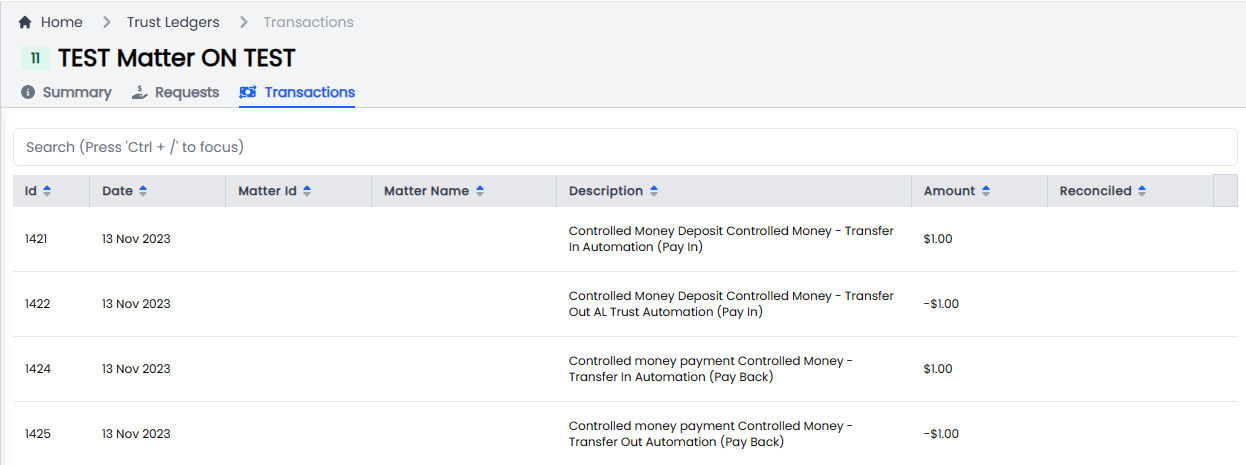
Reconciliations
| | | | |
Enhancement
| Release Version | Feature | Description |
|---|---|---|
| 1.9.8 | Forms | Controlled Money Account Direction - SBOS.AI — Syntaq form (historical host) |
| 1.9.8 | Forms | Trust Account Payment Authorisation - SBOS.AI — Syntaq form (historical host) |
| 1.9.8 | Forms | Standard Costs Agreement: I've updated the old form we used to have for this to use the same template as the Work Proposal (the old template had a client details section). |
| 1.9.8 | Trust | Update Trust Transaction Receipt date field. |
| 1.9.8 | Trust | Update trust transaction receipt download condition. |
Bugs
| Release Version | Feature | Description |
|---|---|---|
| 1.9.7 | Trust | Update details on trust receipt. |
| 1.9.8 | Cron Job | Update the Hangfire job to ensure reduction of CPU and Memory resources. |
| 1.9.8 | Projects | Resolve an issue with creating a Project template. |
Documentation
| Title | Description |
|---|---|
Release 2023-11-10
New Features
| Release Version | Feature | Description |
|---|---|---|
Enhancements
| Release Version | Feature | Description |
|---|---|---|
| 1.9.6 | Cron Job | Update the job scheduling system from Quartz.net to Hangfire. |
| 1.9.6 | Cron Job | |
| Update all scheduled tasks to support the Hangfire Pattern: |
- Email Sync Jobs
- Contacts
- Matters
- Organisations
- Xero Sync Payments
- Project Routines Template Creation
| | 1.9.6 | Cron Job |
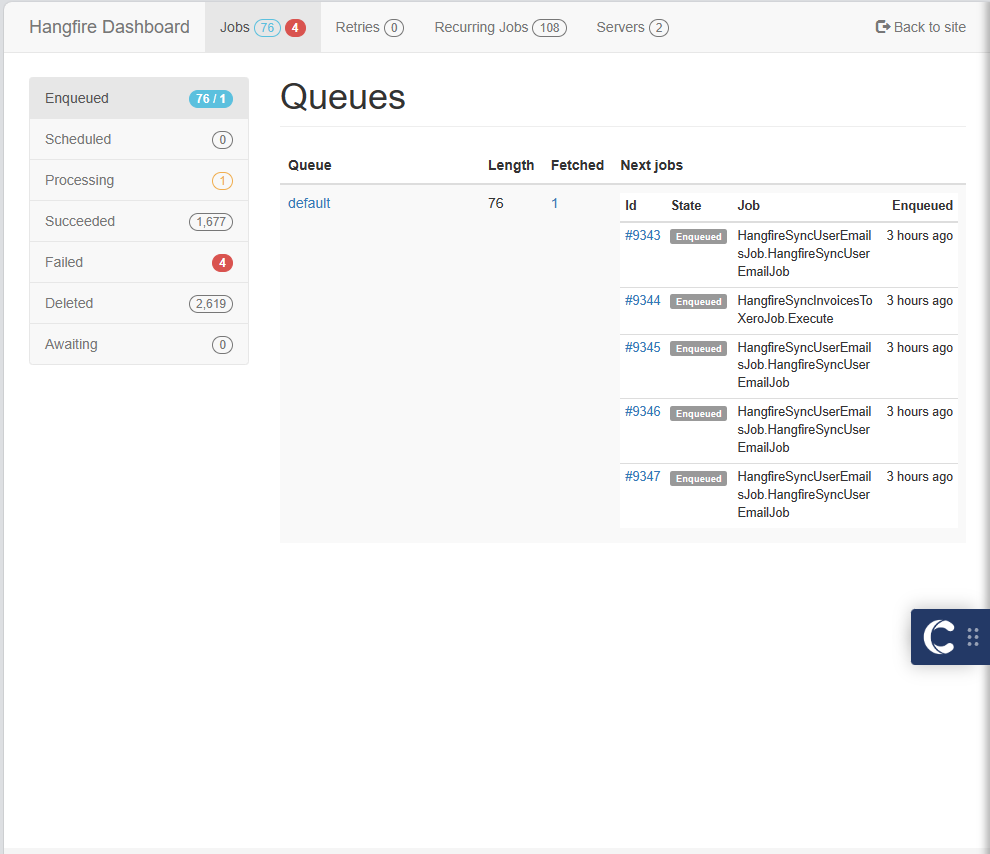
Implement new Hangfire Dashboard for monitoring scheduled jobs.
 | | 1.9.6 | Trust | Added new function, Get Available Trust Account List For Matter. | | 1.9.6 | Trust |
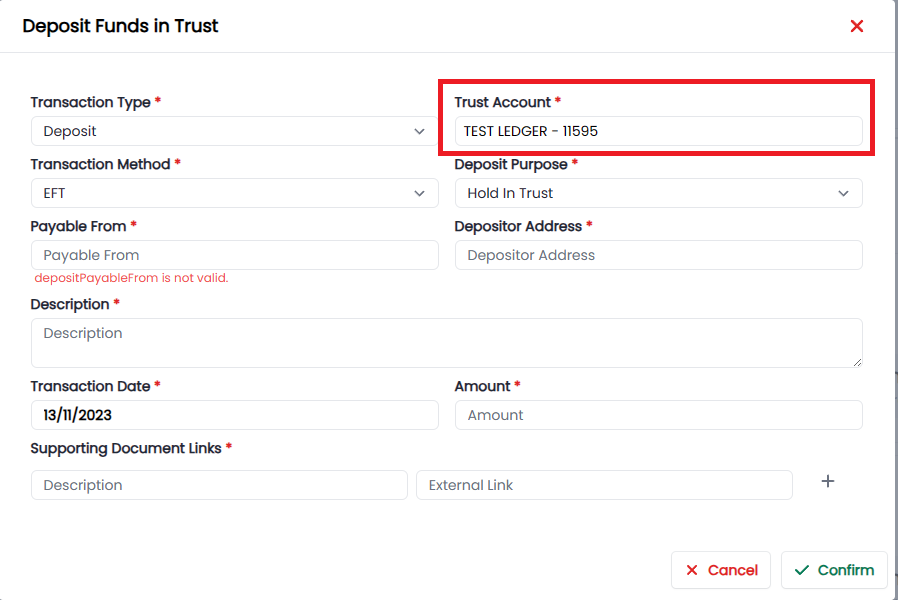
Allow users ability to select a controlled money account when requesting a deposit.
 |
|
Bugs
| Release Version | Feature | Description |
|---|---|---|
Documentation
| Title | Description |
|---|---|
Release 2023-10-31
New Features
| Release Version | Feature | Description |
|---|---|---|
Enhancements
| Release Version | Feature | Description |
|---|---|---|
| 1.9.1 | Time Entries | |
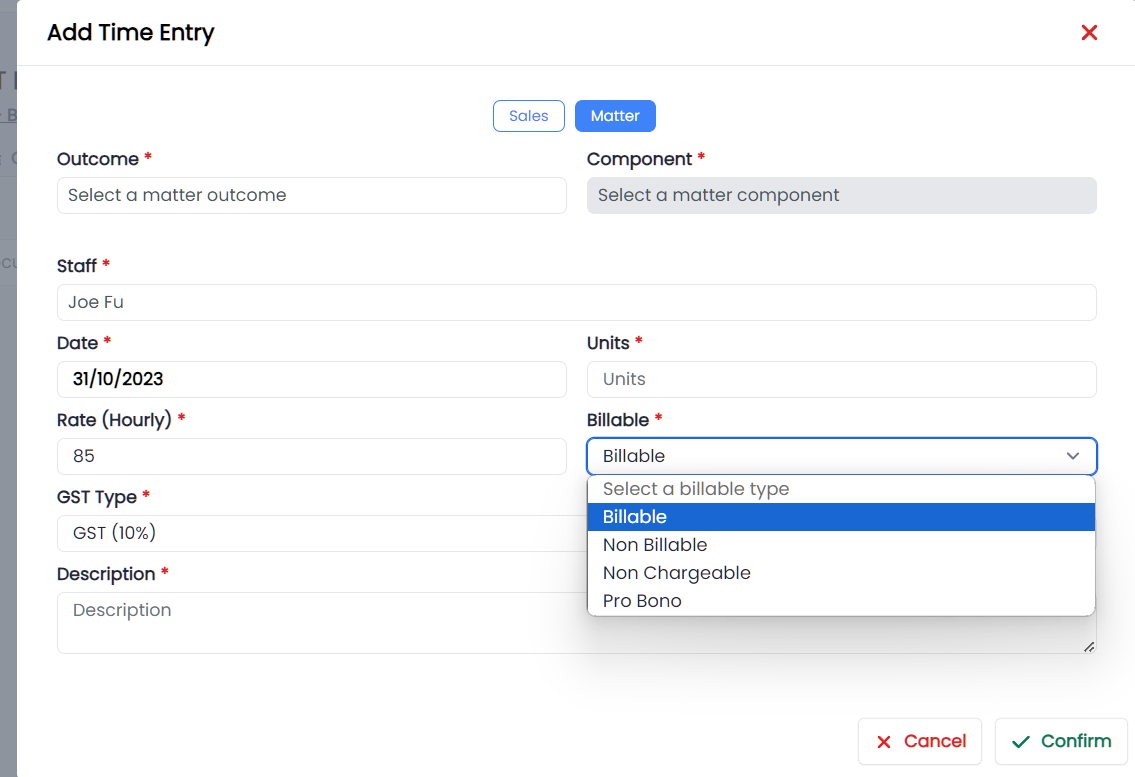
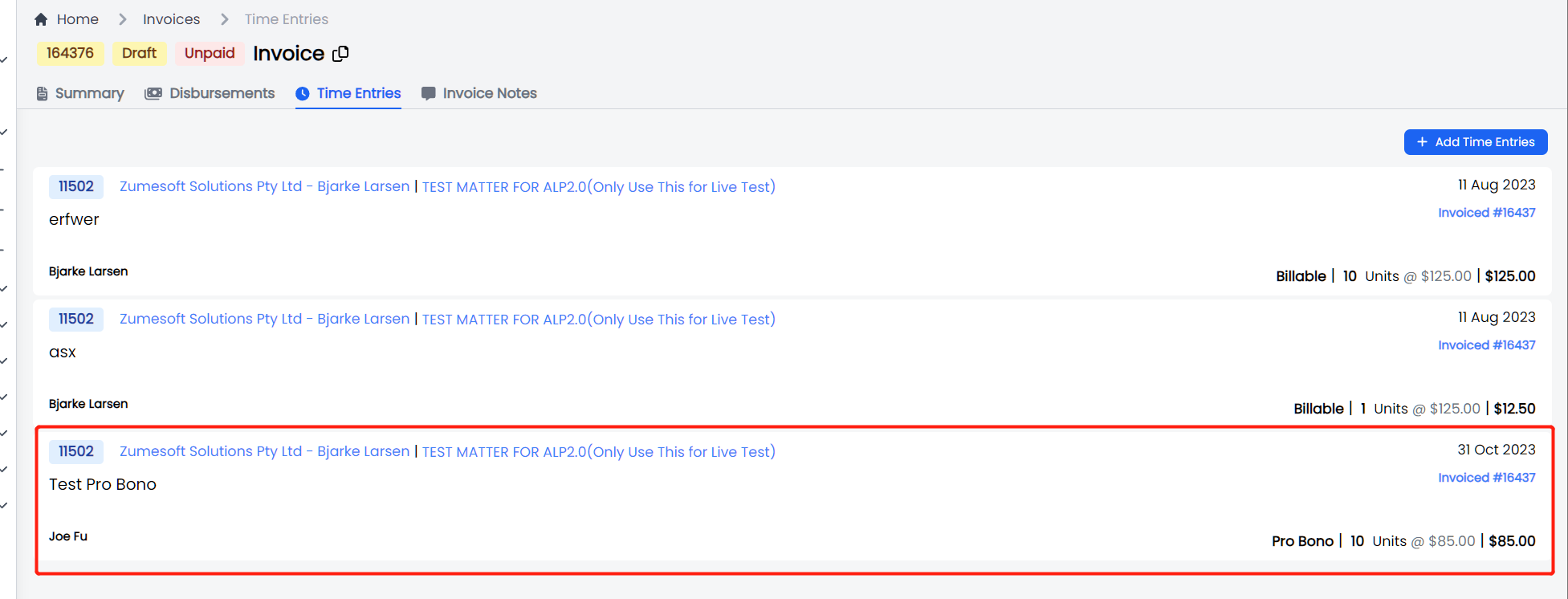
| Introduce a new time entry type called Pro Bono. This new time entry type will adopt the same business logic as a non-chargeable time entry i.e. |
- Time entries can be added to an invoice
- Time entries will be displayed on the invoice as $0.00
Time Entries
Invoice
 | | 1.9.1 | Invoices |
Updates to Invoice Template, Statement template and Email body.
Invoice Template:
- Account Settlement period and Withdrawal from Trust Account periods all reduced to 7 days.
- Banner to say our Adelaide account details have changed has been removed.
Statement Template:
- Added new line to each row of the invoice table which shows matter name.
Email Body:
- Invoice and Reminders - Due date reduced to 7 days from the date the invoice was sent.
- Line added to direct the client what to do if they have already paid:
- Statement: "If all outstanding invoices have already been paid, please disregard this email."
- Friendly reminder: "If this invoice has already been paid, please disregard this email."
- 1st and 2nd reminder: "If this invoice has already been paid, please call us so we can update our records."
| | 1.9.1 | Contacts |
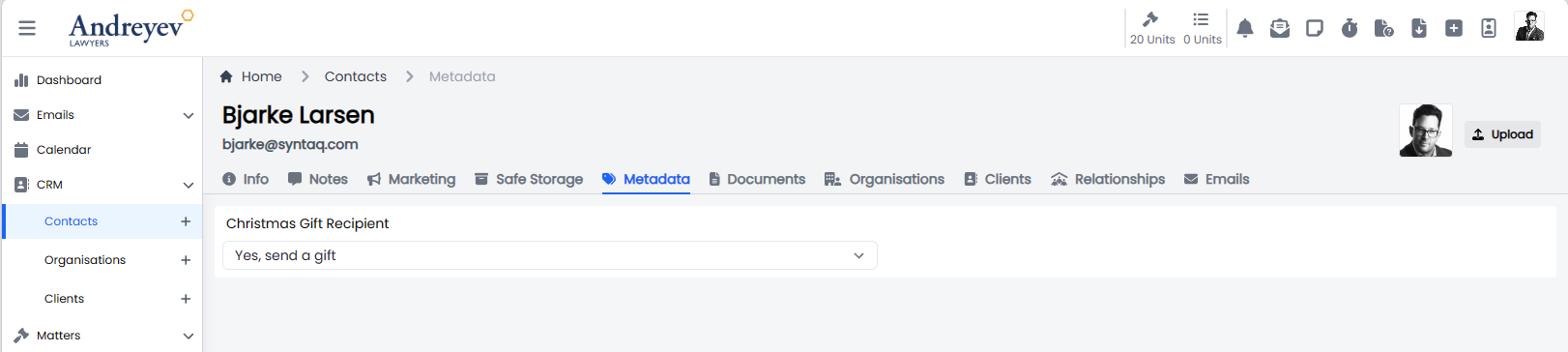
Introduced a new metadata tag called, 'Christmas gift recipient'. Marketing admins can update all users.
 | | 1.9.0 | Business Entity |
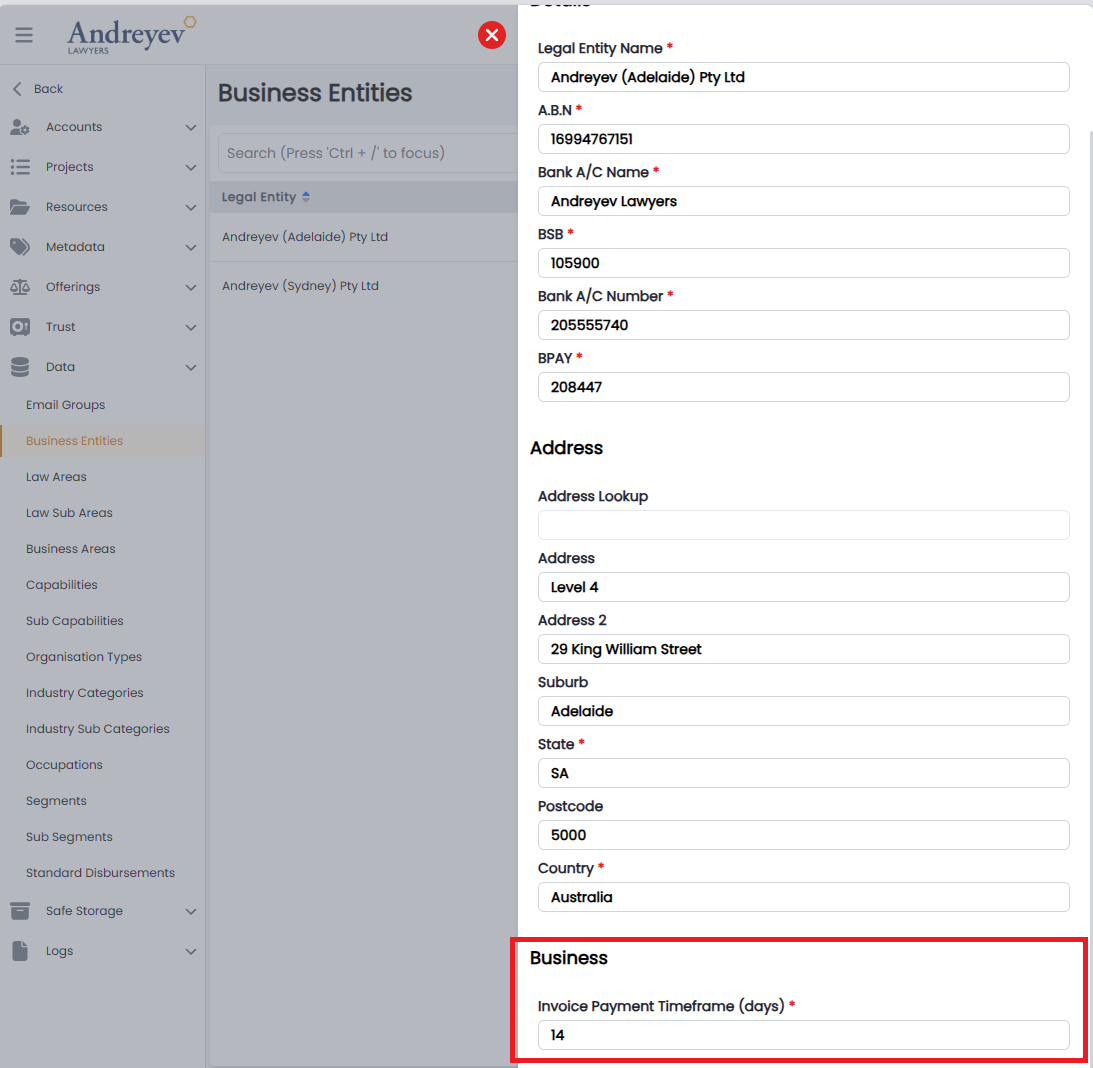
Allow admins to set the invoice payment days by business entity.
 | | | | |
Bugs
| Release Version | Feature | Description |
|---|---|---|
| 1.9.1 | Trust | Fix trust not allowing a user to pick a Business Entity Address. |
| 1.9.1 | Trust | Fix the Statutory Trust request not displaying to the admin. |
Documentation
| Title | Description |
|---|---|
Release 2023-10-25
New Features
| Release Version | Feature | Description |
|---|---|---|
Enhancements
| Release Version | Feature | Description |
|---|---|---|
| 1.8.9 | Trust | Made the necessary updated the reconciliation reports date. |
| 1.8.9 | Trust | |
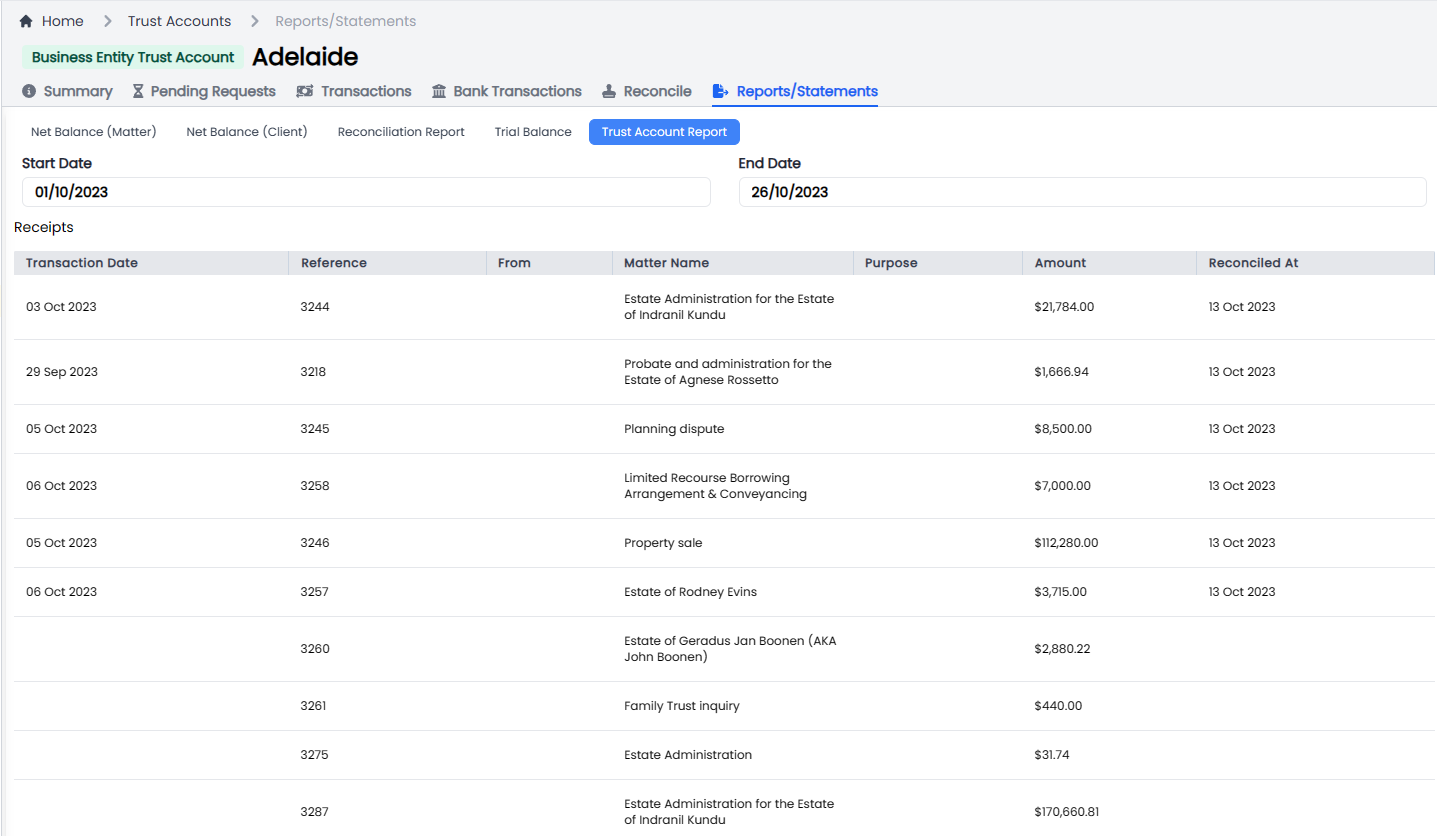
| Implemented a new ‘Trust Account’ report. Which will be used to assist Trust admins wit reconciling the different account types. |
 | | 1.8.9 | Trust |
Implemented controlled monies account, which will allow an admin user to establish a controlled money account on behalf of a client for a matter.
 | | 1.8.9 | Trust |
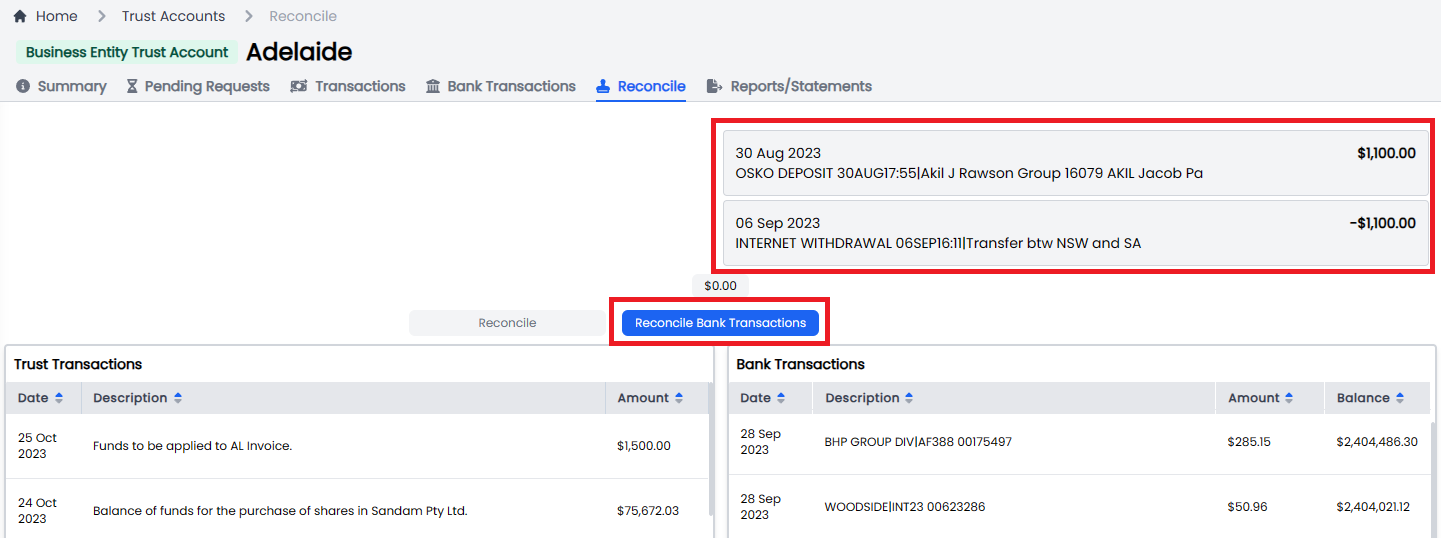
Allow admins to create a ledger and reconcile bank transactions that have been paid to the wrong Trust Account.
| | 1.8.9 | Email | Implemented DMARC and DKIM across the supported domains - andreyev.com.au and jfmlaw.com.au | | 1.8.9 | Email | Revised attachments for recently imported historical email so they can be viewed and downloaded successfully. |
Bugs
| Release Version | Feature | Description |
|---|---|---|
Documentation
| Title | Description |
|---|---|
Release 2023-10-23
New Features
| Release Version | Feature | Description |
|---|---|---|
Enhancements
| Release Version | Feature | Description |
|---|---|---|
| 1.8.7 | Data | |
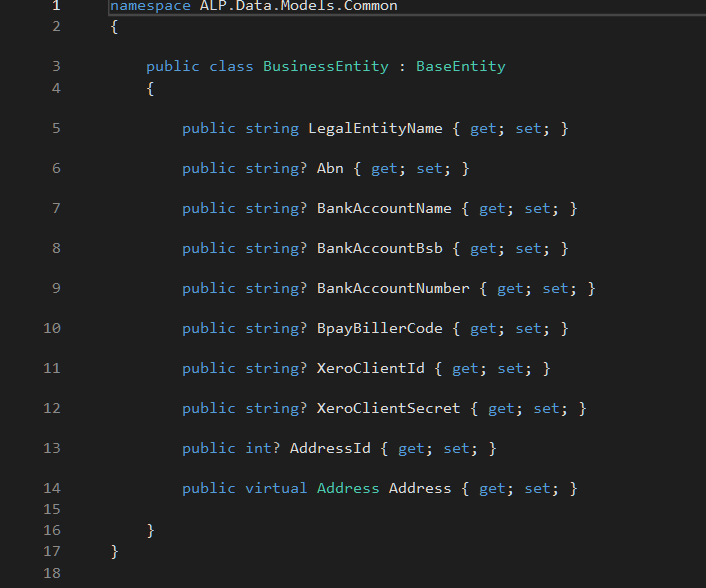
| Updated the database tables to introduce a new entity called ‘Business Entity’. This has a relationship with the Office which we now consider a brand. |
Updated all services which rely on this entity:
- Contact Relationship
- Bank Details
- Address
- Client Relationship
- Contact and Xero Relationship
and
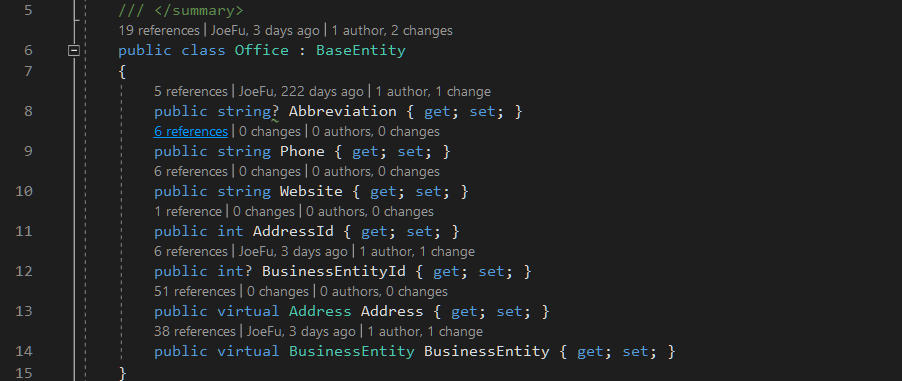
Updated all the test cases related to these entities.
|
Bugs
| Release Version | Feature | Description |
|---|---|---|
Documentation
| Title | Description |
|---|---|
Release 2023-10-05
New Features
| Release Version | Feature | Description |
|---|---|---|
Enhancements
| Release Version | Feature | Description |
|---|---|---|
| 1.8.0 | Matters > Notes | |
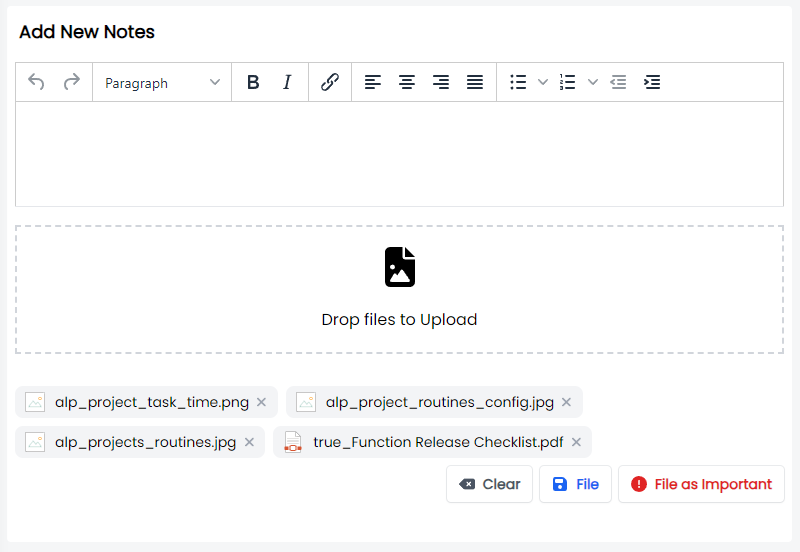
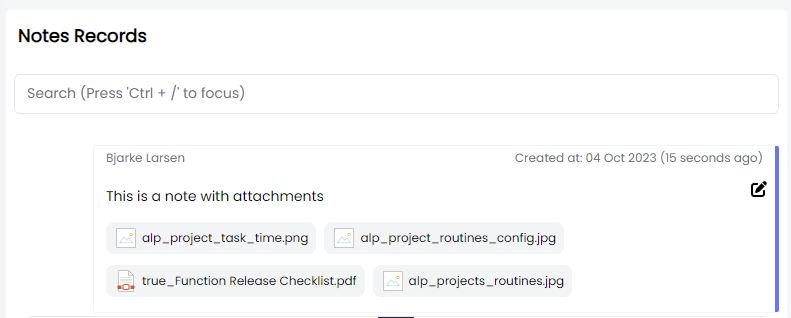
| Implemented notes attachments across all the entities: |
- Contacts
- Organisations
- Matters
- Projects
- Invoices
Add attachments.
Filed notes with attachments.
 | | 1.8.0 | UI |
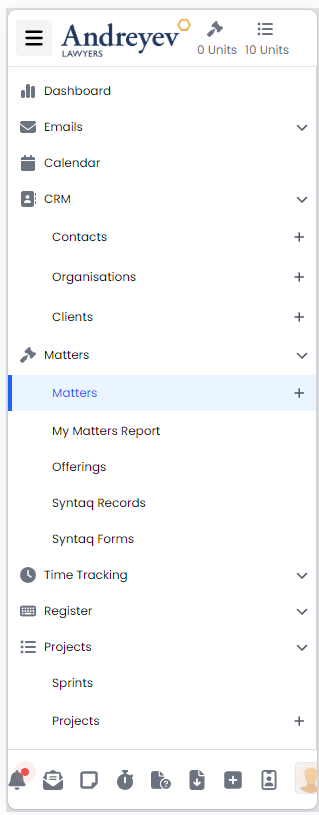
Enhanced the UI to be more mobile responsive. Still more work to be done.
 | | 1.8.0 | Safe Storage |
Update safe storage status On Contacts and Organisations to include ‘Never Held’.
 |
|
Bugs
| Release Version | Feature | Description |
|---|---|---|
| 1.8.6 | Notes | Resolve issue with Matter Report Notes. |
| 1.8.6 | Timer | Resolve issue with the timer not closing after a time entry is submitted. |
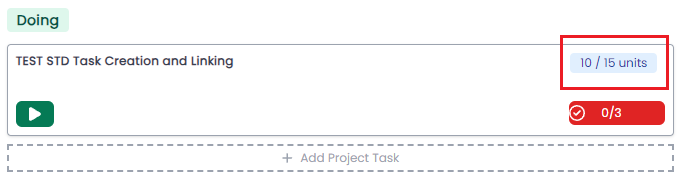
| 1.8.0 | Projects | |
| Resolve issue where Projects Task time is not being displayed. |
 | | 1.7.11 | Contacts | Resolve issue with Contacts page not loading. Result of Getgrav API support. | | 1.7.11 | Xero | Resolve issue with double payments. |
Documentation
| Title | Description |
|---|---|
Release 2023-09-05
New Features
| Release Version | Feature | Description |
|---|---|---|
Enhancements
| Release Version | Feature | Description |
|---|---|---|
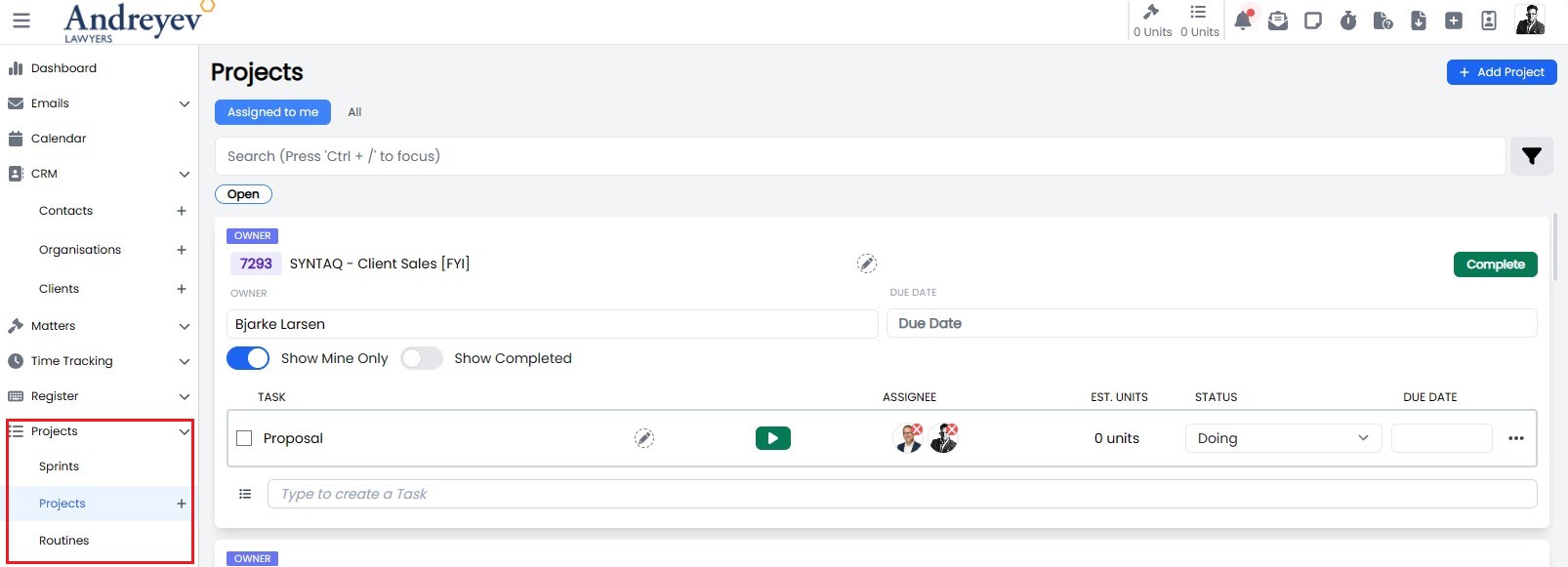
| 1.7.7 | Projects | |
| Split up Projects view into two view, Projects and Routines. |
- Projects will only display ad-hoc or once off projects created by users.
- Routines will only display projects which have been scheduled.
 | | 1.7.7 | Projects |
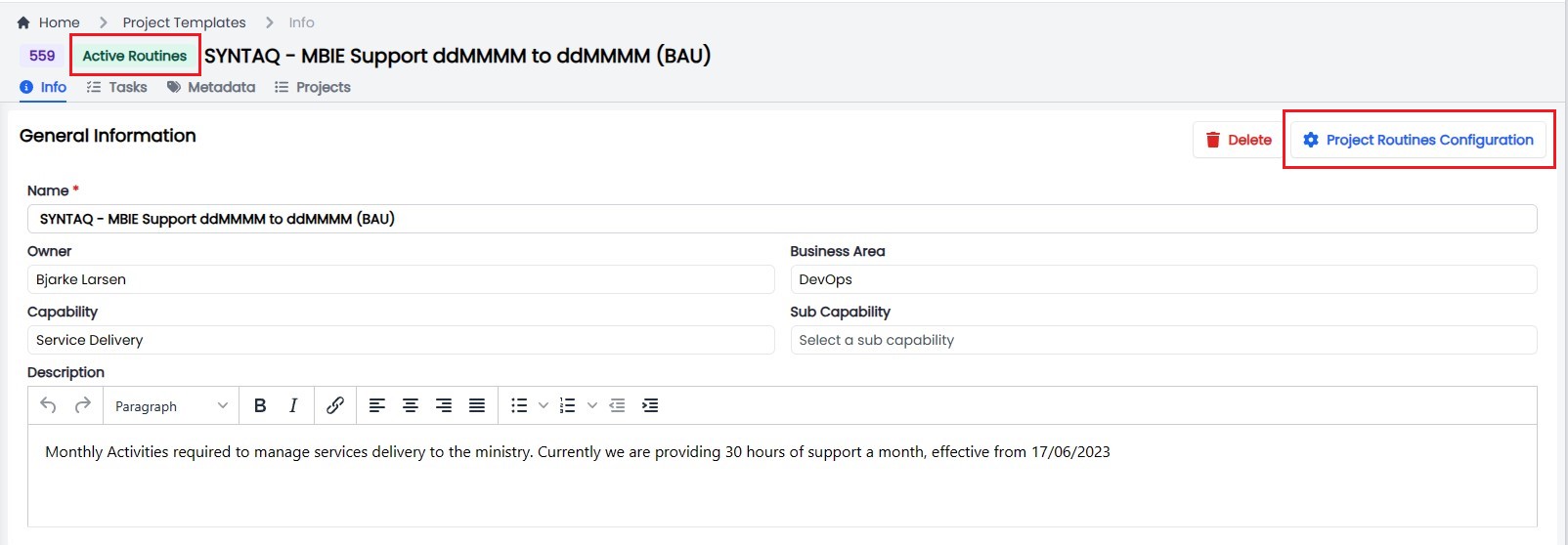
Projects UI has been updated to display the Routines configuration and Scheduling status of a Project Template.
 |
|
Bugs
| Release Version | Feature | Description |
|---|---|---|
| 1.7.7 | Active Campaign | Resolve the filter issue on the Contact Marketing page which loaded all campaigns rather than only loading campaigns sent to the user email. |
Documentation
| Title | Description |
|---|---|
Release 2023-08-21
New Features
| Release Version | Feature | Description |
|---|---|---|
Enhancements
| Release Version | Feature | Description |
|---|---|---|
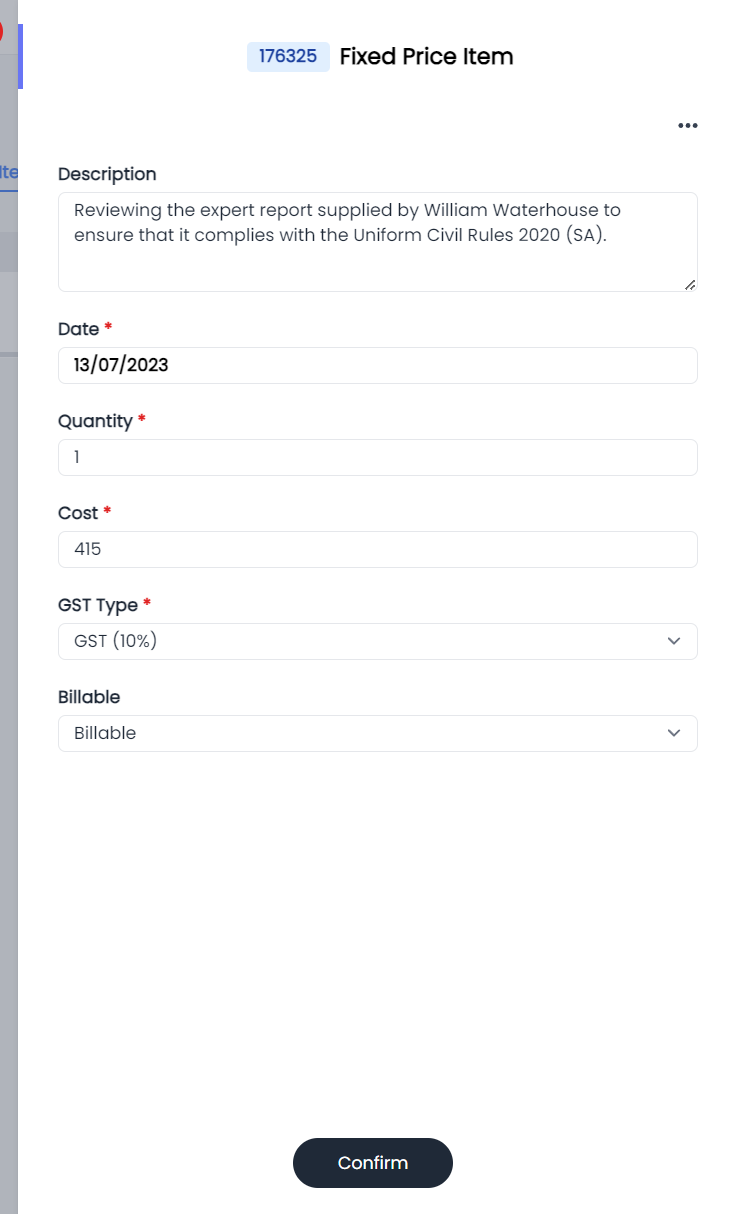
| 1.7.6 | Invoice | |
| Allow a user to update the GST/ Billable type of a fixed price invoice item, while the invoice is still in Draft. |
 |
|
Bugs
| Release Version | Feature | Description |
|---|---|---|
Documentation
| Title | Description |
|---|---|
Release 2023-08-16
New Features
| Release Version | Feature | Description |
|---|---|---|
Enhancements
| Release Version | Feature | Description |
|---|---|---|
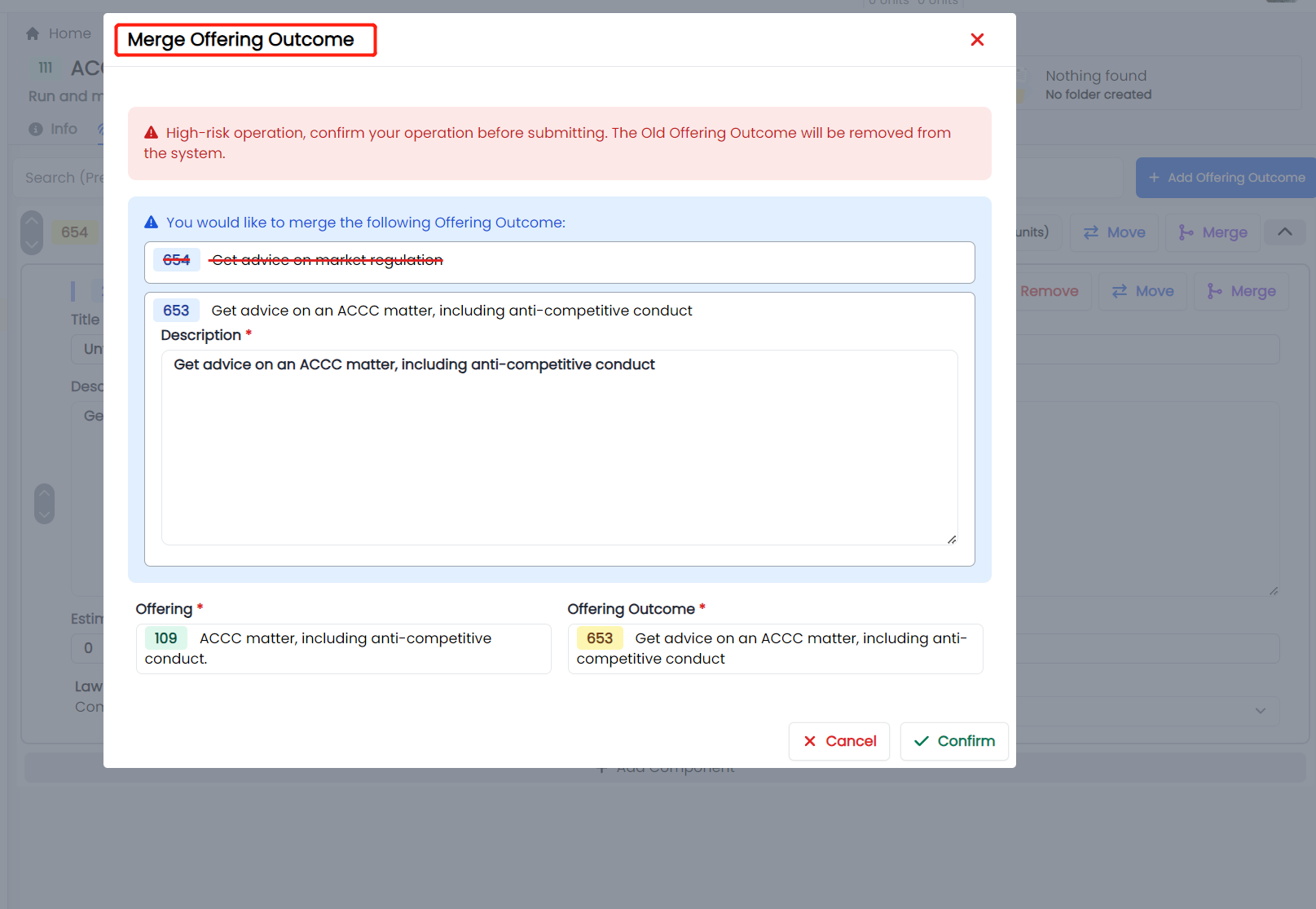
| 1.7.5 | Offerings | |
| Enhanced Offering Admin view to allow users with Admin permissions the ability to merge and Outcome. |
| | 1.7.5 | UI |
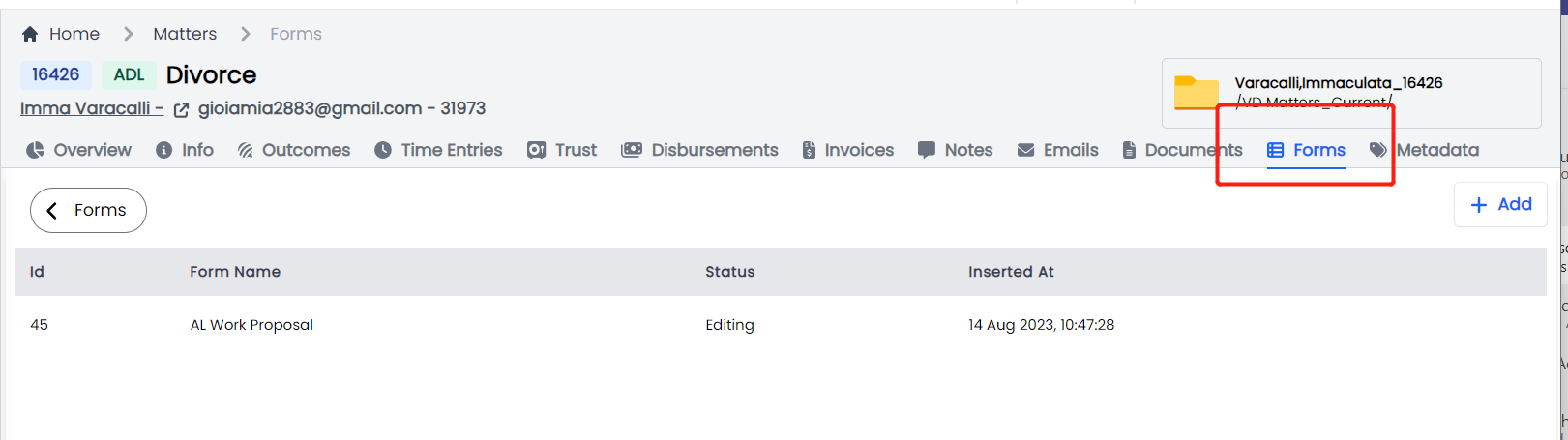
Updated the Matter UI to display Syntaq Forms as Forms.
 | | 1.7.5 | Forms |
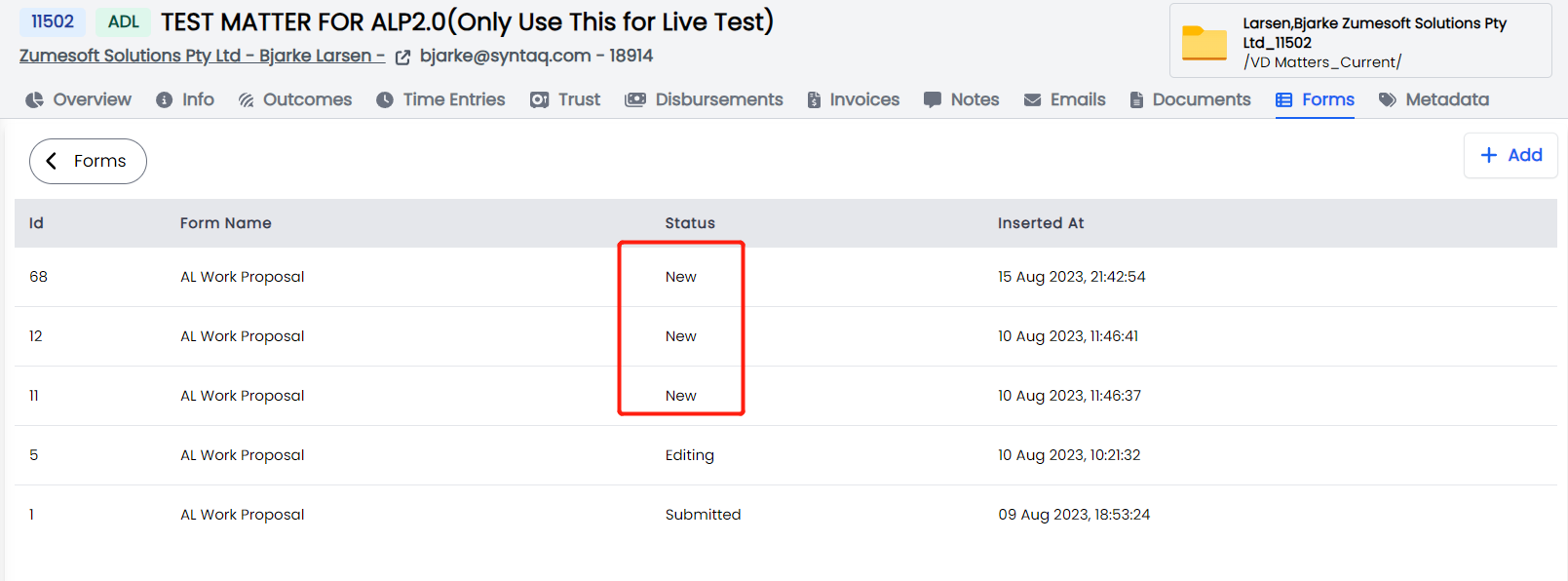
Update the Embedded forms status Draft to New.
 |
|
Bugs
| Release Version | Feature | Description |
|---|---|---|
- 7.5
| Forms | Resolve an issue with the Form status changing to submitted on save. |
Documentation
| Title | Description |
|---|---|
Release 2023-08-10
New Features
| Release Version | Feature | Description |
|---|---|---|
| 1.7.2 | SYNTAQ | |
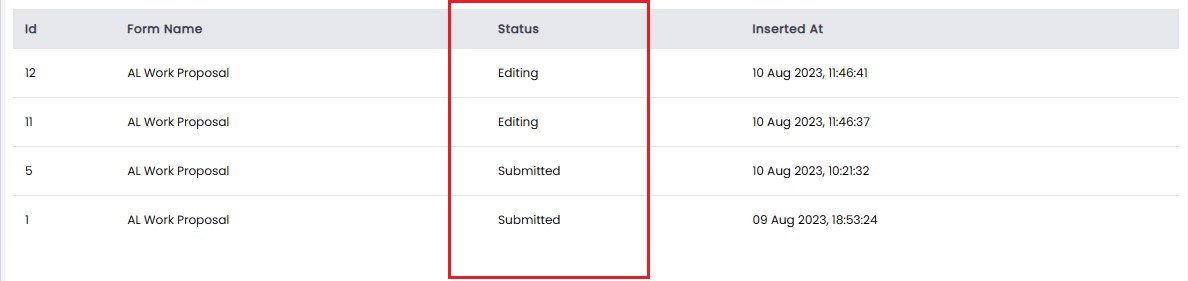
| We have updated SYNTAQ forms page in Portal. The SYNTAQ forms now display any records associated to the matter. This means that you no longer need to search for records from the SYNTAQ Records Page. |
Users can View a form and its associated records from the matter. Records displayed in the portal will have the following status'
Workflow.
Once you have selected your matter you can access forms and the associated matter records by following the new workflow:
- Click on Forms
- Select the Form you want to use.
- Click on Add (this creates a new record)

- Click on the Record, this will load the form.
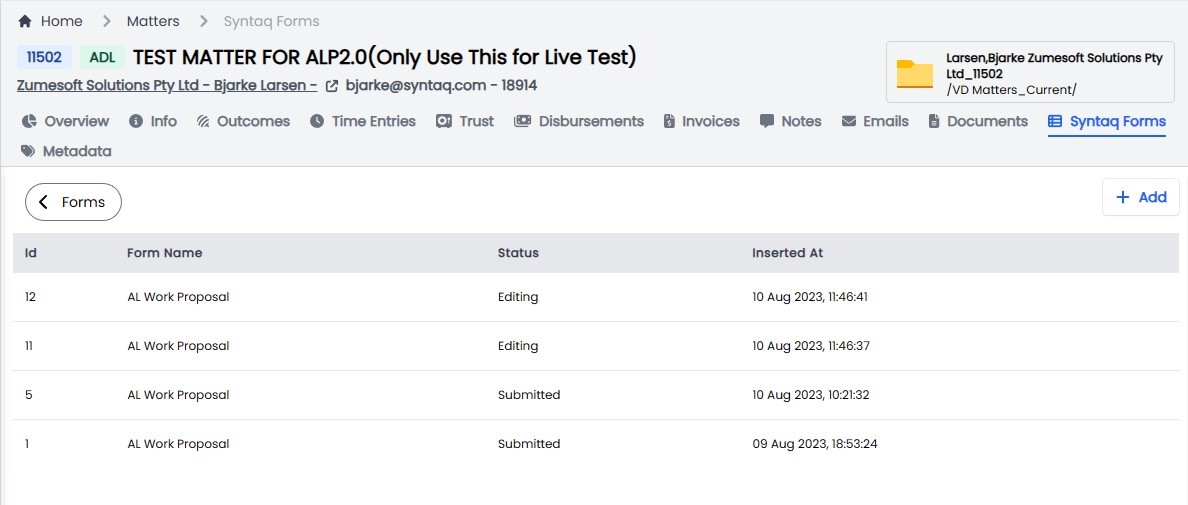
If you want to access a record that was previously submitted through the form, select the form and you will see a list of records previously created for the matter, select the one that you want to load.
Understanding the status'
Matter form records now have the following status'.
- New: Records has not been created in SYNTAQ yet. We need this to create the relationship between Syntaq and Portal/ Matter.
- Draft: A user has opened the record and the record is available for editing, a user has not yet submitted the form to Syntaq.
- Submitted: User has opened the record and the record has been submitted through the Syntaq platform.
 |
|
Enhancements
| Release Version | Feature | Description |
|---|---|---|
| 1.7.2 | Matter | |
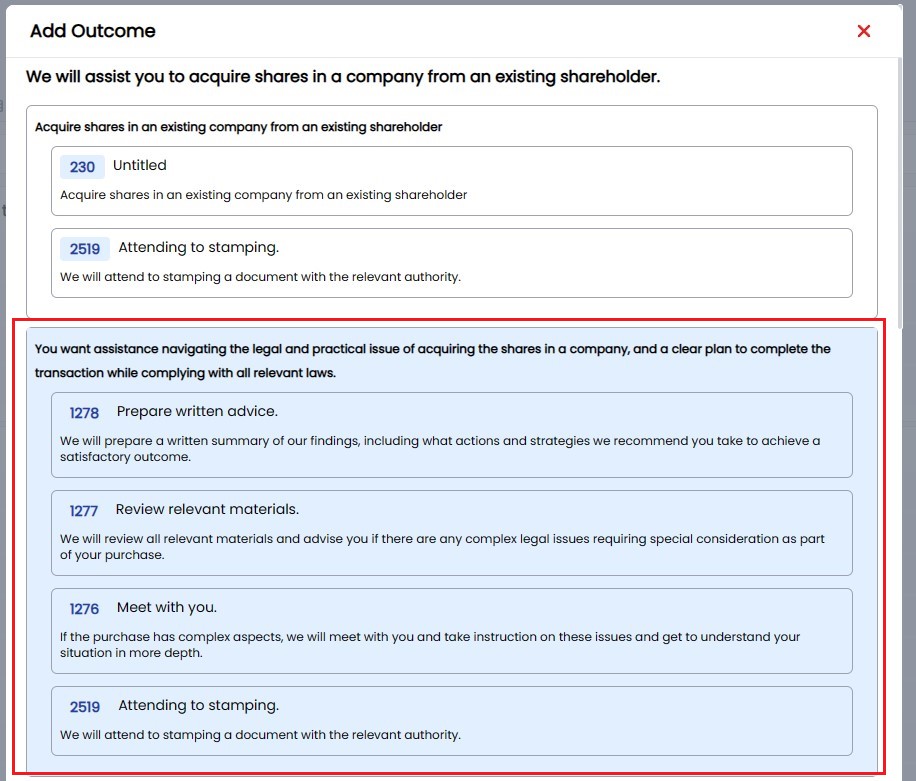
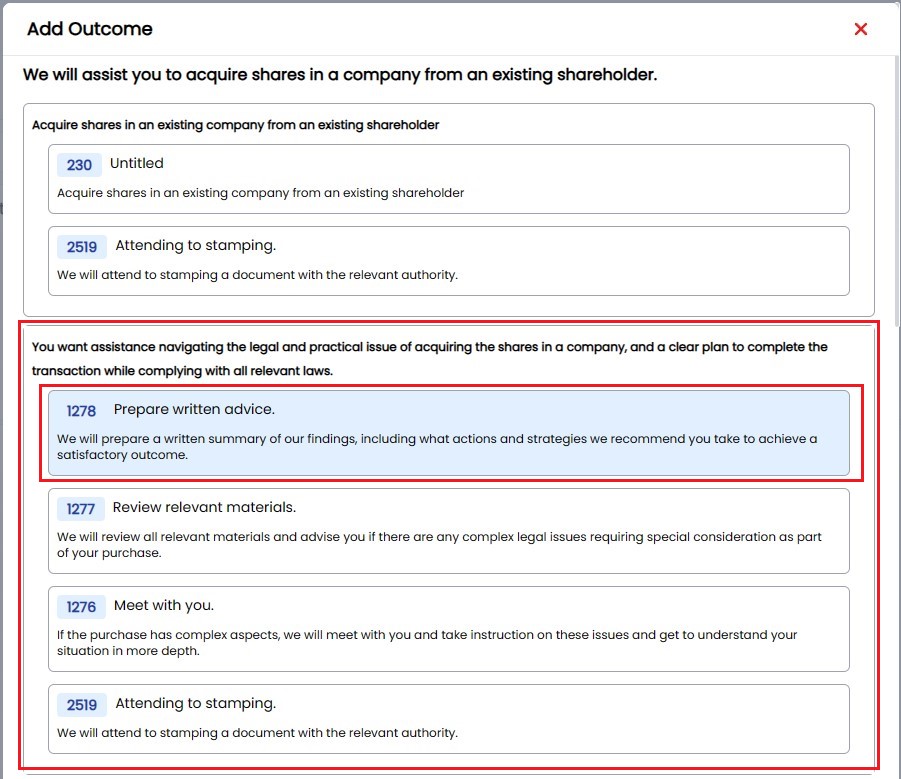
| Allow users to select the Matter Outcome Components when establishing a matter, this means a user doesn't need to select an outcome and then subsequently delete each component that is not required. |
User can Select an Outcome and all associated Components.
or
Select only Components you want to use by clicking on the individual components.
 | | 1.7.2 | Matter |
Introduced a new Matter status Deleted. Although we cannot Hard delete matters from the database, we will record all matters that have been deleted against ID=7. All matters with this status will be filtered out from the Matter search.
Matters that have been crated and subsequently deleted will have the Mater tagged with the status of Deleted and the Matter file that was created in SharePoint will be moved to the Lost folder.
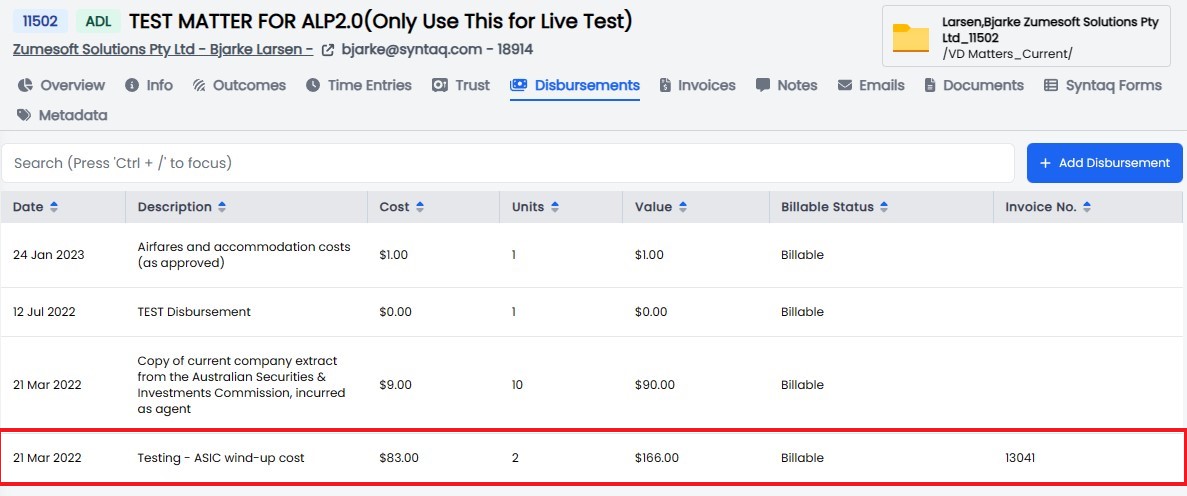
| | 1.7.2 | Disbursements |
Update the Matter disbursements table to show users which disbursements have been allocated to an Invoice.
 | | 1.7.2 | Time Entries |
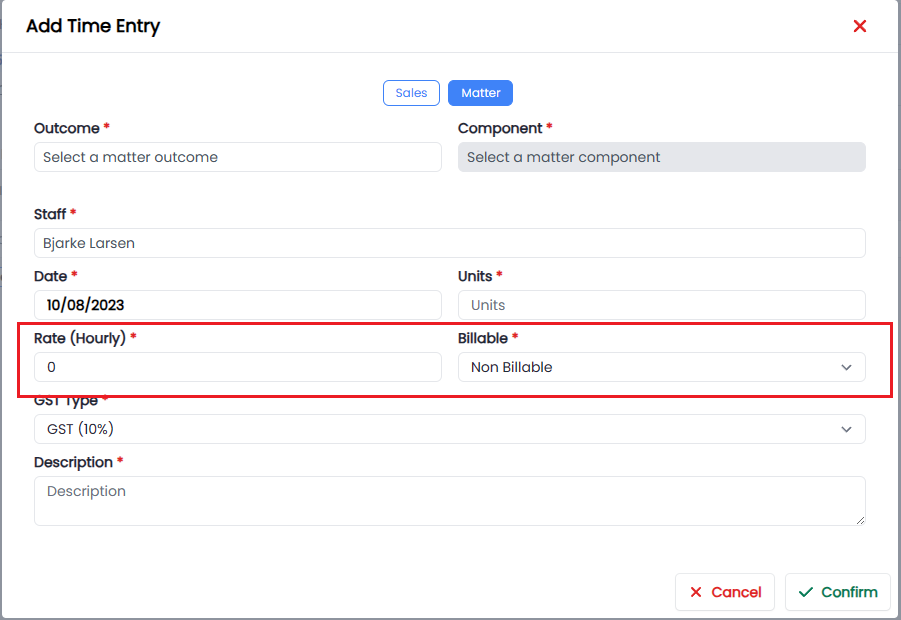
Enhanced the Time Entry input to convert $0 rated time entries to Non-Billable, this ensures that we don't record $0 rated time entries as Billable and therefore display $0 rates on Client Invoices.
 | | 1.7.2 | SYNTAQ Forms UI |
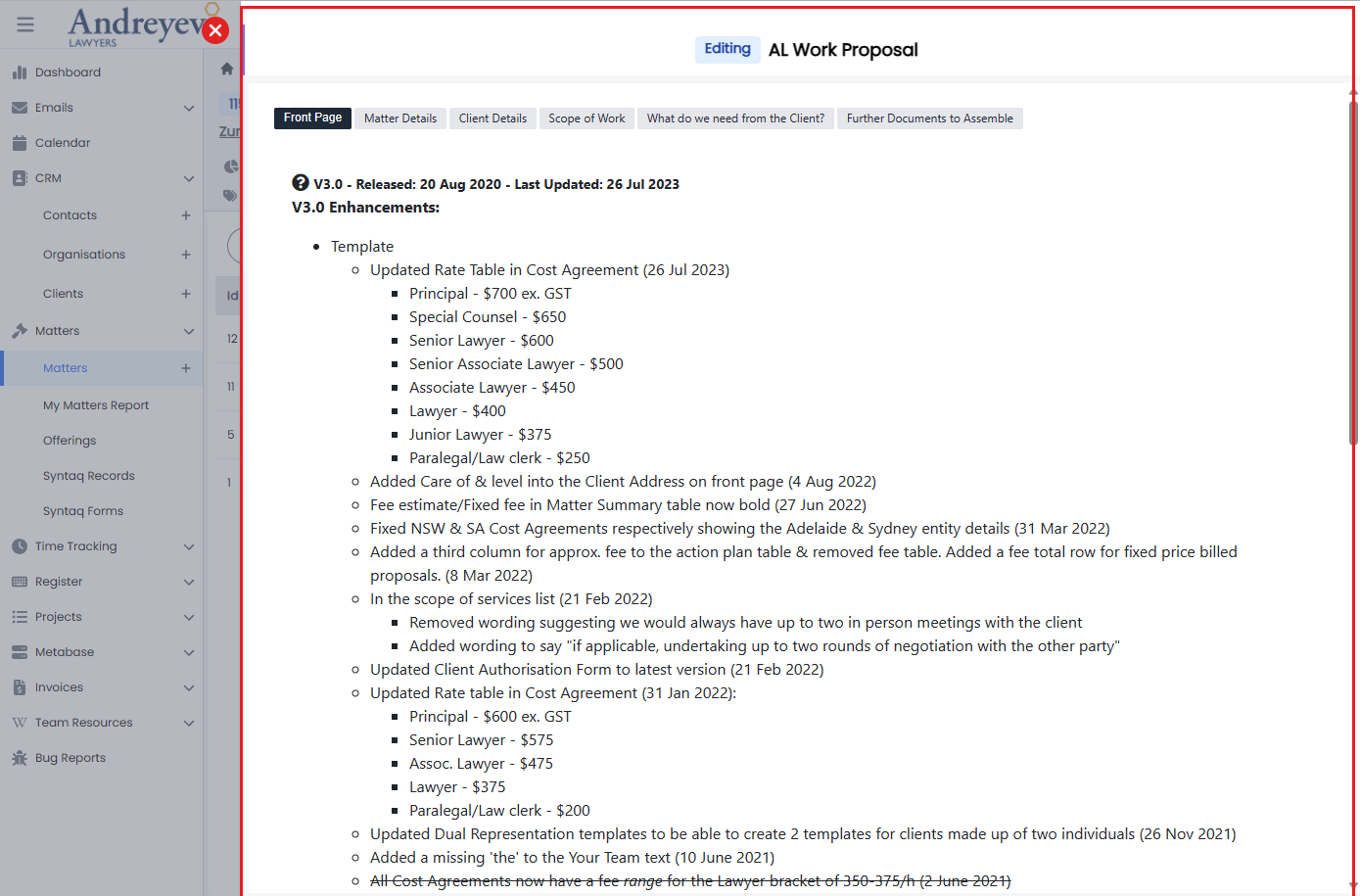
Updated the SYNTAQ form UI to utilise the flyover panel, bringing this in line with Project Tasks and Matter Components.
 | | 1.7.2 | Offering | Update the Component edit workflow, creates a new page in the admin view rather than opening in the user view. |
Bugs
| Release Version | Feature | Description |
|---|---|---|
| 1.7.3 | Resolve an issue with email threads not being displayed. | |
Documentation
| Title | Description |
|---|---|
Release 2023-07-25
New Features
| Release Version | Feature | Description |
|---|---|---|
Enhancements
| Release Version | Feature | Description |
|---|---|---|
| 1.7.0 | Offerings | |
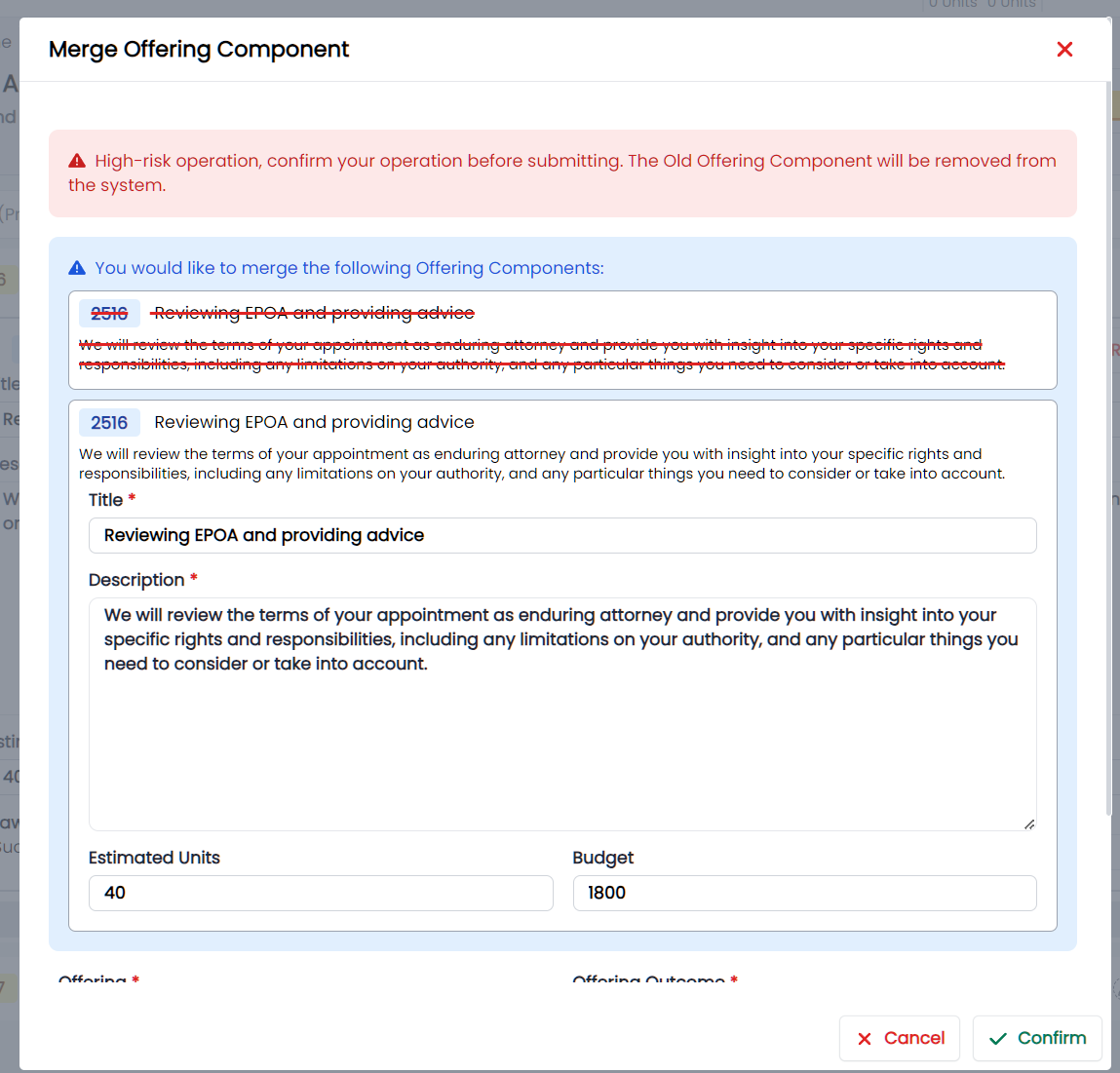
| Additional enhancements which allow Portal Admin's the ability to Merge Offering Components. |
 | | 1.7.0 | PDF Viewer |
PDF viewer has been enhanced, integrating directly with Adobe. PDF preview impacts the following views:
- Invoice preview
- Email attachment preview
- Document resource preview
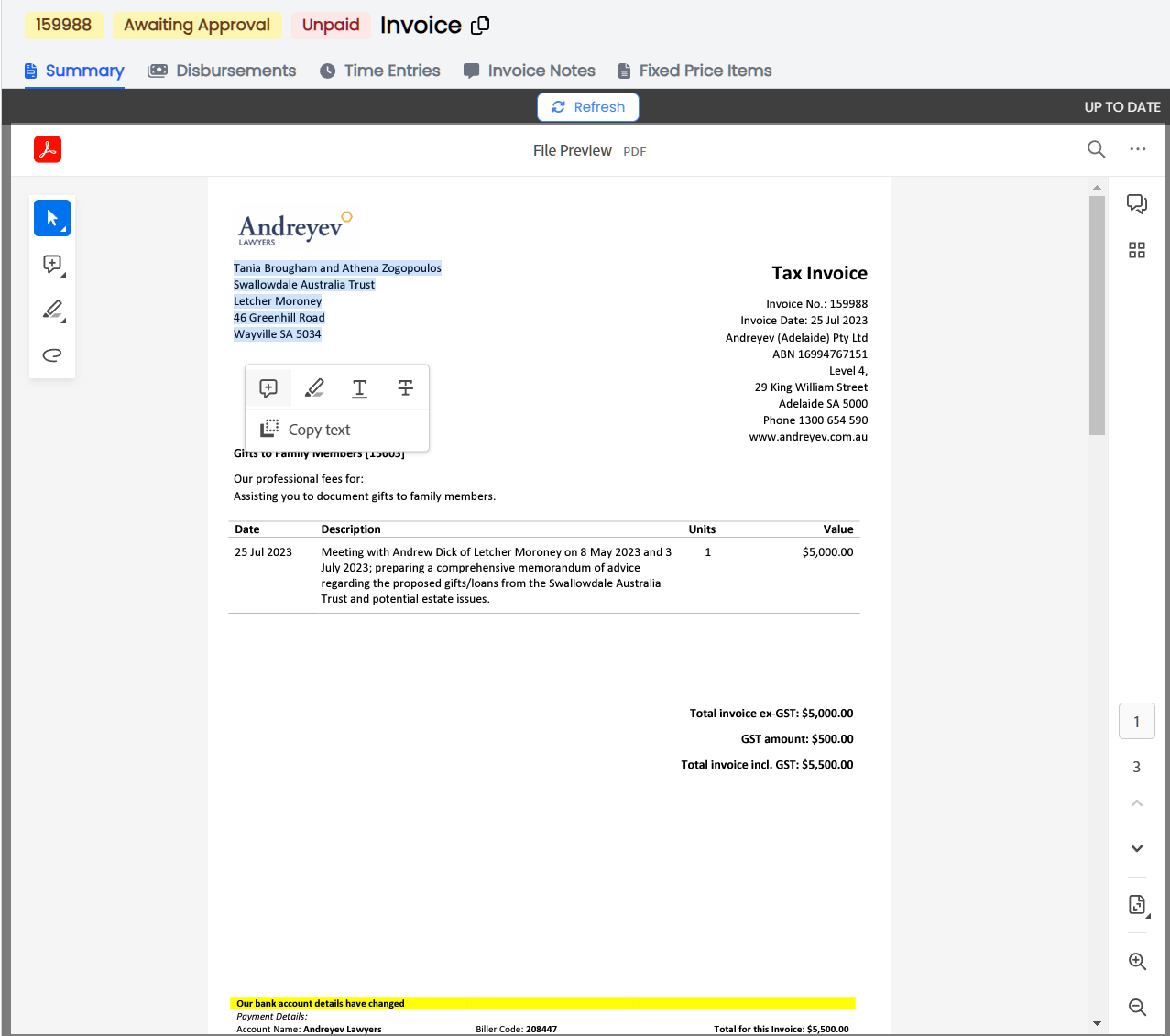
With the implementation of Adobe viewer users will now have access to the following Adobe features:
- Select and pan
- Add comments
- Highlight, underline and strikethrough
- Draw freehand
- Erase
- Copy text
- Download
- View one page or two pages at a time
- Zoom in and out
- Redo and undo
- PDF search
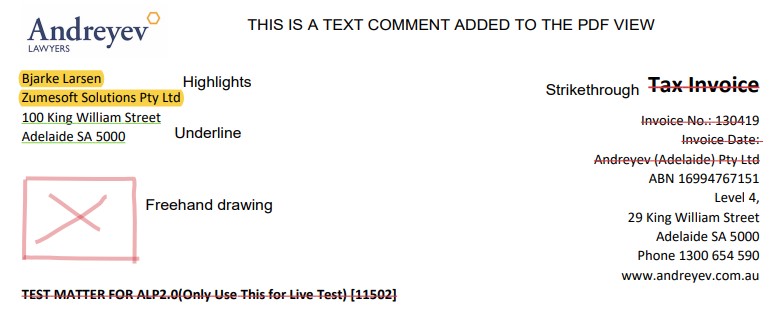
Other enhancements which might be relevant to users:
- The page is no longer paginated, so users can scroll the length of an invoice, which may be convenient for long running invoices.
- Improved loading times.
Please be reminded that any changes to the PDF are NOT saved so when a user refreshes the page any comments or highlights will be cleared from the view. To share a version of the PDF with comments or highlights, simply click the Download button and share the PDF.
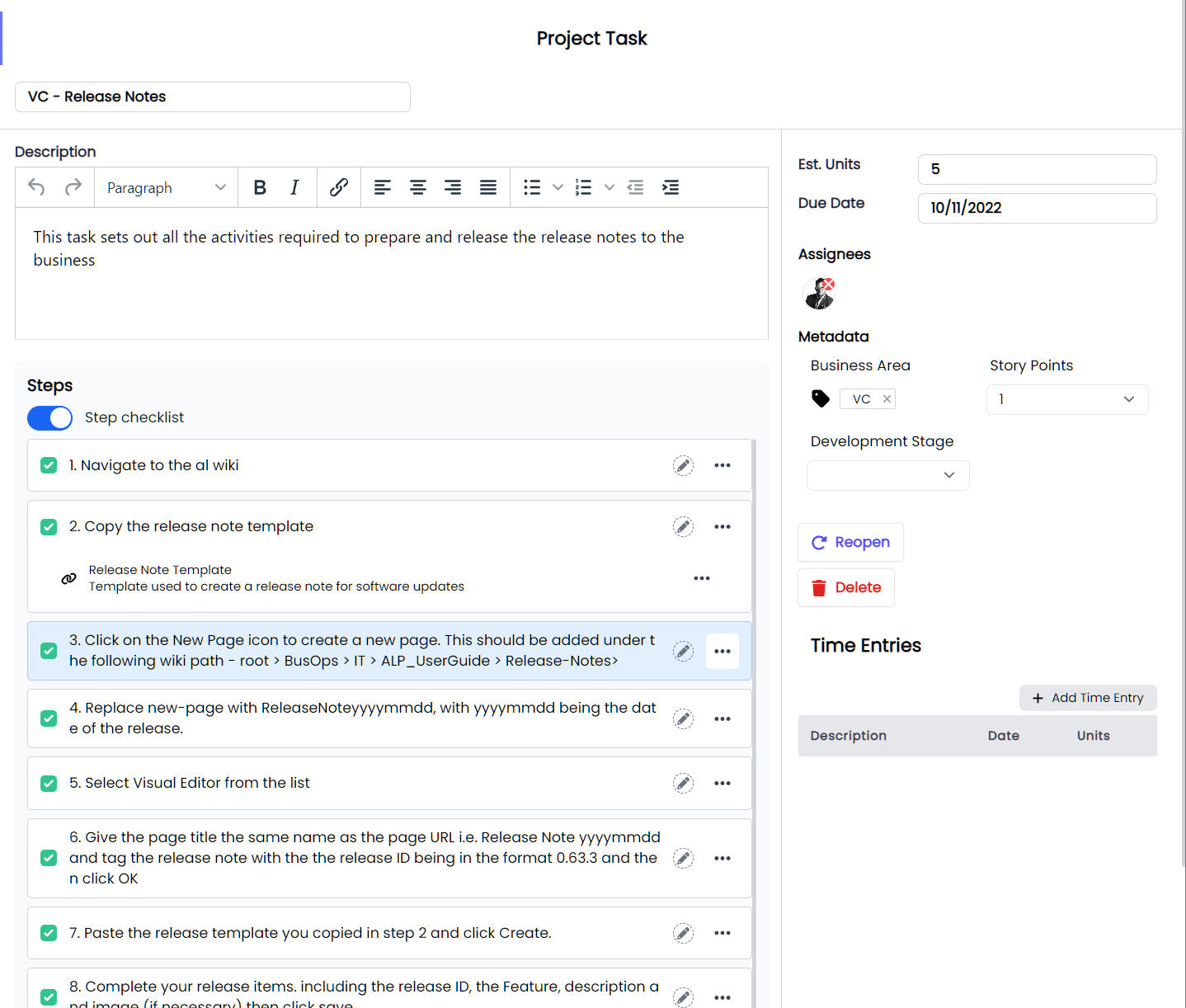
 | | 1.7.0 | Projects |
Redesigned the layout of the Projects tasks UI.
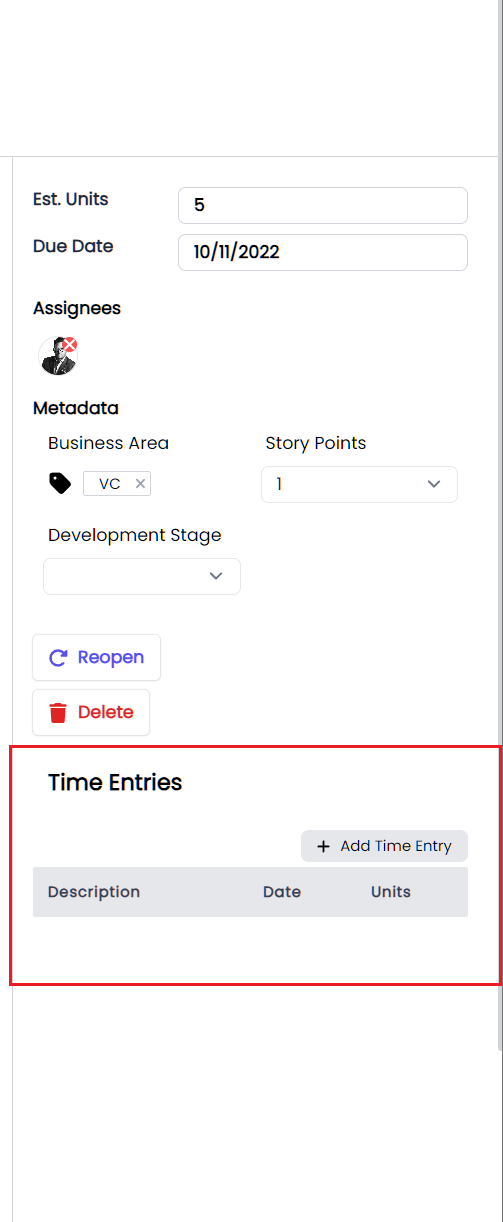
 | | 1.7.0 | Projects |
Added the ability for a user to add time entries from the Project Task view.
 | | 1.7.0 | Email |
Email Recipients (to, CC, BCC) support look up from:
- Contacts
- Users
- User Groups
 |
|
Bugs
| Release Version | Feature | Description |
|---|---|---|
| 1.7.1 | Fix cannot mark an email as hidden issue. | |
| 1.7.0 | Fix email, where some email threads may contain duplicate emails. |
Documentation
| Title | Description |
|---|---|
Release 2023-07-18
New Features
| Release Version | Feature | Description |
|---|---|---|
Enhancements
| Release Version | Feature | Description |
|---|---|---|
| 1.6.10 | Notes | |
| Allow users to pin a note created for a Matter, Contact, Org, Invoice or Project. |
As a user you can now pin a note by clicking the “File as Important". button
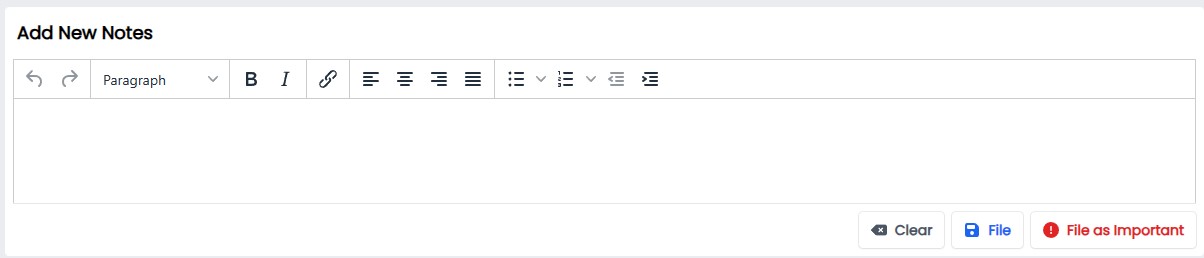
As a user who has filed a note as Important, you will see the note Pinned to the top of the Notes section.
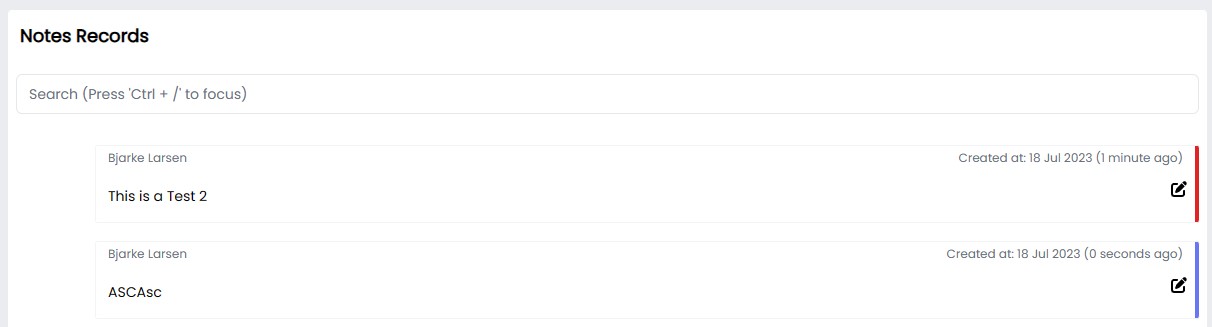
Notes that have been flagged as Important will be marked in red.
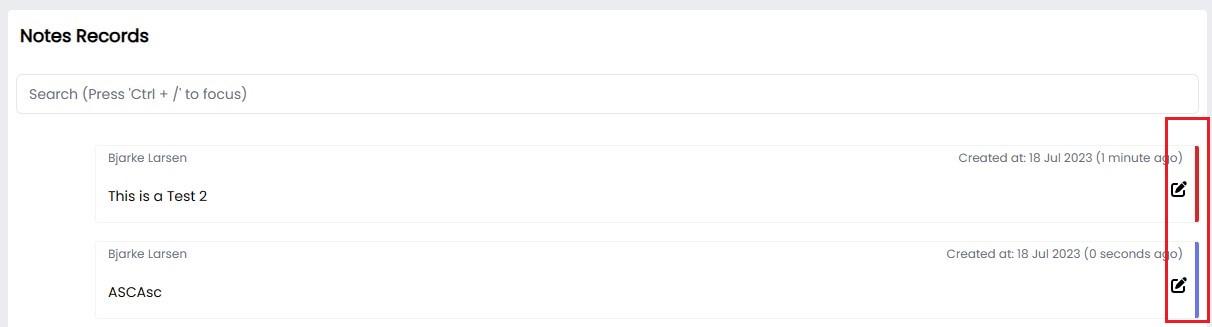
Business Rules
With the new notes feature we have applied the following business rules
- If there is more than one Important message, then we will order these by the most recently created at the top of the list.
- Users can mark a note as normal by clicking the edit button, and clicking “Update as Normal”, removing the Important flag associated with the note and updating the order of the notes.
- The My Matter Report will only show the most recent note.
|
Bugs
| Release Version | Feature | Description |
|---|---|---|
| 1.6.10 | Invoice Notes | Update Invoice automatic notes creation case |
Documentation
| Title | Description |
|---|---|
| Admin - Remunerations | Created a new Page |
| Admin - Trust Ledgers | Created a new Page |
| Admin - Metabase | Created a new Page |
| Admin - Safe Storage | Created a new Page |
| Staff Directory | Created a new Page |
| Wiki Page | Created a new Page |
| Metabase Reports | Created a new Page |
| My Matter Report | Created a new Page |
| Admin - Users | Page updated |
| Admin - Trust Accounts | Page updated |
| Admin - Syntaq | Page updated |
| Admin - Sprints | Page updated |
| Admin - Resources | Page updated |
| Admin - Offerings Components | Page updated |
| Admin - Offerings | Page updated |
| Admin - Offering Categories | Page updated |
| Admin - Metadata | Page updated |
| Admin - Data | Page updated |
| User Profile | Page updated |
| Safe Storage | Page updated |
| Offerings | Page updated |
| Metadata | Page updated |
| Matters | Page updated |
| Emails | Page updated |
| Automations | Page updated |
| Dashboards | Page updated |
| Contacts | Page updated |
| Clients | Page updated |
| Admin - Roles | Page updated |
Release 2023-07-13
New Features
| Release Version | Feature | Description |
|---|---|---|
Enhancements
| Release Version | Feature | Description |
|---|---|---|
| 1.6.5 | Notifications | |
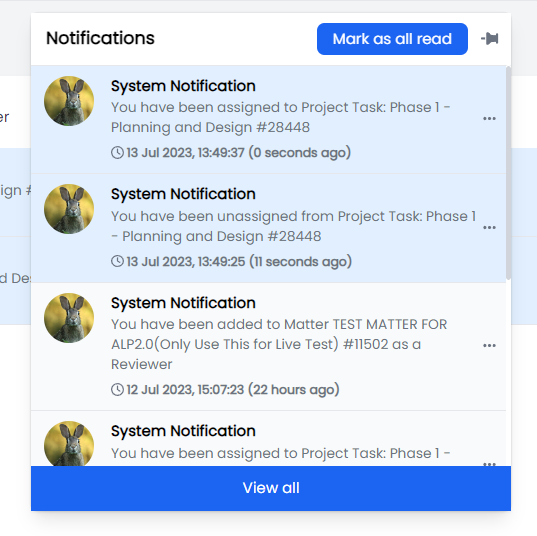
| Enhanced the user Notifications doorhanger menu to display additional information. |
- Identify the type of notification that is being generated, currently we have the following active types:
- System notification
- User notification
- User Action
- Assigned or
- Unassigned
- To a Matter or Project Task name
- Role type
- Reviewer
- Coordinator
- Date and Time of Notification
- Time passed since Notification was sent
Additional features of the notification include:
- The ability for a user to Mark all as read
- To click on a notification and be re-directed to the associated Matter or Project
- To view all Notifications
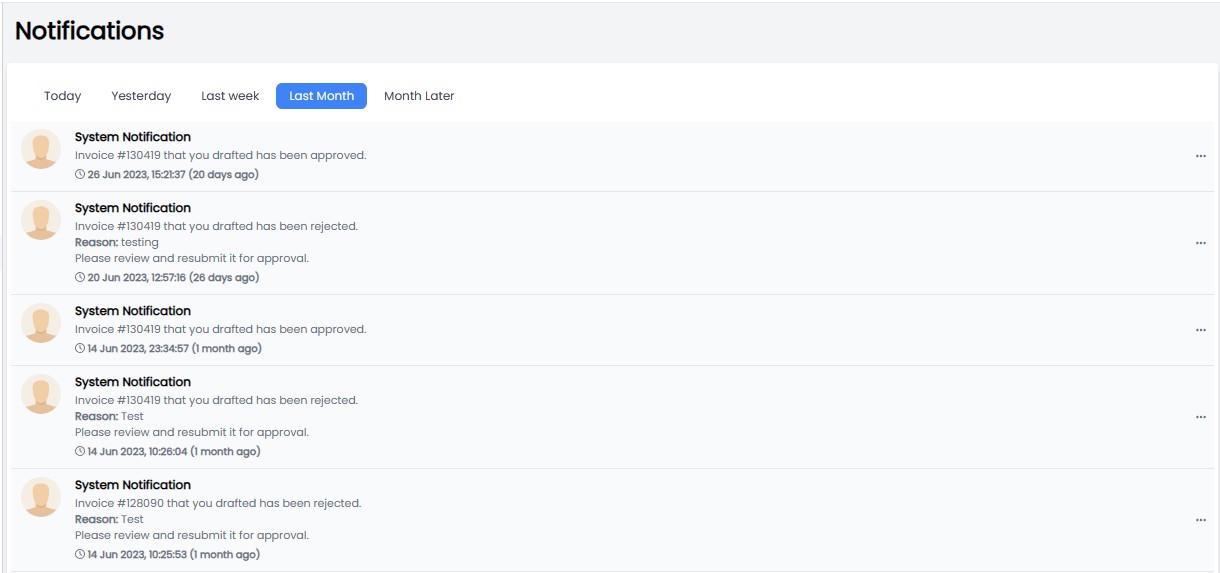
Finally, Notifications has a new Page where you can view all your notifications.
| | 1.6.5 | UI |
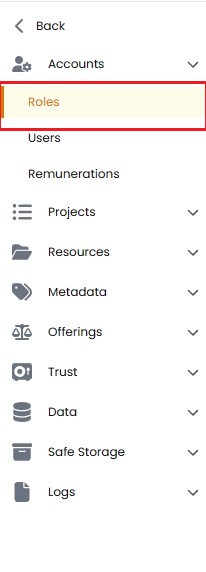
Updated the Admin UI menu to display in a different colour, allowing an admin user to distinguish between User and Admin menus.
 | | 1.6.5 | Contacts |
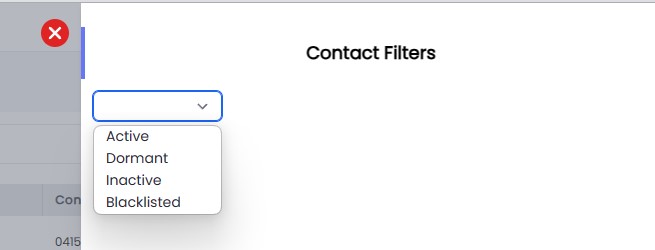
New contacts filter allows a user to filter the contacts list by the following status':
- Active
- Dormant
- Inactive
- Blacklisted
 | | 1.6.4 | Resources |
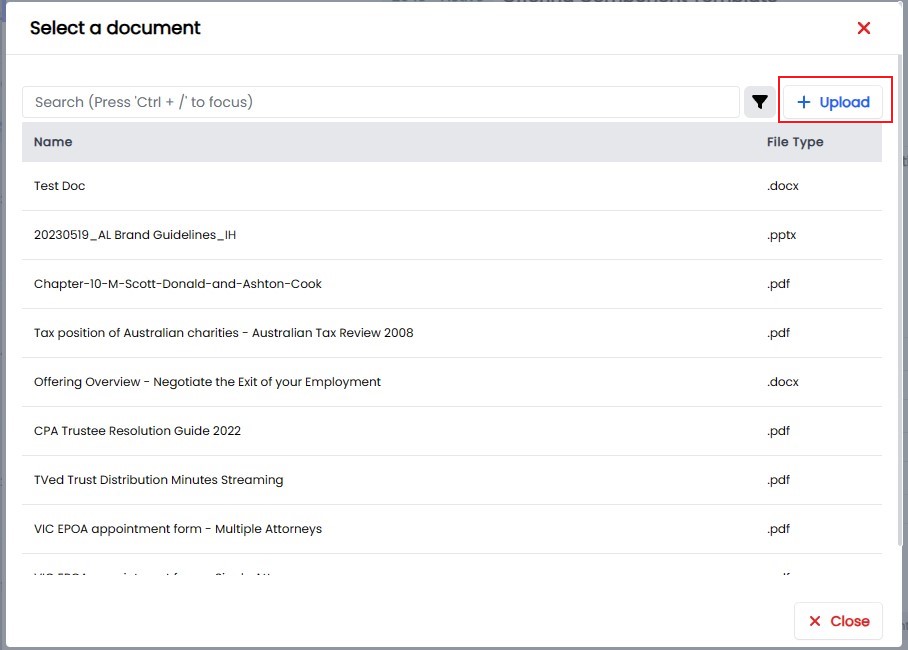
Update Resource Document UI, Supporting upload document on the selection page.
 | | 1.6.3 | Trust | Implement the requestor Notification Approval or Rejection Email. | | 1.6.3 | Offerings |
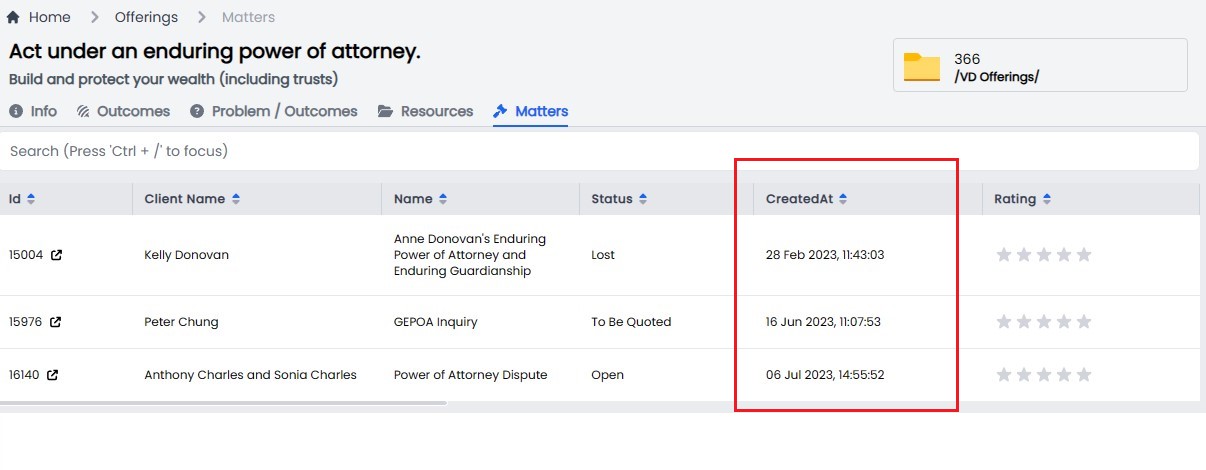
Created date added to Offerings, Matters view,
 |
|
Bugs
| Release Version | Feature | Description |
|---|---|---|
| 1.6.9 | Xero | Fix Re-sync xero payment issue. |
| 1.6.8 | Notifications | Resolve a date issue. |
| 1.6.7 | Resolve an issue with email sync and import. | |
| 1.6.6 | Trust | Fix trust permission and unknown deposit string format |
| 1.6.4 | Cypress | Update Cypress tests cases to support new Trust Features. |
| 1.6.2 | Trust | Update the Trust Account value being passed to SYNTAQ Trust Apps. |
Documentation
| Title | Description |
|---|---|
Release 2023-06-20
New Features
| Release Version | Feature | Description |
|---|---|---|
Enhancements
| Release Version | Feature | Description |
|---|---|---|
| Invoices | Enhance invoice logic to lock down editing of disbursements so they cant be deleted or edited once added to an invoice and the status of the invoice is not in Draft. | |
| Xero | Apply a Xero sync limit to prevent (TBC) | |
Bugs
| Release Version | Feature | Description |
|---|---|---|
| 1.5.18 | Invoice | Fix a null value issue which can cause an Invoice not to sync |
| 1.5.17 | Trust | Resolve an issue with the office selector |
| 1.5.17 | Trust | Resolve issue with Trust request |
| 1.5.17 | Trust | Fix trust transaction mapping issue |
| 1.5.16 | Trust | Fix matter transfer balance issue. |
Documentation
| Title | Description |
|---|---|
Release 2023-06-14
New Features
| Release Version | Feature | Description |
|---|---|---|
Enhancements
| Release Version | Feature | Description |
|---|---|---|
| 1.5.13 | Offerings | |
| Have each Step Plan item on its own row. |
 | | 1.5.13 | Offerings |
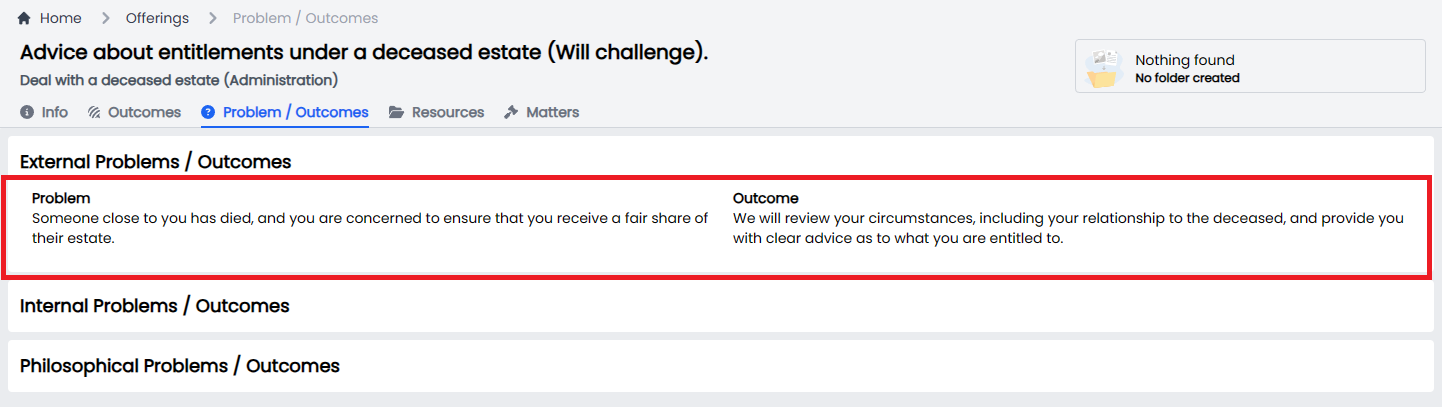
Under the Problem/Solution tab, automatically resize the text boxes so that it is easier read and edit the content that spans over more than a few rows.
 | | 1.5.13 | Offerings |
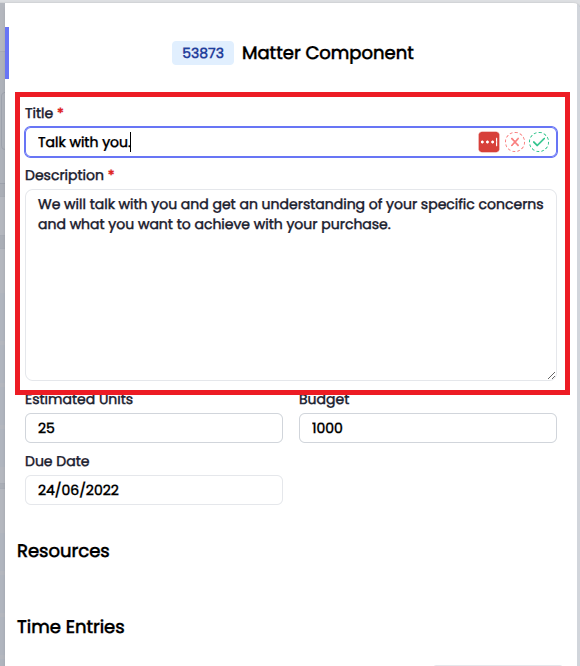
Allow Matter Components to be editable once assigned to a matter.
 | | 1.5.13 | Offerings |
Update Transfer button to Move
 | | 1.5.13 | Time Entries |
Remove the value of Project Time Entry
 | | 1.5.13 | Trust | Automate email to all lawyers when a Bank transaction is marked as an Unknown Transaction. |
Bugs
| Release Version | Feature | Description |
|---|---|---|
| 1.5.14 | Xero | Resolve an Address conflict with Xero client. |
| 1.5.15 | Trust | Fix Trust data required for SYNTAQ Trust Apps |
Documentation
| Title | Description |
|---|---|
Release 2023-06-08
New Features
| Release Version | Feature | Description |
|---|---|---|
| 1.5.12 | Trust Account | |
| A new feature has been developed for Trust Admins, Unknown Deposit. |
This feature allows Admins to "mark" any Unknown Deposit Transactions in our Trust Bank Account and assign the Deposit to a Ledger.
Trust Admins can view a list of Bank Transaction for the Trust Account, and if they are not able to Reconcile a Bank Deposit with an Approved Trust Request then they can click on the Unknown Deposit button.
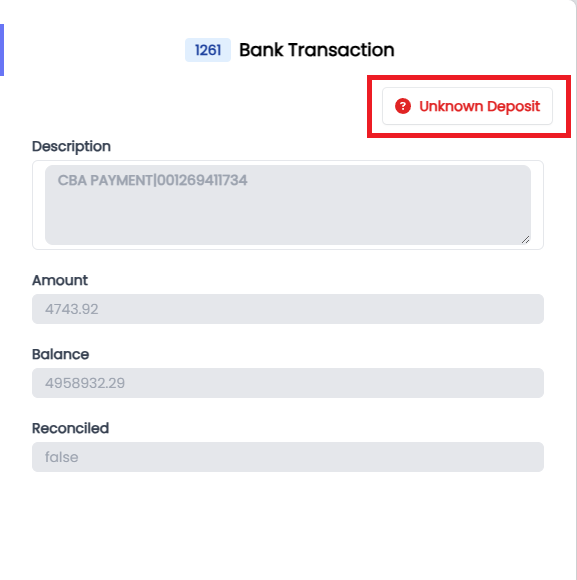
Once the Bank Deposit Transaction has been Marked as an Unknown Deposit. The Bank Transaction will be updated with - Marked as Unknow Deposit and a Trust Ledger is created for the Transaction.
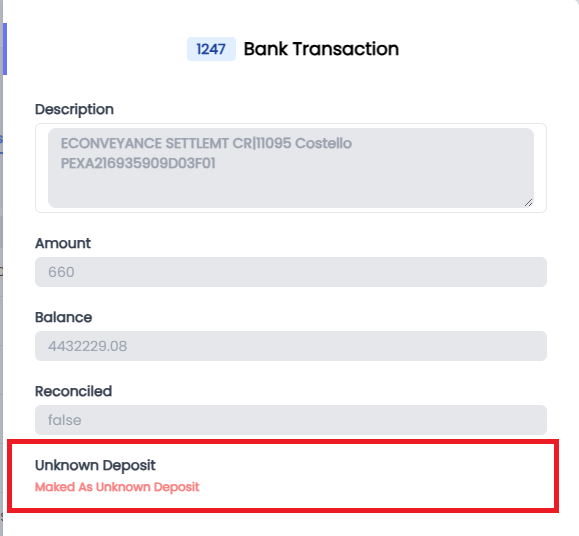
We will also send an email to lawyers@andreyev.com.au which will contain the following information:
- When the deposit was received
- What trust account the deposit was made to
- A description of the Deposit per the bank statement
- An amount
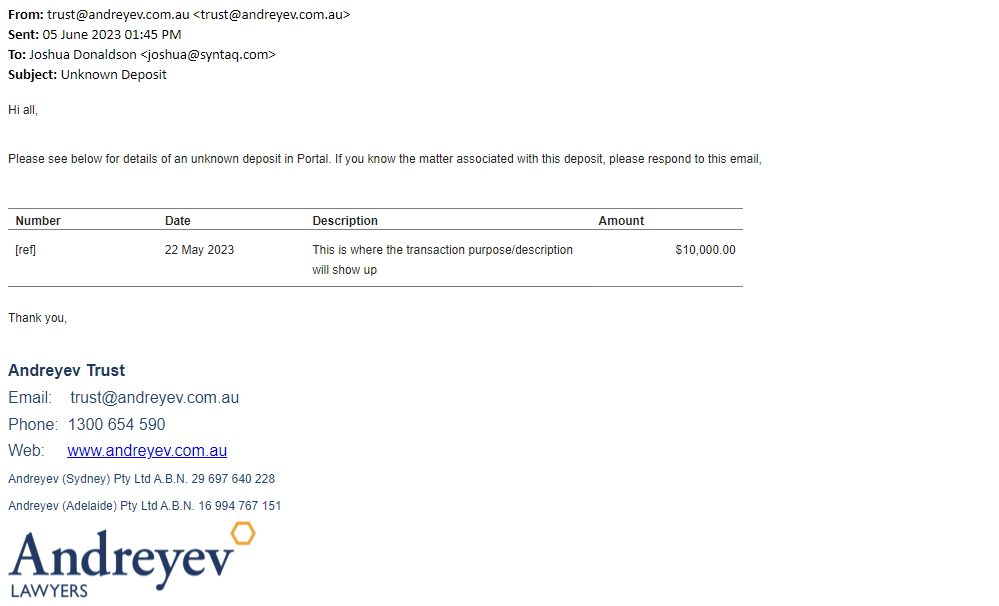
If a Matter Coordinator identifies the Transaction as theirs, they simply need to respond to Automated email with the following information:
- Matter Number
- Supporting documents (attached)
And the Trust Admin will authorise the transfer of funds to the Matter, using the Assign to Matter Trust button from the Ledger of the Unknown Deposit.
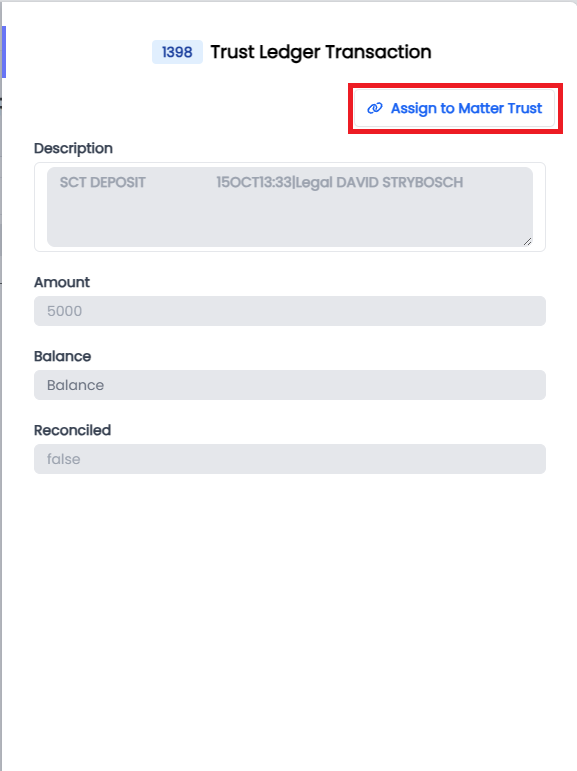
Once the Transfer is complete, the Admin simply needs to reconcile the Bank Transaction with the Approved Deposit Request, which is automatically created as part of the Assign to Matter Trust workflow.
| | 1.5.12 | Trust Ledgers |
Admins can now see a list of all ledgers that have been created in Portal. Including ledgers associated with an Unknown Deposit.
The Ledger has two main views.
List View
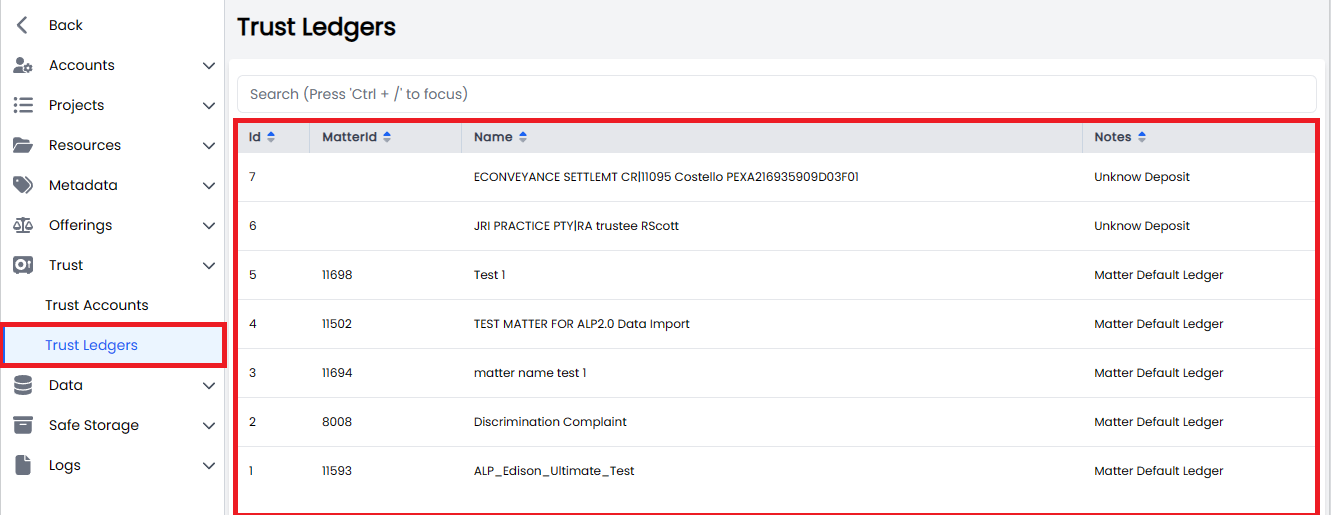
The list view includes a tabulated list of ALL ledgers. Currently we have two main Ledger types:
- Matter Default Ledger: this is the ledger created for each matter that holds Trust monies, and
- Unknown Deposit: this is the Ledger created when we are not able to reconcile a Bank deposit with a Trust request and is marked as an "Unknown Deposit".
Users can filter the list of ledgers by using the following search criteria.
- Matter ID
- Name
- Notes (Matter Ledger Type)
Detailed View
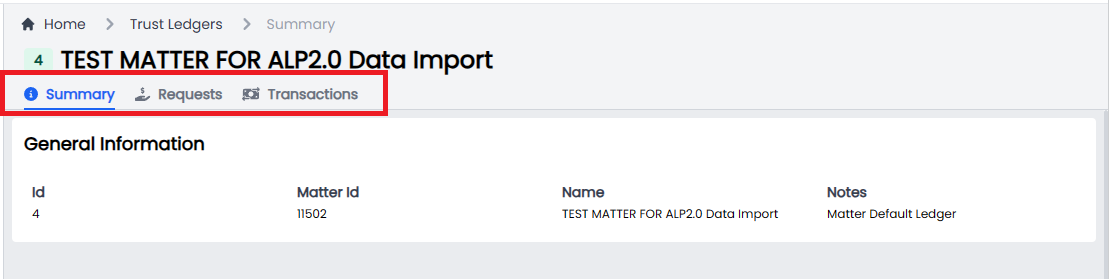
The detailed view includes a Summary View, a list of Requests and a list of Transactions associated with the ledger.
|
Enhancements
| Release Version | Feature | Description |
|---|---|---|
| 1.5.12 | Time Entries | Enhance time entries Business Logic to ensure that time entries assigned to an Invoice with a Status of Approved or Sent cannot be deleted. |
Bugs
| Release Version | Feature | Description |
|---|---|---|
| 1.5.12 | Trust | Resolves an issue where in some circumstances a pending trust request does not show in a Trust Account. |
Documentation
| Title | Description |
|---|---|
Release 2023-06-01
New Features
| Release Version | Feature | Description |
|---|---|---|
Enhancements
| Release Version | Feature | Description |
|---|---|---|
| 1.5.8 | Invoices | |
| Allow a user to provide a Reason for rejecting an Invoice. |
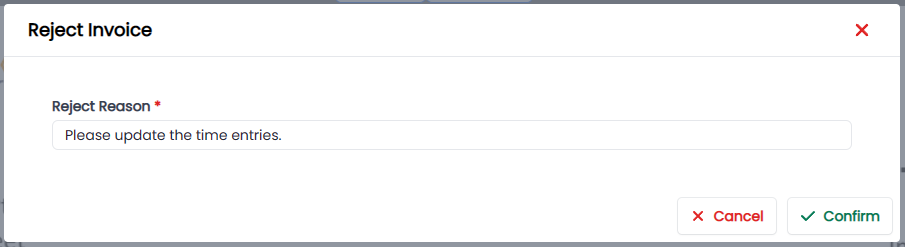
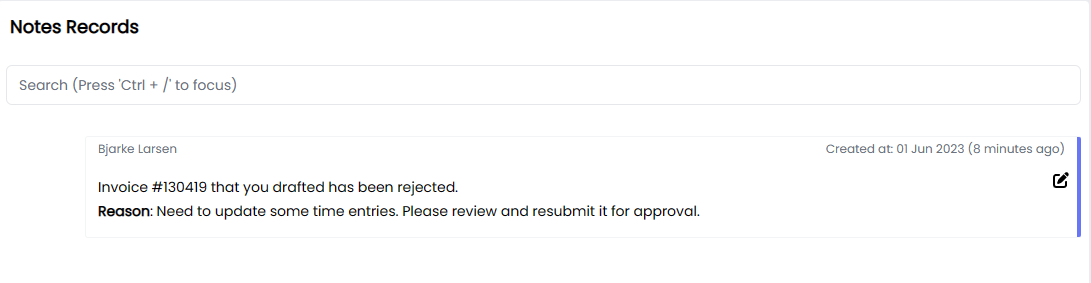
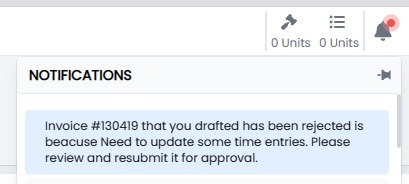
The reason for the rejection is included in two areas.
Invoice Notes
Notifications
|
Bugs
| Release Version | Feature | Description |
|---|---|---|
| 1.5.8 | Trust | When requesting a Trust withdrawal, the attached support documents are not attached to the request. |
Documentation
| Title | Description |
|---|---|
Release 2023-05-30
New Features
| Release Version | Feature | Description |
|---|---|---|
| 1.5.5 | Trust | New database architecture to support Trust Ledgers, which will allow us to release our final functionality for Trusts, the management of Unknown Deposits. |
Enhancements
| Release Version | Feature | Description |
|---|---|---|
| 1.5.4 | Offerings | |
| We have extended the functionality of the Matter Offering view to allow a user to select an Offering, Outcome or the individual Components to build up a price. Once you have completed your selections you can: |
- Provision your selection to an existing matter, or
- Provision your selection to a new matter.
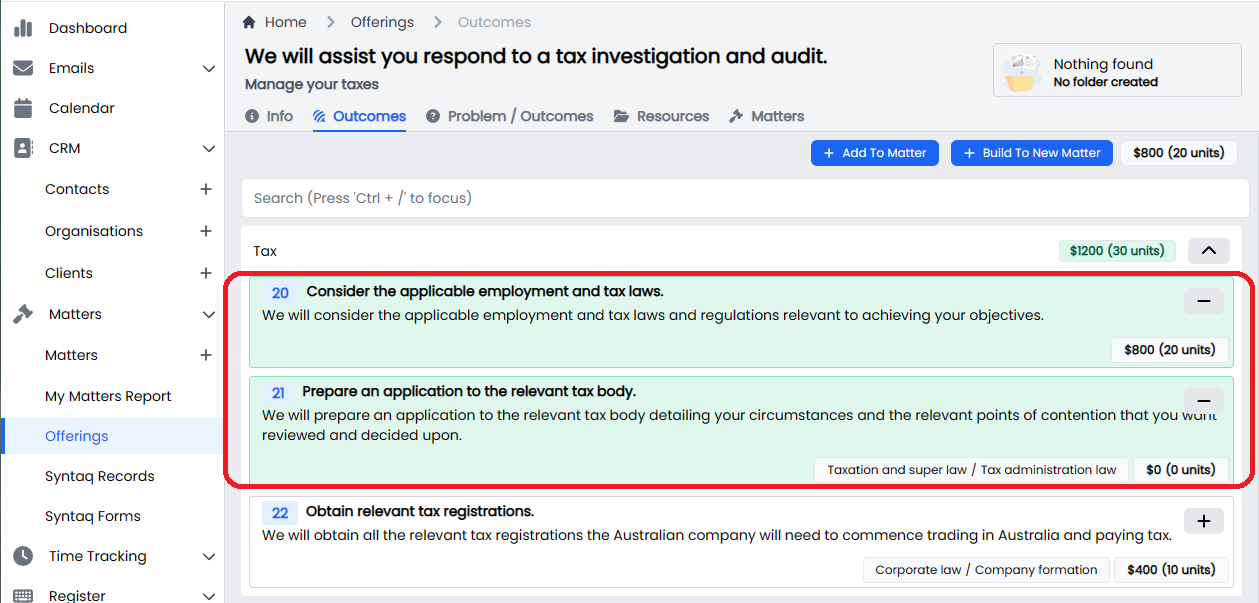
 | | 1.5.4 | Offerings |
Allow a user to select individual components when doing pricing for a matter.
 | | 1.5.4 | Trust |
Implemented tool tips to Available and Balance fields.
 |
|
Bugs
| Release Version | Feature | Description |
|---|---|---|
| 1.5.4 | Offerings | When selecting an outcome, the components selected don't add up correctly. |
| 1.5.4 | Offerings | Updating a component Unit or Budget doesn't flow through into the total Budget and Units cost. |
| 1.5.4 | Trusts | Update the Trust Receipts missing values. |
| 1.5.4 | Matters | Resolve an issue when trying to close a matter despite there being no money in trust. |
Documentation
| Title | Description |
|---|---|
| Clients | |
| Contacts | |
| Dashboard | |
| Documents | |
| Emails | |
| Login | |
| Mail Register | |
| Invoices | |
| Notes | |
| Matters | |
| Offerings | |
| Feedback | |
| Calendar | |
| Organisations | |
| Projects | |
| Reminders | |
| Safe Storage | |
| Sprints | |
| Syntaq Forms | |
| Syntaq Records | |
| Timers | |
| Time Tracking | |
| Admin - Audit Logs | |
| Admin - Metadata | |
| Admin - Offering Categories | |
| Admin - Offering Components | |
| Admin - Offerings | |
| Admin - Resources |
Release 2023-05-18
New Features
| Release Version | Feature | Description |
|---|---|---|
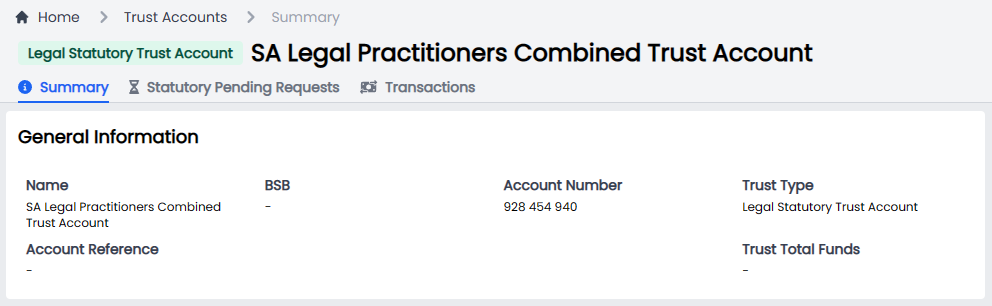
| 1.5.0 | Trust Accounts | |
| Developed a new Statutory Deposit Account to manage the deposit and withdrawals between the NSW and SA Trust accounts and our respective Statutory Deposit Accounts. |
Automations
We now automatically generate all the required documentation when making a Deposit or Refund request including;
- Bank Documentation.
- Email Documentation.
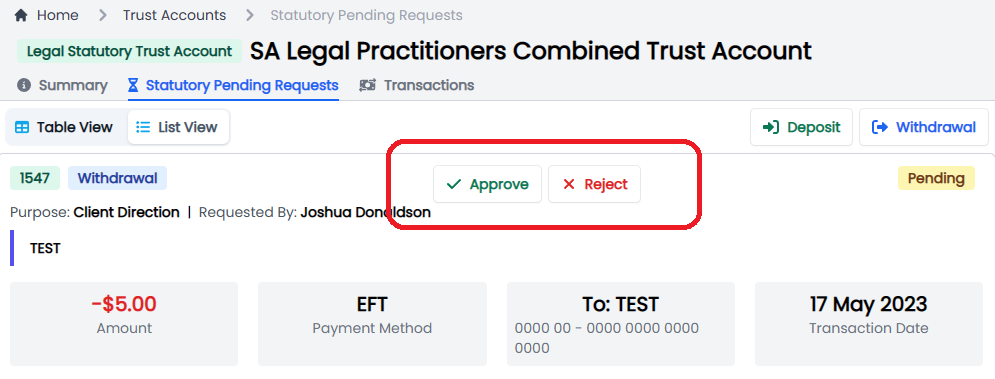
Approval and Rejection request process
- Generate an email.
- Approve and Reject from the Portal UI.
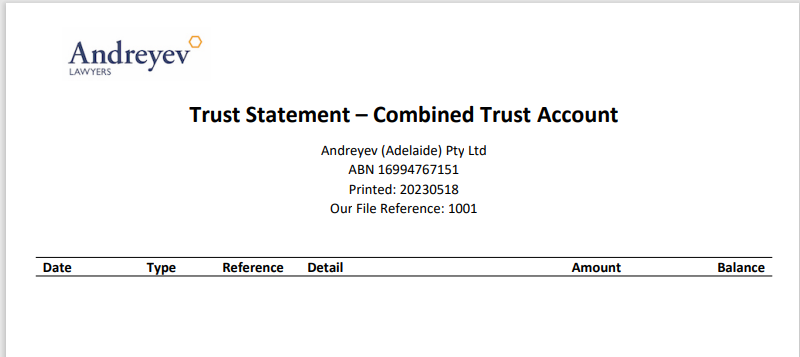
Statutory Deposit Account Reporting
- Generate a daily report of transactions associated with the accounts by jurisdiction.
 |
|
Enhancements
| Release Version | Feature | Description |
|---|---|---|
| 1.5.0 | Trust Accounts | |
| Enhanced the Trust account request process allowing a user to submit multiple deposit and withdrawal requests. This was previously limited to only a single request based on the funds that had been approved. |
There will be two balances, namely;
- Available - the total amount of trust money that has been approved and is available for use, and
- Current Balance - the total amount of trust money, including any pending Deposit and Withdrawal requests.
| | 1.5.0 | Trust Accounts |
Added Trust Receipts for all Approved Trust deposits.
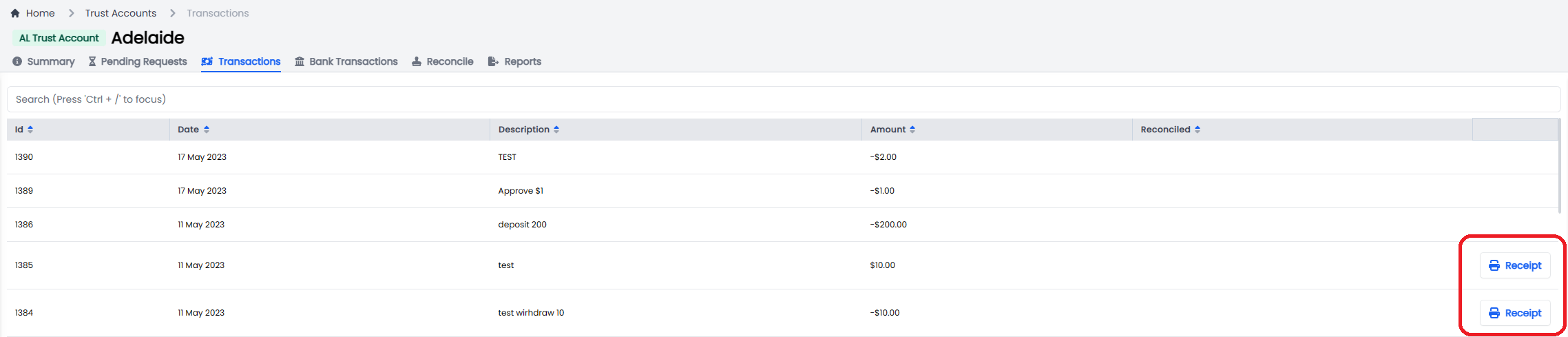
Trust Receipt Example
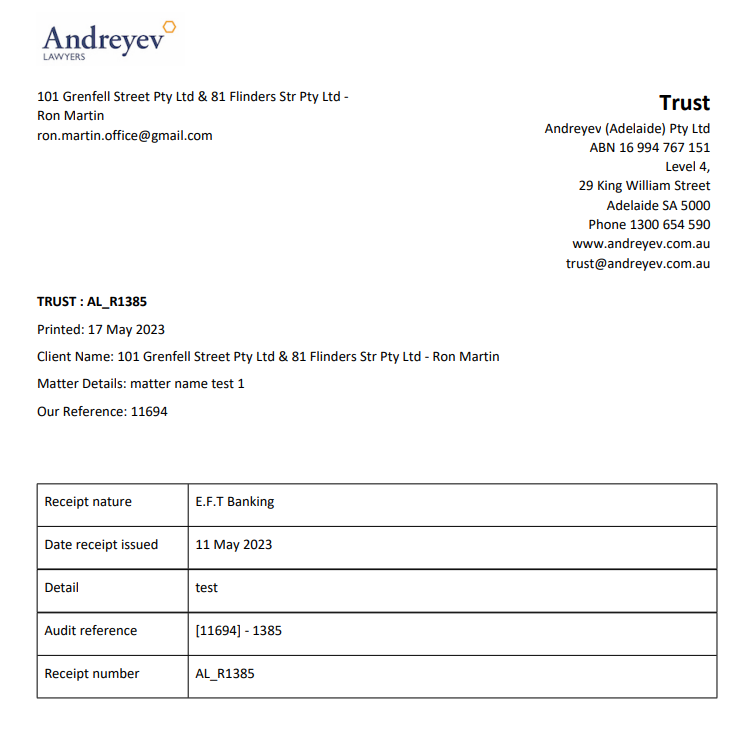 | | 1.5.0 | Trust Accounts |
Introduced a new Table and List view option for Admins.

List View
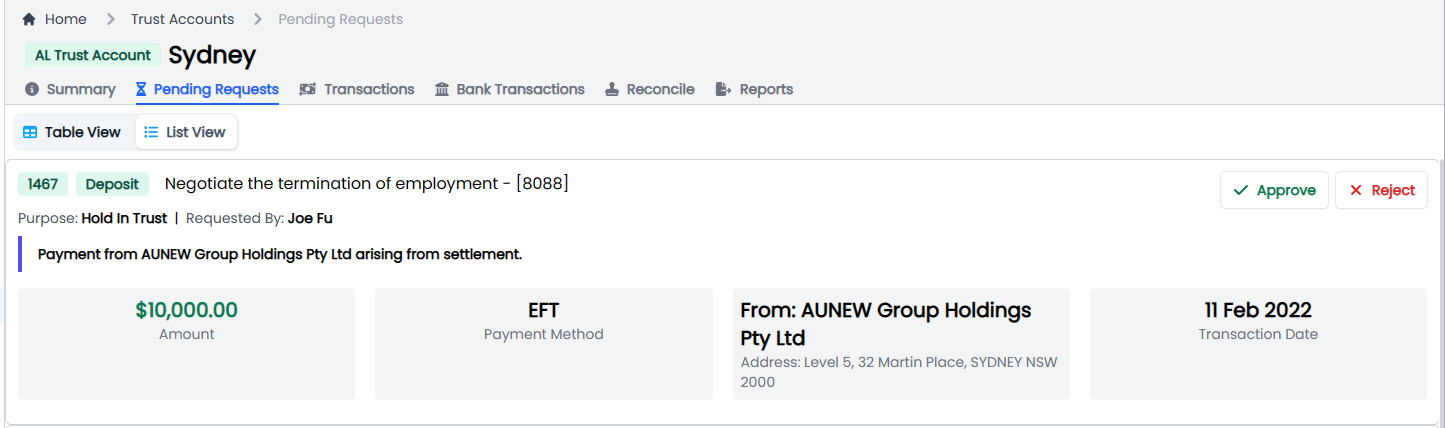
The List view now includes a details data view of the request.
| | 1.5.0 | Trust Accounts |
Trust requests now include a preview of any attachments, so a user doesn't have to navigate to the matter, folder and find the links.
 | | 1.5.0 | Trust Accounts |
Update the Lawyers view to adopt a similar pattern to Invoices.
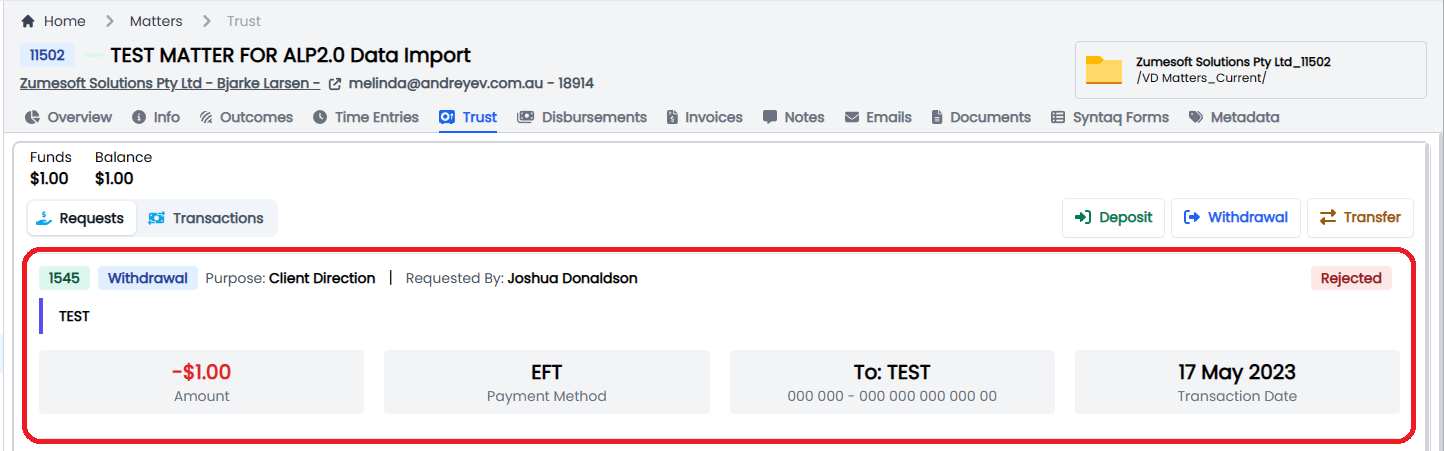 | | 1.5.0 | Trust Accounts | Implemented status and request type tags to the UI. | | 1.5.0 | Trust Accounts |
Updated the Trust Trial Balance Report to include the calculation of Statutory Deposit Account Transactions.
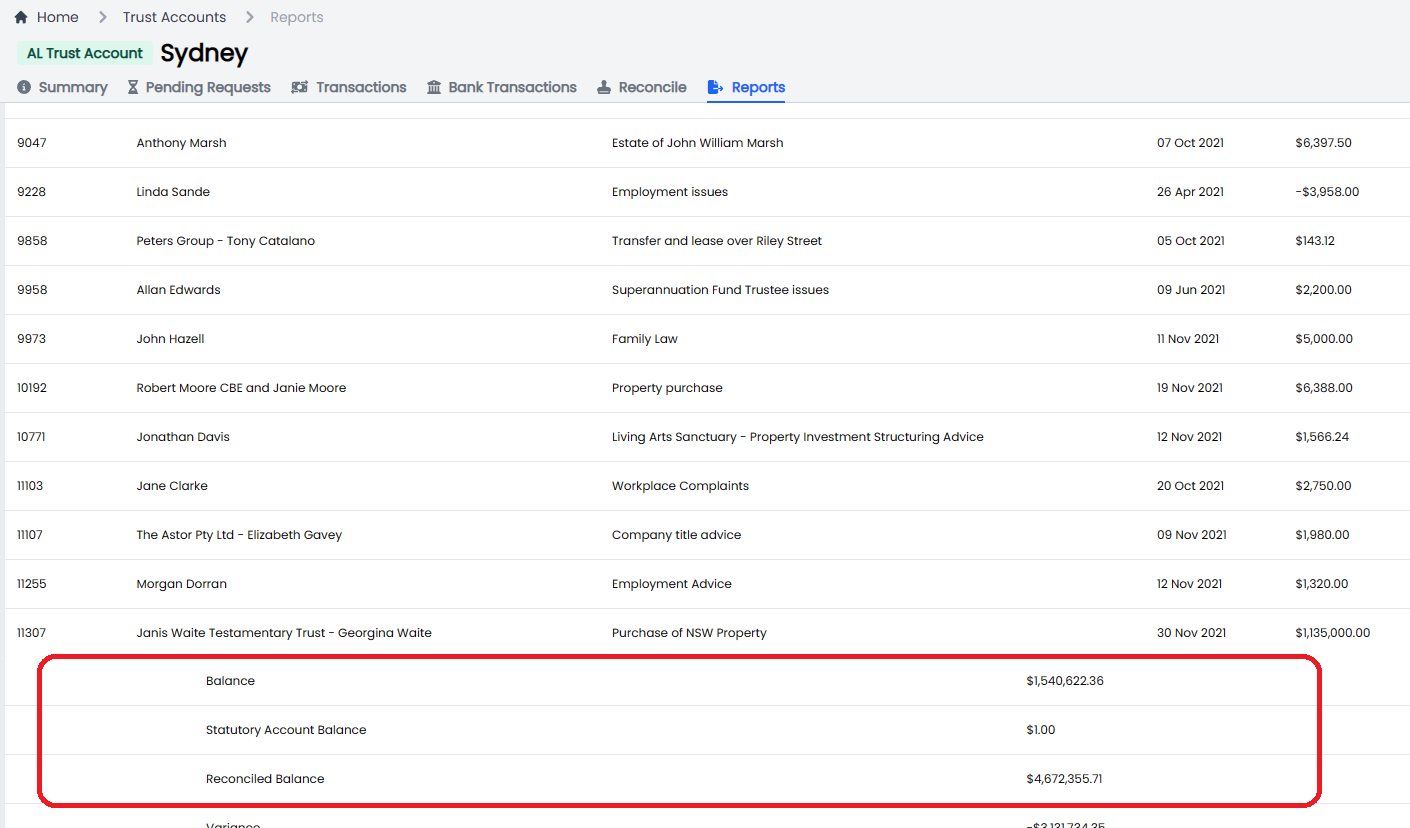 | | 1.5.0 | Offerings | Make the Title field a multi-line text box. | | 1.5.0 | Offerings | Allow a user to add URL resources directly from the modal without the need to navigate to the Resources URL page. | | 1.5.0 | Offerings | Update the Problem/ Outcome button to Save from Add. | | 1.5.0 | UI |
Update the UI for views and Filters.

Views are accessible from the Left and Filter from the right.
|
Bugs
| Release Version | Feature | Description |
|---|---|---|
| 1.5.0 | Staff Directory | Allow a user to search the staff directory. |
Documentation
| Title | Description |
|---|---|
Release 2023-05-03
New Features
| Release Version | Feature | Description |
|---|---|---|
Enhancements
| Release Version | Feature | Description |
|---|---|---|
| 1.4.9 | Offerings | |
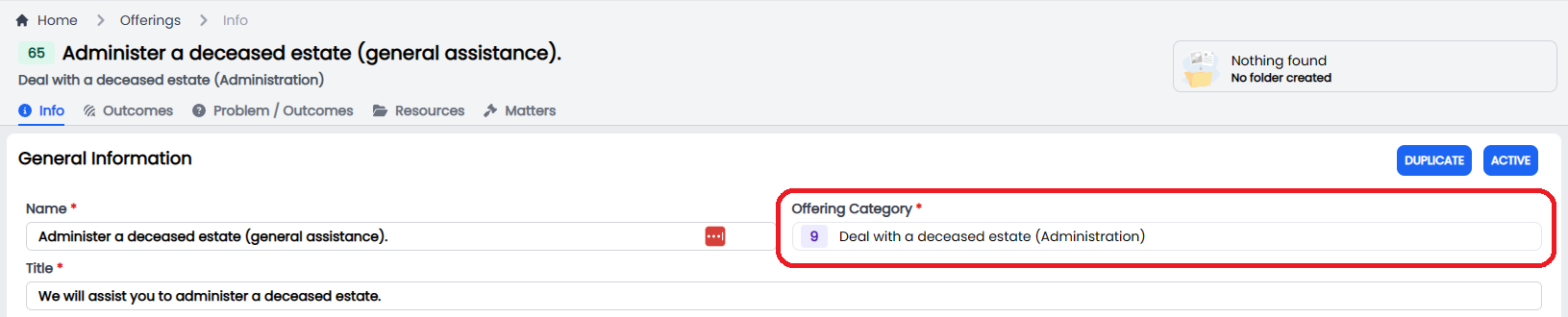
| Add offering Category ID into the Offering Selection UI. |
 | | 1.4.9 | Users |
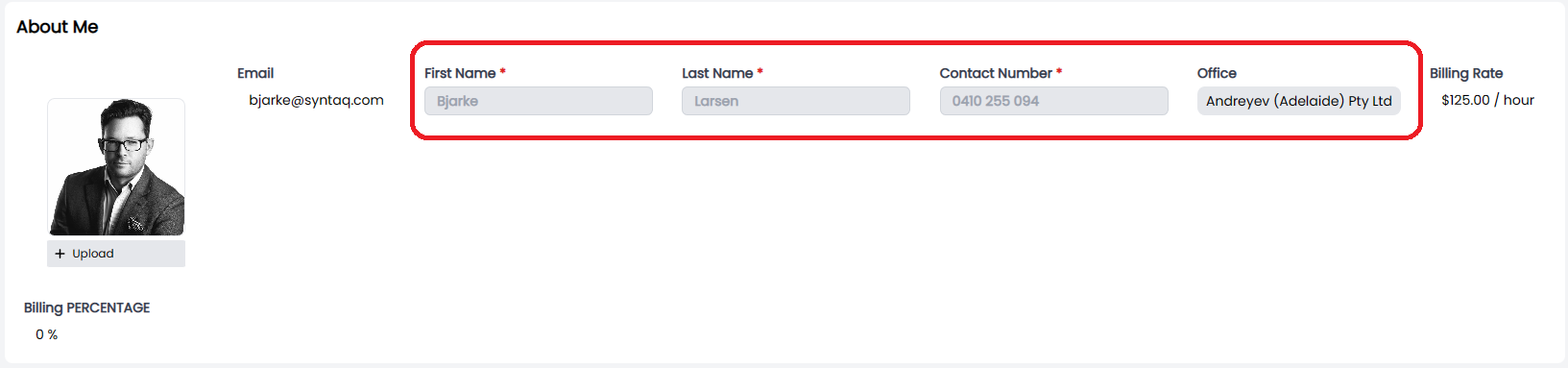
Prevent a user from editing the personal information by disabling the fields in the view.
 | | 1.4.9 | Invoices | Only allow a user to create a new invoice when the matter status is Open. | | 1.4.10 | Audit Logs |
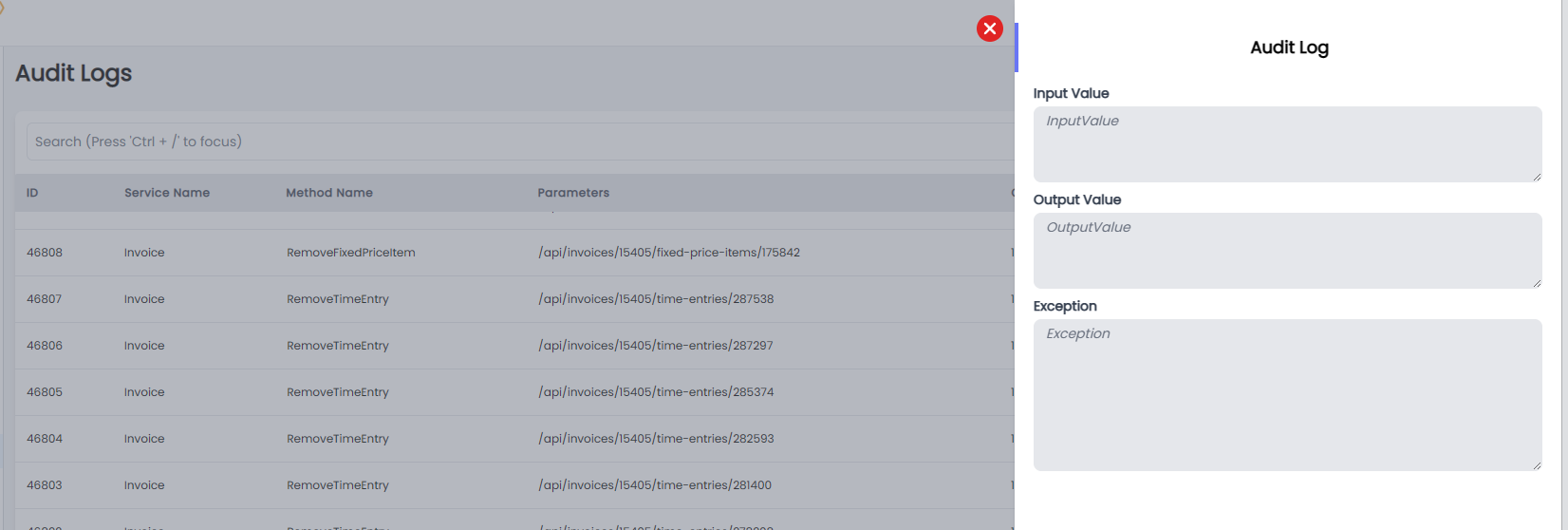
Created an Audit log table for Admins to view and query.
 | | 1.4.10 | Mail Register |
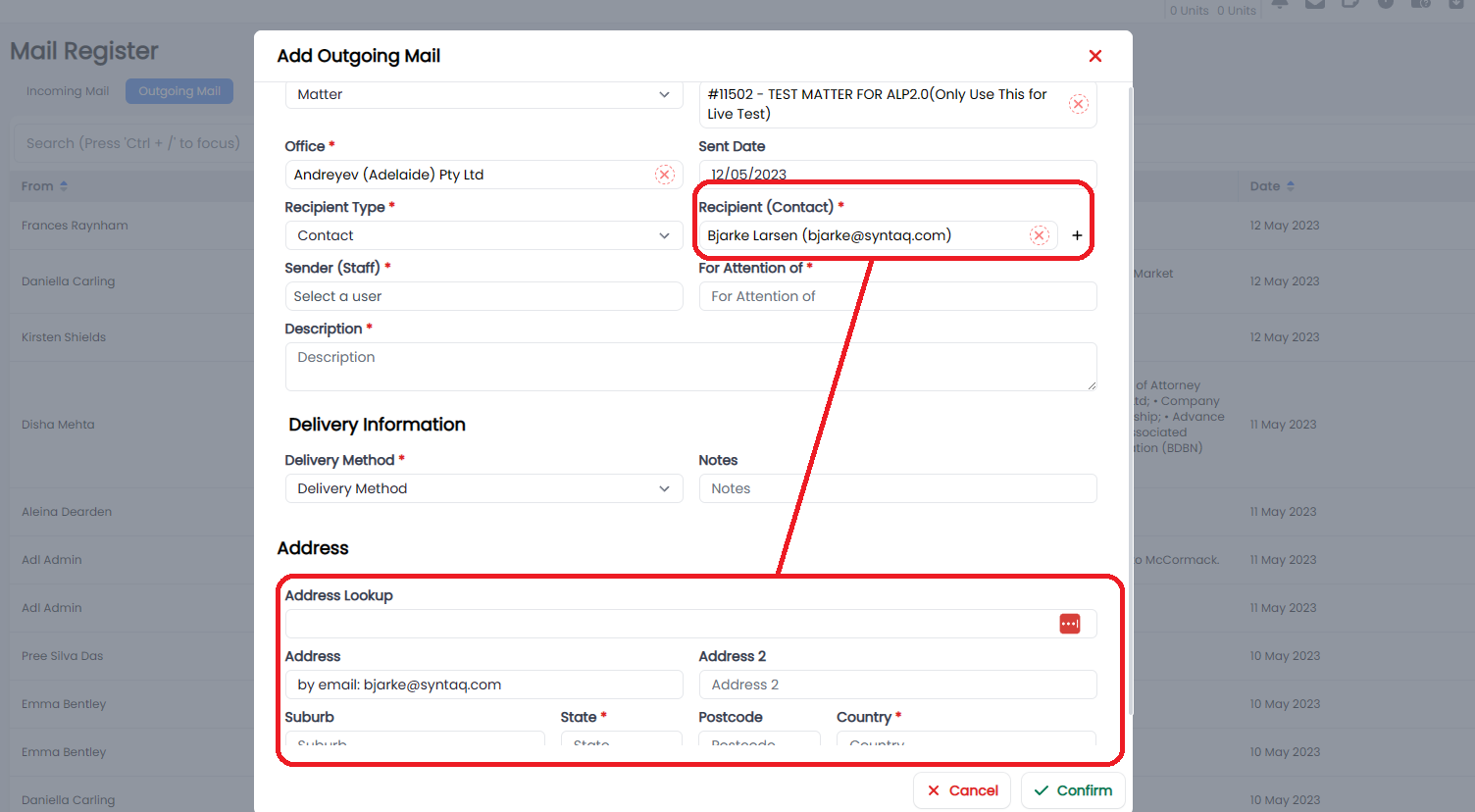
Added business logic to the Outgoing mail register form to pass through the Contacts Address when one exists.
 | | 1.4.12 | Contact |
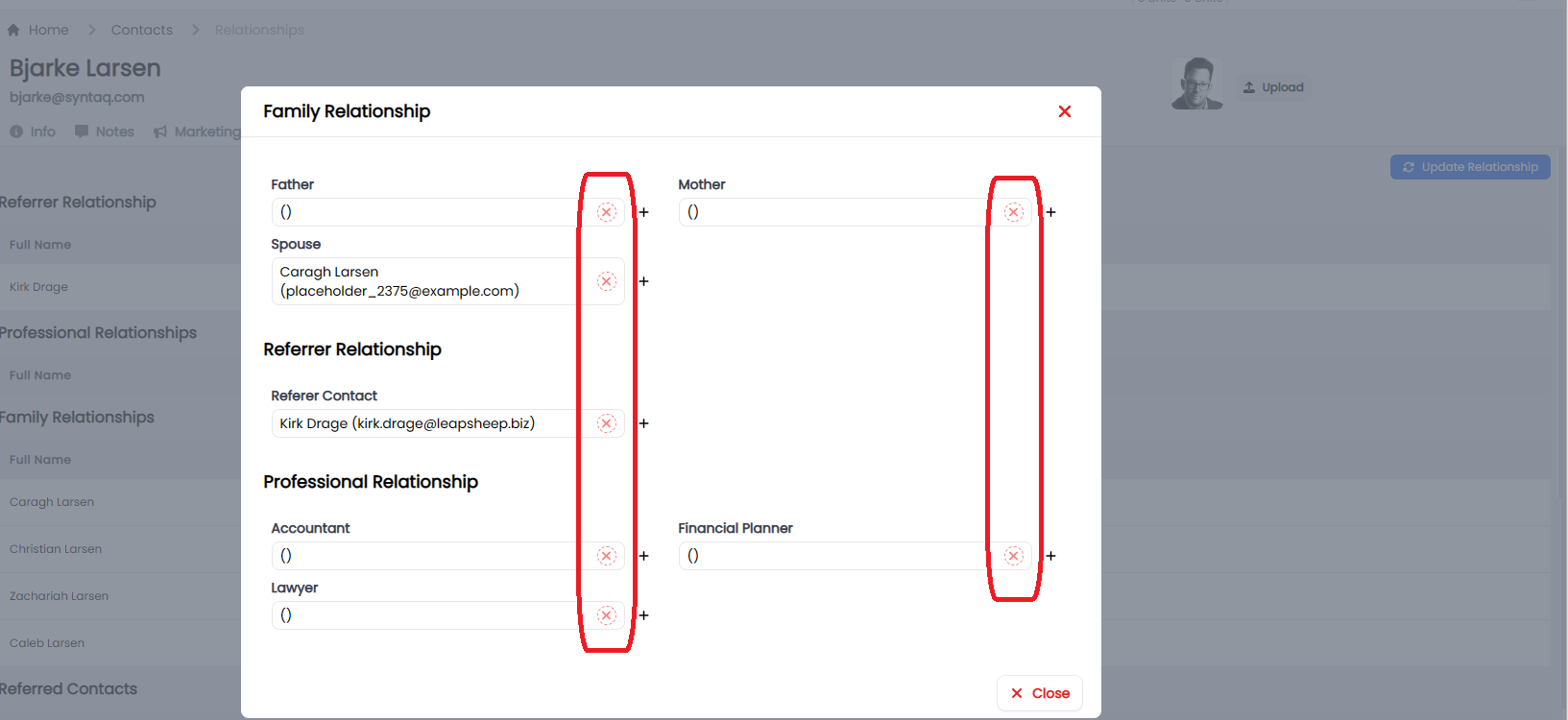
Allow a user to remove a previous relationship with a Contact rather than. This relevant when a Contact and their Partner separate, and you want to break the relationship.
 |
|
Bugs
| Release Version | Feature | Description |
|---|---|---|
| 1.4.11 | Offerings | |
| Resolve a CSS issue which prevented the user from being able to see the search bar to search available resources. |
 |
|
Documentation
| Title | Description |
|---|---|
Release 2023-04-20
New Features
| Release Version | Feature | Description |
|---|---|---|
Enhancements
| Release Version | Feature | Description |
|---|---|---|
| 1.4.7 | Offerings | |
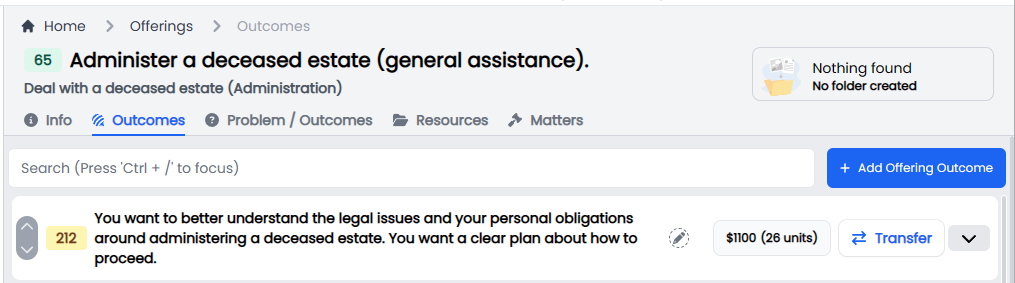
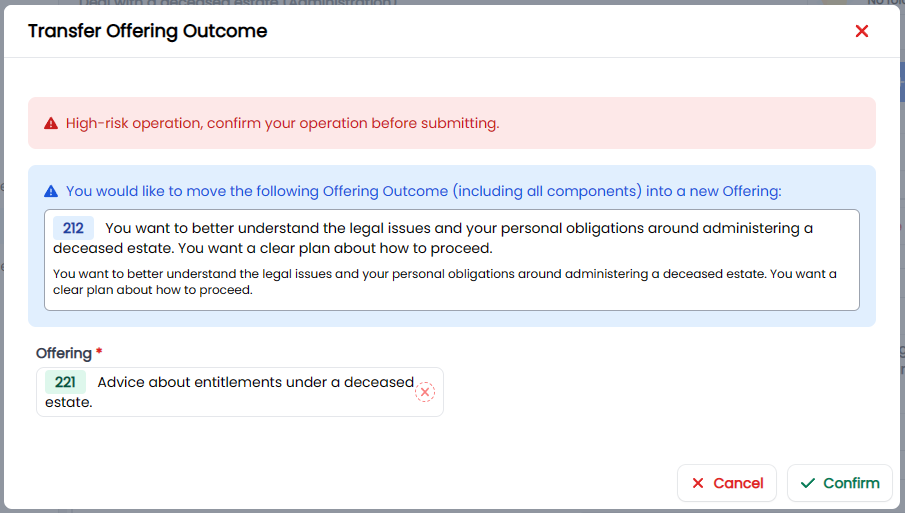
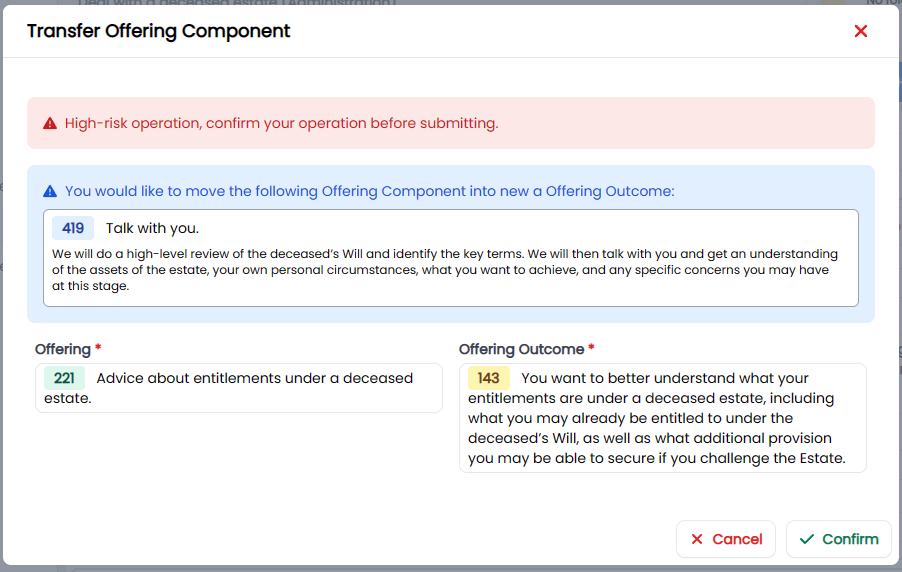
| Allow admin to Transfer Offering Outcomes and Components. |
Use Cases that the Transfer feature supports:
- Allow a user to Transfer a Component between Outcomes under the same Offering;
- Allow a user to Transfer a Component to an Outcome under a different Offering; and
- Allow a user to Transfer an Outcome and Associated component between Offerings.
Offering Outcome Transfer UI
Transfer Modal
Offering Outcome Component Transfer UI
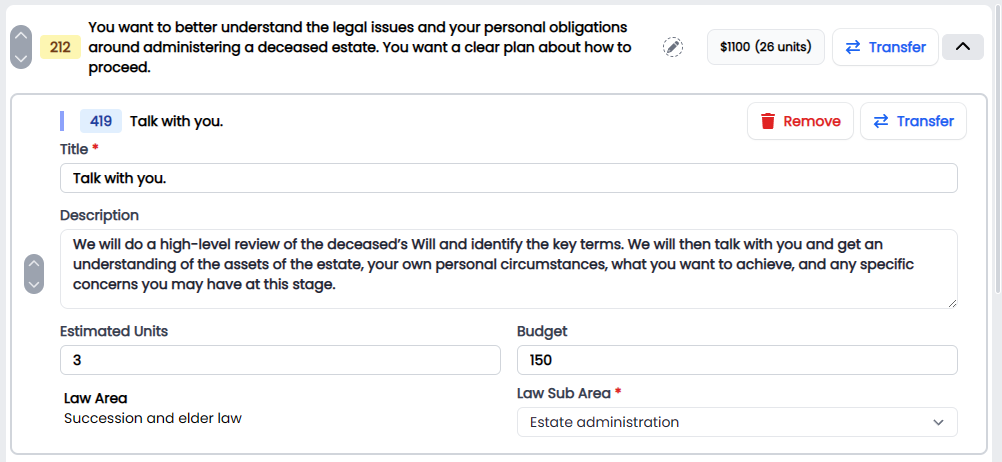
Transfer Modal
 | | 1.4.7 | Projects |
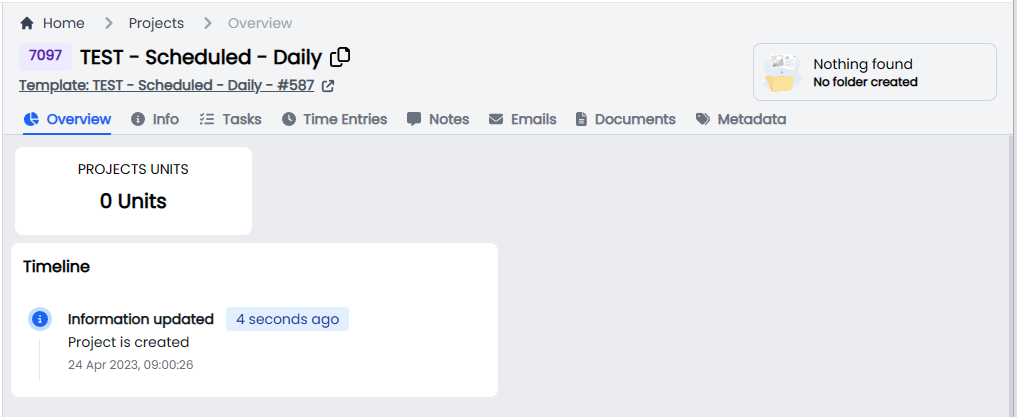
Projects Overview Timeline and Units.
 | | 1.4.7 | Projects |
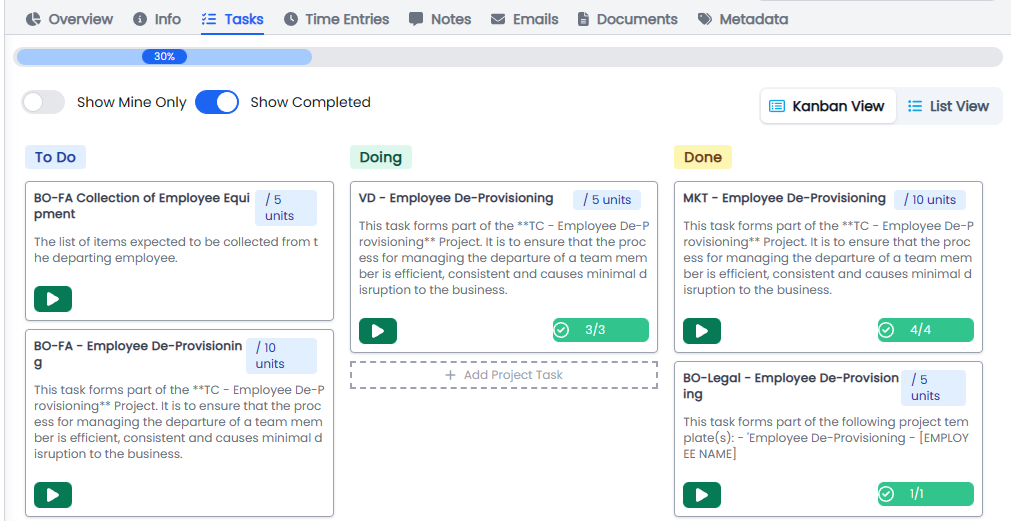
Projects tasks UI enhancements.
 | | 1.4.7 | Matters |
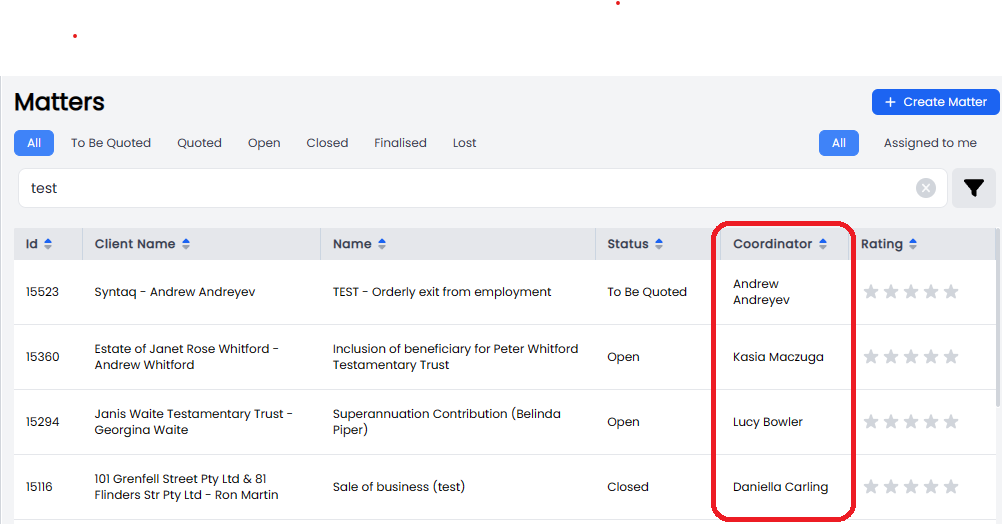
Added the Coordinator to the Matter List view.
 | | 1.4.7 | Bug and Suggestions | Reordered the list to show the most recent submissions at the top of the list. |
Bugs
| Release Version | Feature | Description |
|---|---|---|
| 1.4.8 | Client | Resolve an issue when marking a client as inactive it always switches back to active. |
Documentation
| Title | Description |
|---|---|
Release 2023-04-13
New Features
| Release Version | Feature | Description |
|---|---|---|
Enhancements
| Release Version | Feature | Description |
|---|---|---|
Bugs
| Release Version | Feature | Description |
|---|---|---|
| 1.4.6 | Quick time entries | Resolve quick time entries issues when adding new time. |
| 1.4.6 | Projects | Fix in some condition project won't delete issue. |
| 1.4.6 | Time Entry | Project time entry clear issue on time entry input fields. |
| 1.4.5 | Projects | Resolve the issue where scheduled projects don't trigger. |
| 1.4.4 | Projects | Project Time Entries not shown project task issue. |
Documentation
| Title | Description |
|---|---|
Release 2023-03-27
New Features
| Release Version | Feature | Description |
|---|---|---|
| 1.4.0 | Audit Logging | |
| Implemented system wide audit logging on all the API methods. |
Data Schema collects all the following data and is being pulled directly into Metabase for future analysis and Dashboard reporting.
- ID
- User ID
- Service Name
- Method Name
- Parameters
- Input value
- Return value
- Client IP Address
- Browser Info
- Exception
- Exception message
- Log level
- Activity
- Description
- Duration
- Inserted At
- Updated At
- Inserted by ID
- Last Updated By ID
| | 1.4.0 | Time Entries |
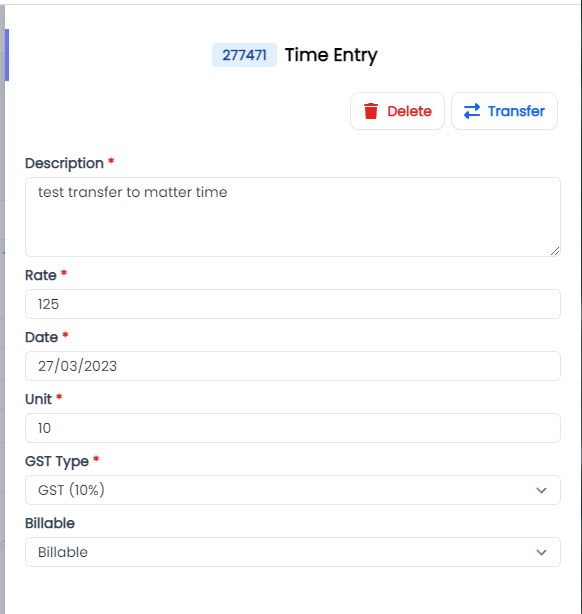
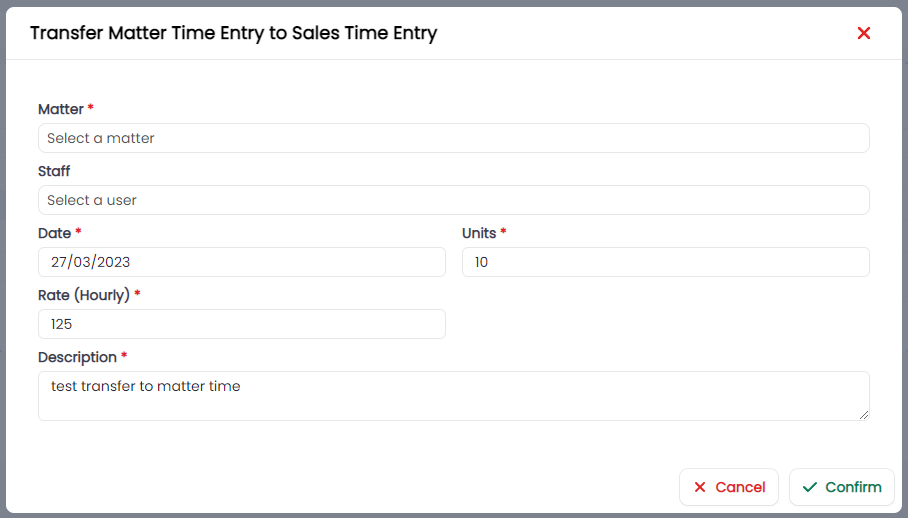
Allow a user to transfer time entries from the Time Entries Table.
- Transfer time from Sales to Matter time on the same matter
- Transfer time from one Matter to another Matter.
Transferring Time.
Click on the time Entry and select Transfer.
Once you have selected Transfer you can Select the matter and type of time entry you want to transfer it to i.e. Sales or Matter Time.
 |
|
Enhancements
| Release Version | Feature | Description |
|---|---|---|
| 1.4.0 | UI | |
| Update the UI components: |
Header Menu, standardisation

Modal standarisation
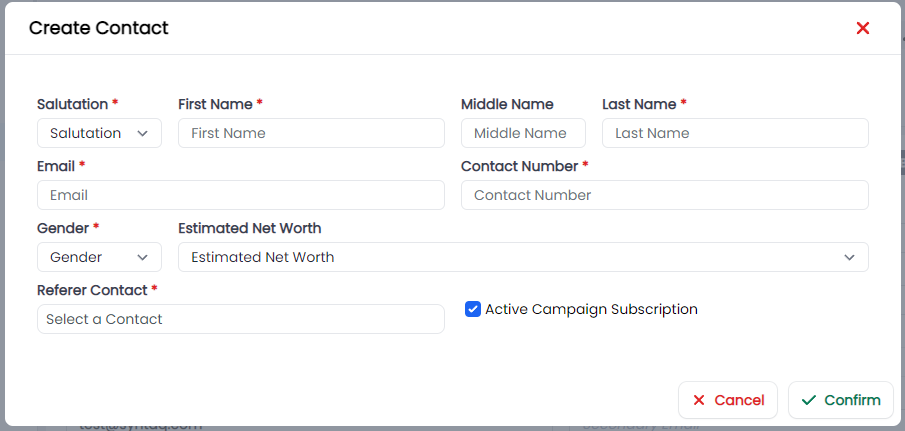
Menu's don't break over multiple lines.
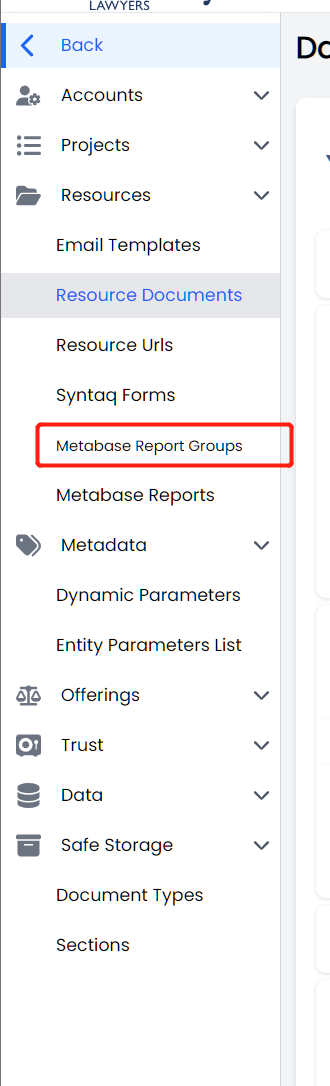
Notification Warning Modal
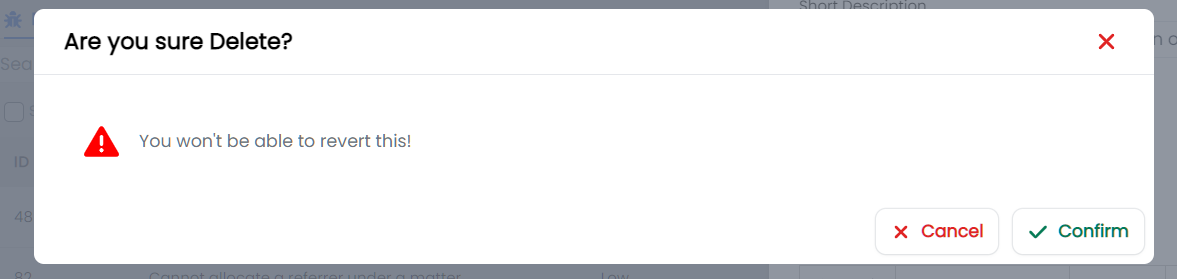 | | 1.4.0 | Client > Documents | Updated the UI removing the client document button. |
Bugs
| Release Version | Feature | Description |
|---|---|---|
Documentation
| Title | Description |
|---|---|
Release 2023-02-23
New Features
| Release Version | Feature | Description |
|---|---|---|
| 1.3.2 | Time Entries | |
| We have added a new Quick Time Entries feature to the Time Entries view that will allow you to quickly add a new time entry, reducing the number of clicks required to create a new time entry. |
 |
|
Enhancements
| Release Version | Feature | Description |
|---|---|---|
| 1.3.2 | Matter Overview | |
| Enhanced Matter Overview dashboard to include the Last Time Entry Widget. |
 | | 1.3.2 | Email |
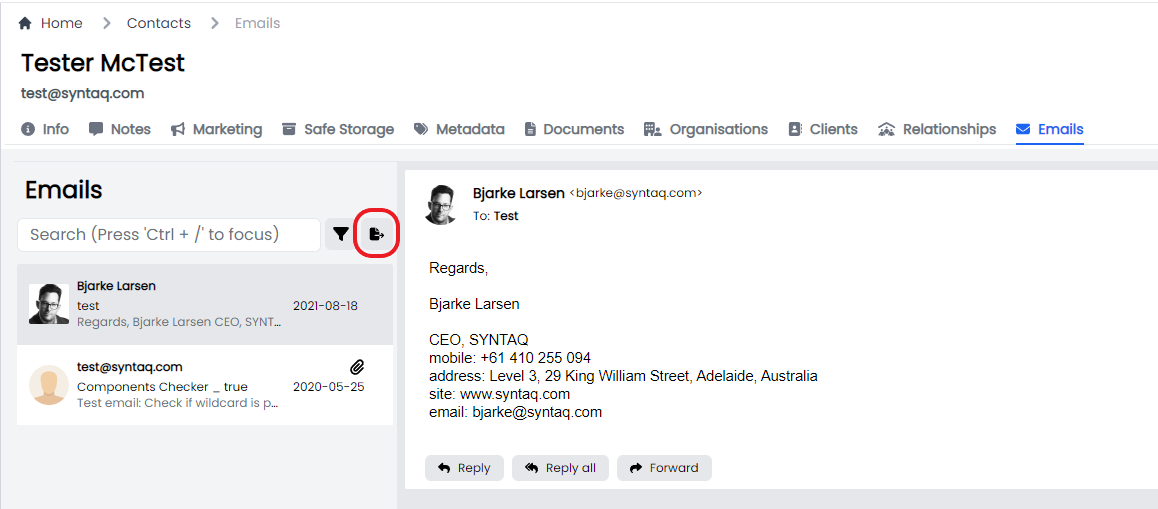
Enhanced the HTML to PDF export functionality to allow:
- ALL users to export emails from Contacts and Matter views
- A user can export ALL emails from a Contact or Matter, without the need to select each one individually
- Email export will include any attachments
Contacts
Emails Exports from a contacts page will be saved to the Contacts Documents as a PDF, ready for download to your desktop.
Matters
Emails Exports from a Matters page will be saved to the Matters Documents as a PDF, ready for download to your desktop.

Email exports will also follow the following pattern, which will also assist with email chronology for future matters.
[yyyymmdd]Email [Sender] to [Recipient & Recipient][subject] re [topic][matter id]_[BlobstorageRef_ID]
While email attachments will follow the following naming convention.
[item]_Attachment to [Sender] [yyyymmdd] email[matter id]_[BlobstorageRef_ID]
Thanks for your suggestions Aleina and Ico!!!
| | 1.3.2 | UI |
All standard tables now have the table sort by column and column scaling by default.
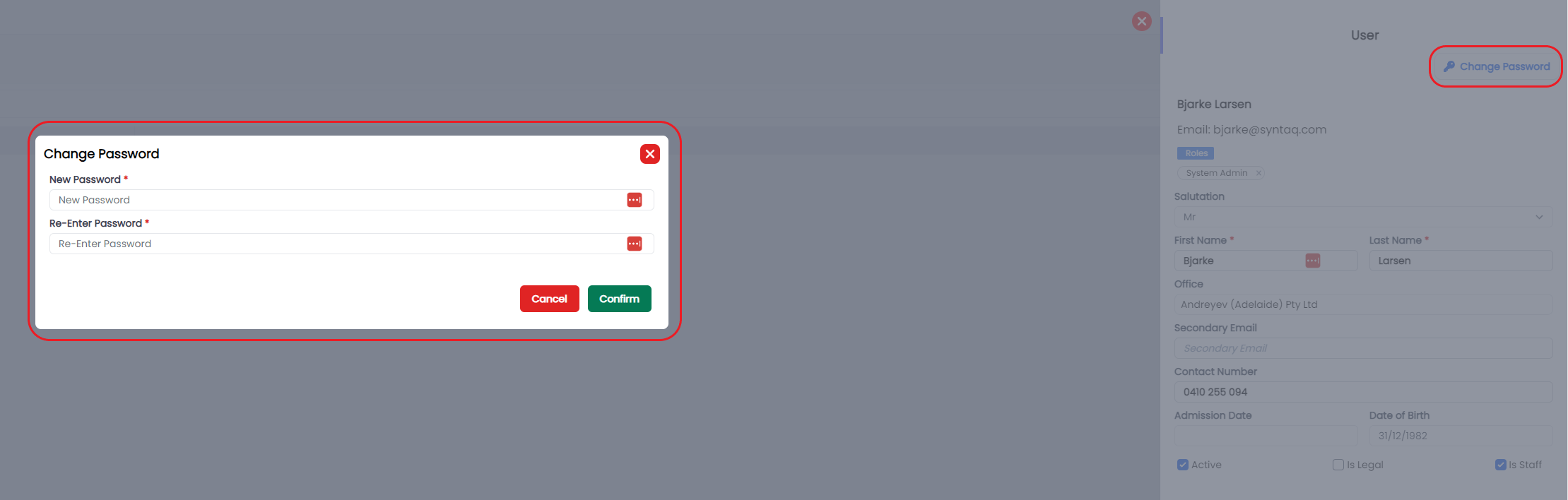
 | | 1.3.2 | Admin > Users |
Updated the User Edit functionality to allow users with User Edit permissions the ability to create a new password on portal.
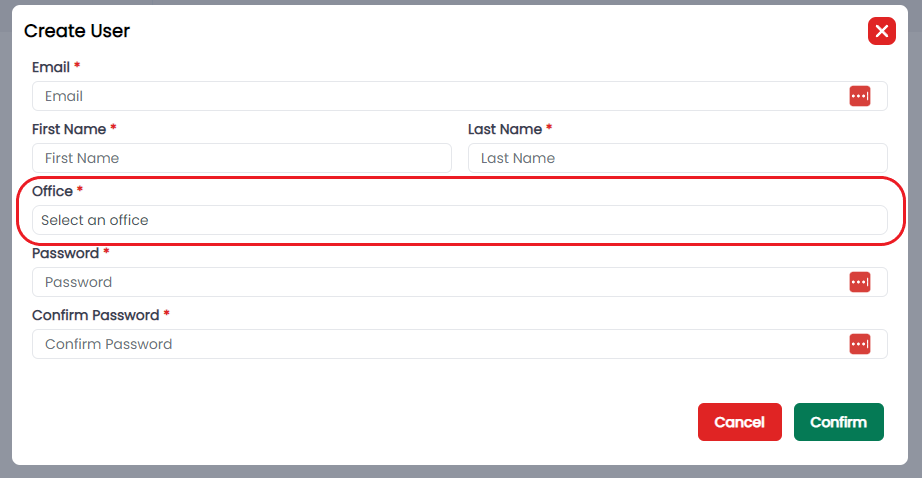
 | | 1.3.2 | Users |
Updated the create user process to include the Office.
 | | 1.3.2 | Trusts | Update Trust default order. |
Bugs
| Release Version | Feature | Description |
|---|---|---|
Documentation
| Title | Description |
|---|---|
Release 2023-02-09
New Features
| Release Version | Feature | Description |
|---|---|---|
| 1.2.8 | API | Developed a new api for last note, which will allow us to support the creation of a last note across all areas i.e. projects, invoices etc. |
Enhancements
| Release Version | Feature | Description |
|---|---|---|
| 1.2.8 | Matter Overview | |
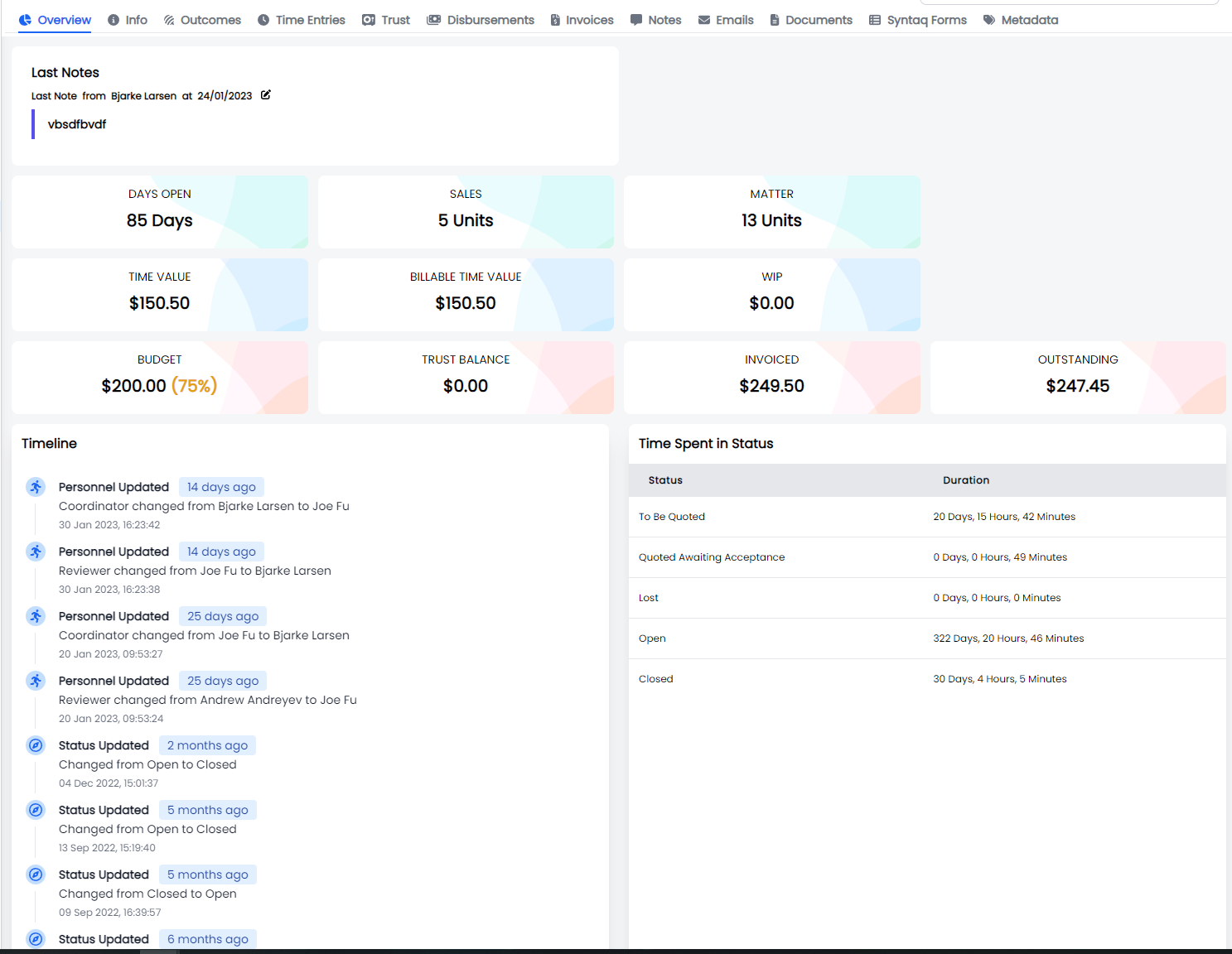
| Updated the matter Overview page layout to support the additional widgets. |
 | | 1.2.8 | Matter Overview |
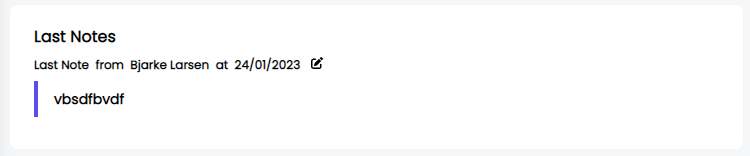
Introduced 2 new widgets, with 2 more to come.
- Last note
- Days open
 | | 1.2.8 | Invoiced Widget |
Updated the calculation of the widget to use invoiced value as actual invoiced value and not time value.
 | | 1.2.8 | UI |
Enhancement to the UI to standardise the use of Ellipse, collapsing when there are 3 or more functions.
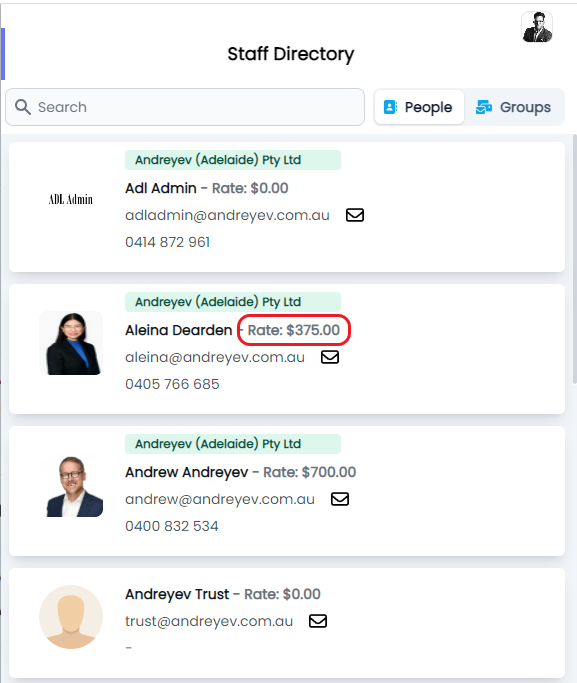
 | | 1.2.8 | Staff Directory |
Updated the staff directory to include an individuals rate
 | | 1.2.8 | SharePoint | Update the API to support the creation of SharePoint folders where the client name contains a special character |
Bugs
| Release Version | Feature | Description |
|---|---|---|
| 1.2.9 | Projects | Resolve an issue where assignees wouldn't load and there a user couldn't add one to a Project Task |
| 1.2.8 | Application | Clean up the console log warning errors to help devs easily identify issues related to the application. |
| 1.2.8 | Trust | Resolve an issue where trust records went scrolling past a certain point. |
Documentation
| Title | Description |
|---|---|
Release 2023-01-19
New Features
| Release Version | Feature | Description |
|---|---|---|
| 1.2.6 | Directory | |
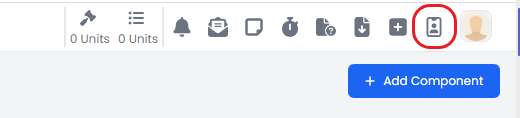
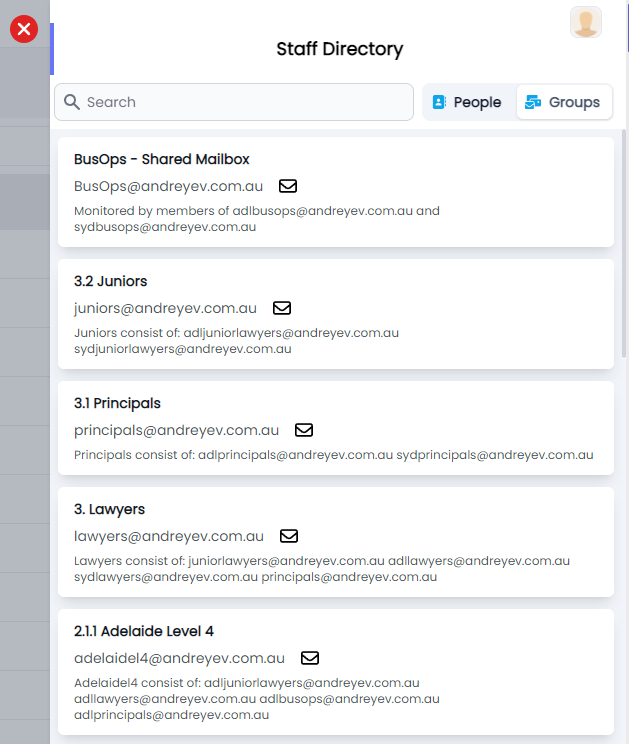
| Implemented the Staff Directory, uses can search by Staff Member or by Group. Clicking on the Envelop icon will create a draft email. |
You can find the Staff Directory under the User Icon
Staff View
- Icon
- The office
- First and Lastname
- Email address
- Contact Number
- Quick action email icon
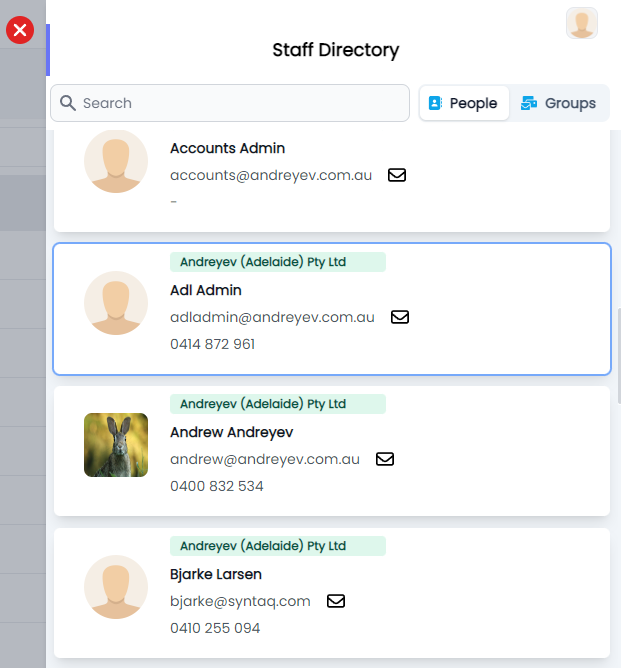
Group View
 | | | | |
Enhancements
| Release Version | Feature | Description |
|---|---|---|
| 1.2.6 | Offerings | |
| Allow admin users to merge offerings. |
The result of a merge are:
- Offering Outcome and their associated components are migrated from the Old Offering to the new Offering
- The Old Offering status is set to Inactive
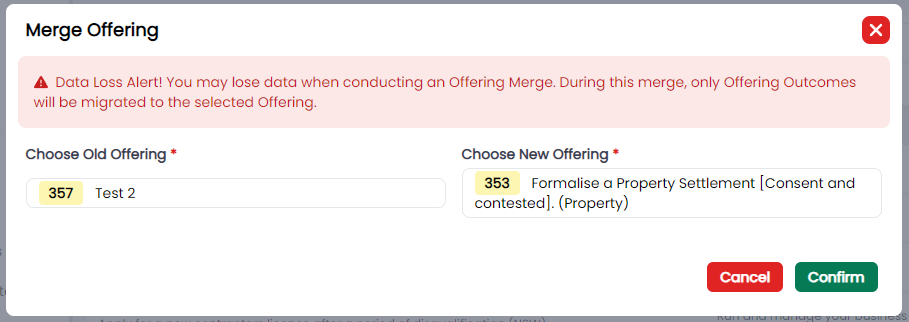 | | 1.2.6 | Offering Component Template |
Allow Admin users to Mark an Offering Component Template as Active or Inactive.
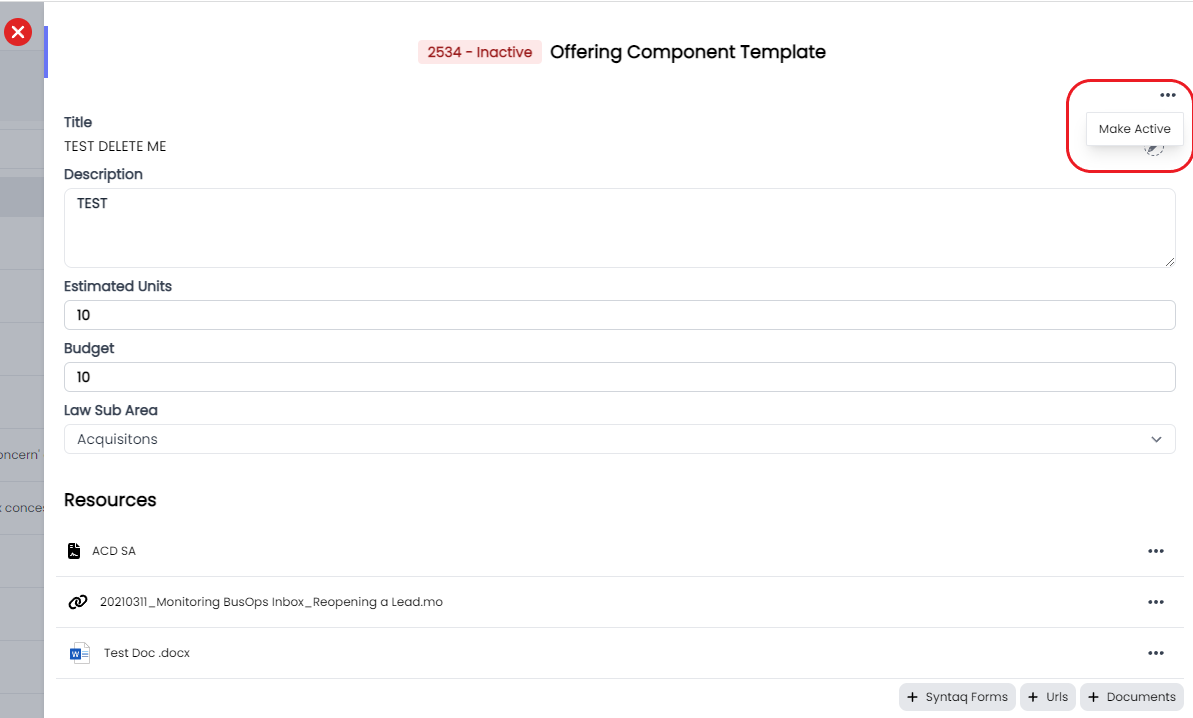 | | 1.2.6 | UI > Offering Component Templates |
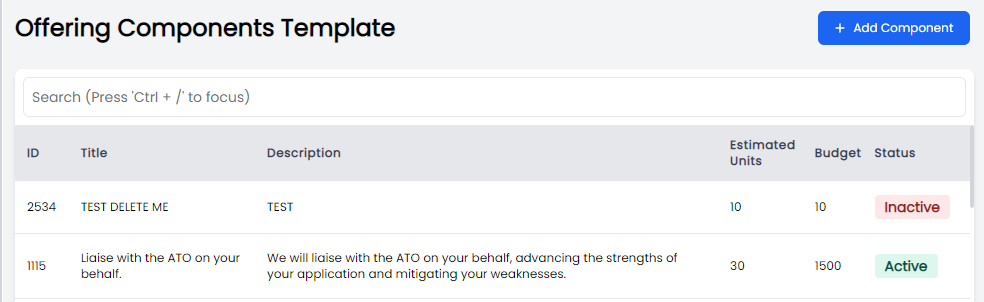
Updated the Offering Components Table to include Component Status
 | | 1.2.6 | UI > Tables |
Enhance the standard table functionality to allow users to:
- Scale the column width; and
- Sort by column

This has been applied to the following Tables with more to come in the next release:
- Contacts
- Organisations
- Clients
| | 1.2.6 | UI |
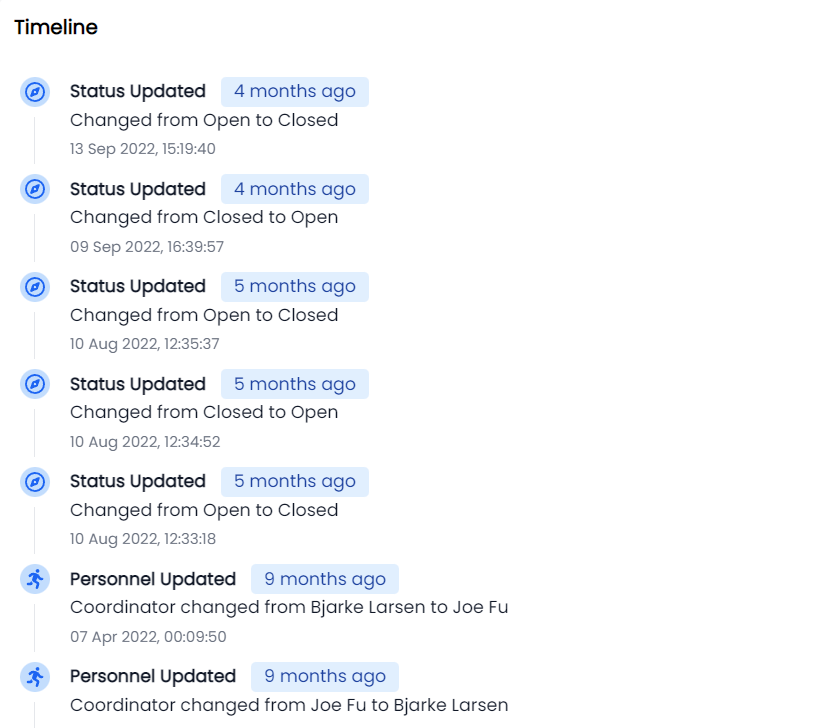
Updated the Matter Overview timeline Widget.
 | | | | |
Bugs
| Release Version | Feature | Description |
|---|---|---|
Documentation
| Title | Description |
|---|---|
Release 2023-01-10
New Features
| Release Version | Feature | Description |
|---|---|---|
Enhancements
| Release Version | Feature | Description |
|---|---|---|
| 1.2.3 | Matter > Trust | |
| Added Trust Balance widget to the Matter Overview Page. |
 | | 1.2.3 | Invoice |
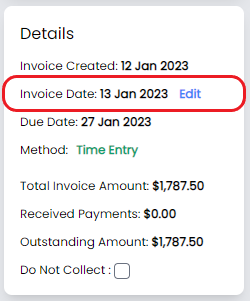
Allow admin users to update the invoice due date.
 | | 1.2.3 | UI |
Updated some UI elements, including:
- Widget design
- Fonts
- Badges
| | 1.2.3 | Framework | Automated testing with Cypress. |
Bugs
| Release Version | Feature | Description |
|---|---|---|
| 1.2.3 | Invoices | Resolve issue when downloading an invoice the icon after download is missing. |
| 1.2.3 | Calendar | Fix the Calendar icon display. |
Documentation
| Title | Description |
|---|---|
Release 2023-01-01
New Features
| Release Version | Feature | Description |
|---|---|---|
Enhancements
| Release Version | Feature | Description |
|---|---|---|
| 1.2.2 | Logo | Update the logo back to standard |
| 1.2.2 | UX | Added a 404 Page if the URL was invalid |
Bugs
| Release Version | Feature | Description |
|---|---|---|
Documentation
| Title | Description |
|---|---|