
Administration
Administration is where firm administrators configure SBOS.AI for your organisation: who can sign in, what they are allowed to do, master data (offices, teams, offerings), trust and statutory-money settings, integrations, and reporting. Most of these screens live under the Administration menu in the portal; a smaller set of tenant-wide tools (integrations, AI, audit exports, and similar) lives under System (/system) and is documented separately.
You open day-to-day admin from your profile menu → Administration. Individual menu entries and actions are gated by permissions (for example User.Edit, Matter.View). If you do not see a page or button described in this guide, your account may not have the required permission—ask another administrator to adjust your roles or to perform the change.
What this section covers
| Area | Purpose |
|---|---|
| People & access | Users, roles, teams, offices, workflows, remunerations |
| Catalogue & work | Offerings, categories, components, project templates, sprints |
| Master data | Data maintenance, metadata, resources |
| Trust & compliance | Trust accounts, trust ledgers, safe storage, Syntaq, audit logs |
| Insights & integrations | Metabase, system settings, /system configuration, other admin utilities |
Use the topics below for step-by-step guidance on each area.
Admin menu
The Administration menu groups the screens you use most often. Your visible items depend on your permissions.
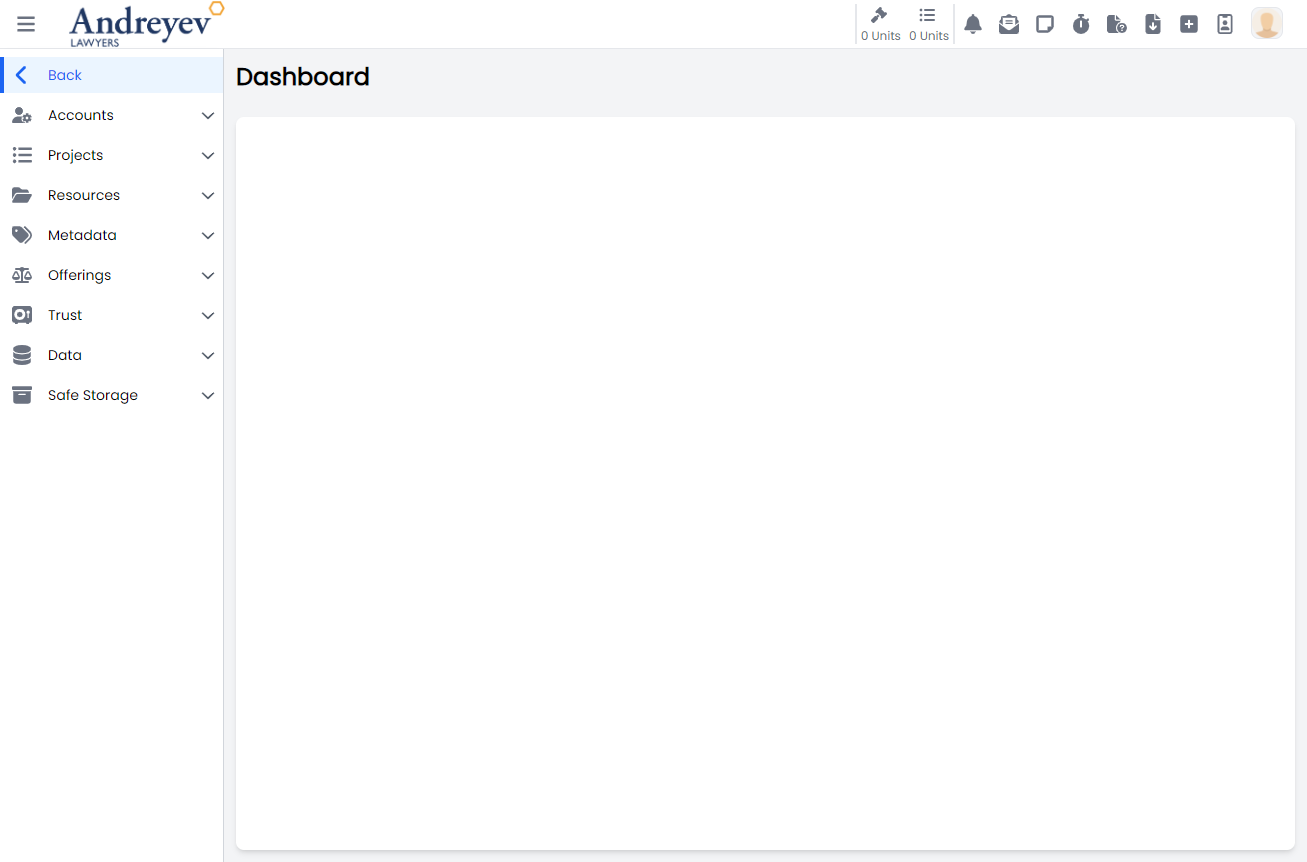
Topics in this guide
Accounts, access, and structure
- Users — Create and maintain portal accounts
- Roles — Permission bundles assigned to users
- Users and roles — How accounts and permissions work together
- Teams — Group staff for access and workflows
- Offices — Branches and locations
- Workflows — Approval and task sequences
- Remunerations — Staff remuneration configuration
Master data and resources
- Data — Firm-wide data maintenance
- Metadata — Custom fields and metadata setup
- Resources — Shared resource configuration
Offerings and delivery
- Offerings — Service catalogue
- Offering categories — Grouping offerings
- Offering components — Building blocks of offerings
- Project templates — Reusable project blueprints
- Sprints — Sprint configuration for project work
Trust, forms, and compliance
- Trust accounts — Trust / controlled-money accounts
- Trust ledgers — Ledger setup and maintenance
- Safe storage — Secure storage configuration
- Syntaq — Syntaq integration and firm setup
- Audit logs — Review significant system activity
Reporting and system tools
- Metabase — Embedded analytics and dashboards
- System settings — Lookups, parameters, and reporting-related settings
- System configuration (
/system) — Tenant-wide tools (integrations, AI, audit, and related options) - Other admin screens — Additional utilities (parameters, resources, email templates, standard tasks, and similar)