
Mail Register
Overview
The Mail register helps us keep track of physical mail that has been sent or received.
You can view the Mail register from Registers → Mail register in the staff sidebar (navLinks.ts). The route is /user/mail-register and requires MailRegister.View (user.router.ts).
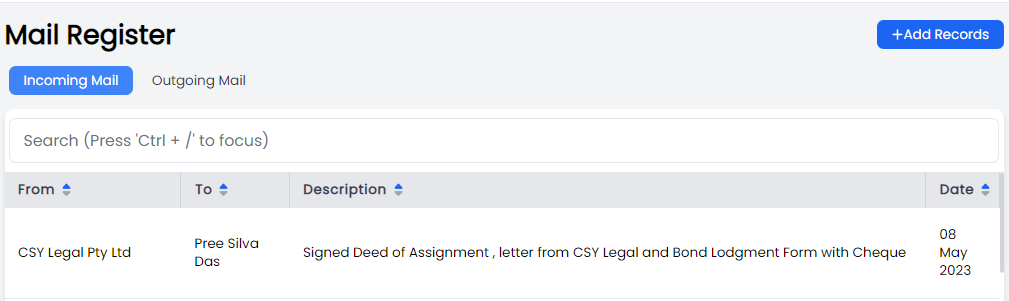
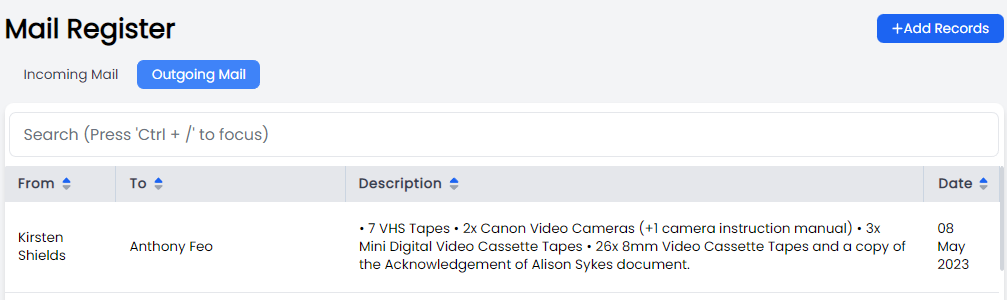
The mail register tables show the following information:
- From
- To
- Description
- Date
Clicking each entry will allow you to see further details.
Permissions
You need MailRegister.View to see the mail register in the sidebar and to open the pages.
Incoming Mail
The incoming mail page lets you view all the mail we have received.
Creating a Record of Incoming Mail
When mail is received you can create a record of mail receipt by clicking the Add Record button in the top right of the page. You will be presented with an Add Incoming Mail modal, where you will be asked to add details for:
- Entry Type (Matter / Other)
- Office
- Received Date
- Sender Type (Contact / Staff / Other)
- Recipient
- Description
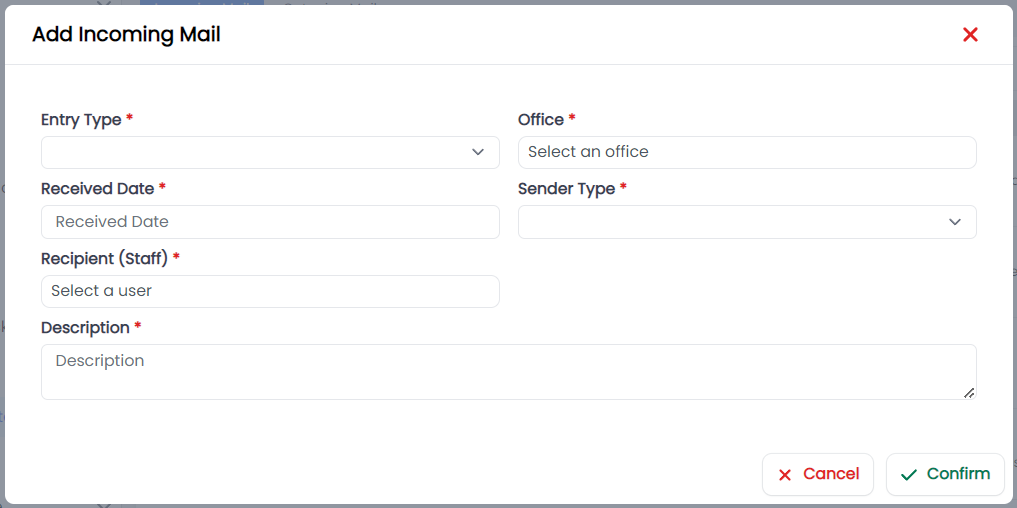
Click Confirm to add the entry
Outgoing Mail
The Outgoing Mail page lets you view all the mail we have sent.
Creating a Record of Outgoing Mail
When mail is sent you can create a record of mail send by clicking the Add Record button in the top right of the page. You will be presented with an Add Outgoing Mail modal, where you will be asked to add details for:
- Entry Type (Matter / Other)
- Office
- Sent Date
- Recipient Type (Contact / Staff / Other)
- Sender
- For Attention of
- Description
- Delivery method (Express Post / Post / By hand / Other)
- Notes
- Send Address
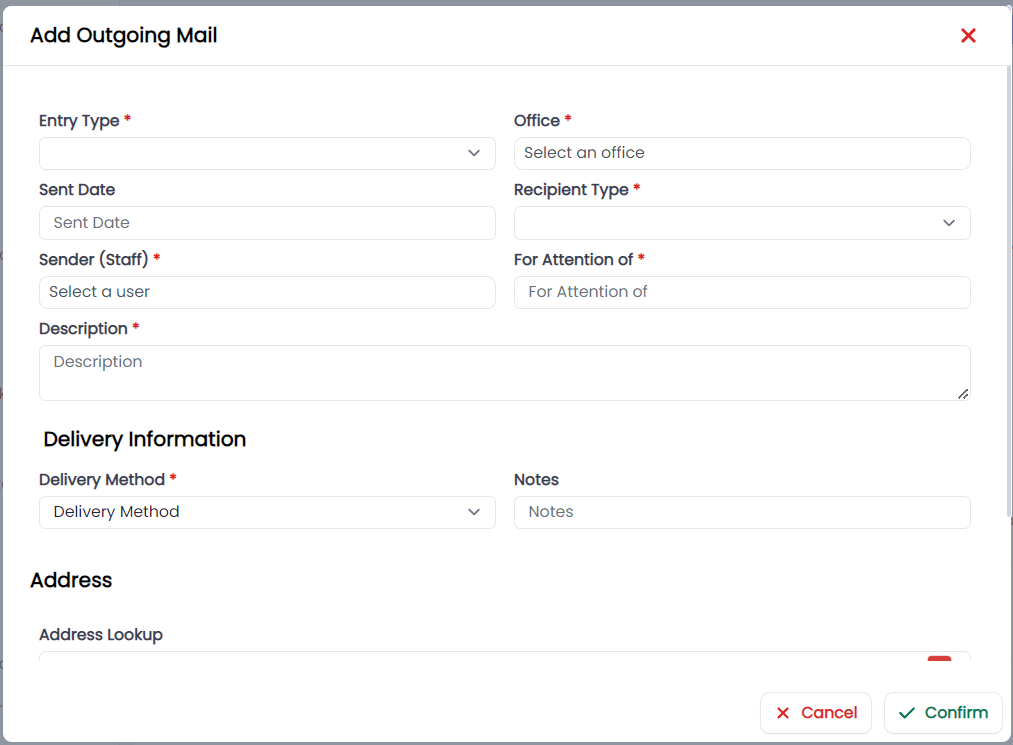
Click confirm to add the entry.